


Claude by Anthropic is one of the most powerful AI assistants you can use right now. However, when we talk about Claude, most people can only think of the Claude AI chatbot. While that is fair, as it is one of the most popular Anthropic products, that isn't the only one. Antropic has Claude AI chatbot, Claude Code (AI coding agent), Claude Cowork (AI agent for everyone), and Claude for Chrome (a Chrome-based AI agent).
While Anthropic has so many heavy hitters, you might only see basic surface-level tips on the Claude AI chatbot. The articles might tell you Claude can write emails, summarize PDFs, and draft a quick reply, which most people work out in their first week, or they might offer you a few Claude AI prompts, which can be useful, but you need a motive behind those prompts and to be able to create something.
Most guides won't tell you about the powerful Claude features that genuinely change how you use it and other powerful Anthropic products. These features are usually one toggle away or a few minutes of setup away, and because most guides don't show them to you, you can't find or use them.
AdCreative.ai: An AI-powered platform that automates the creation of high-performing ad creatives for social media and display campaigns
In this article, we have listed several Claude AI features that might take a few steps to set up initially, but they would then pay off every day afterward. We have covered most things (not everything) that might benefit most users, as Claude is no longer just a chat window you copy and paste into and from; it is something far more useful and powerful.
Here are the 11 genuinely useful Claude features you wish someone had told you earlier:
1. Projects do more than store a chat history
Claude Projects lets you load context once instead of pasting it into every conversation. Project only takes a few minutes to set up and lets you drop in a codebase overview, a style guide, reference docs, or past work as project knowledge, and every chat in that project starts with all of it already loaded.
If your work contains anything you return to often, like a client account, an ongoing codebase, or a particular project/campaign, then Projects can remove the most repetitive part of using Claude. You no longer need to waste time re-pasting the same background; you can do it once, and all chats in your project will inherit that background.
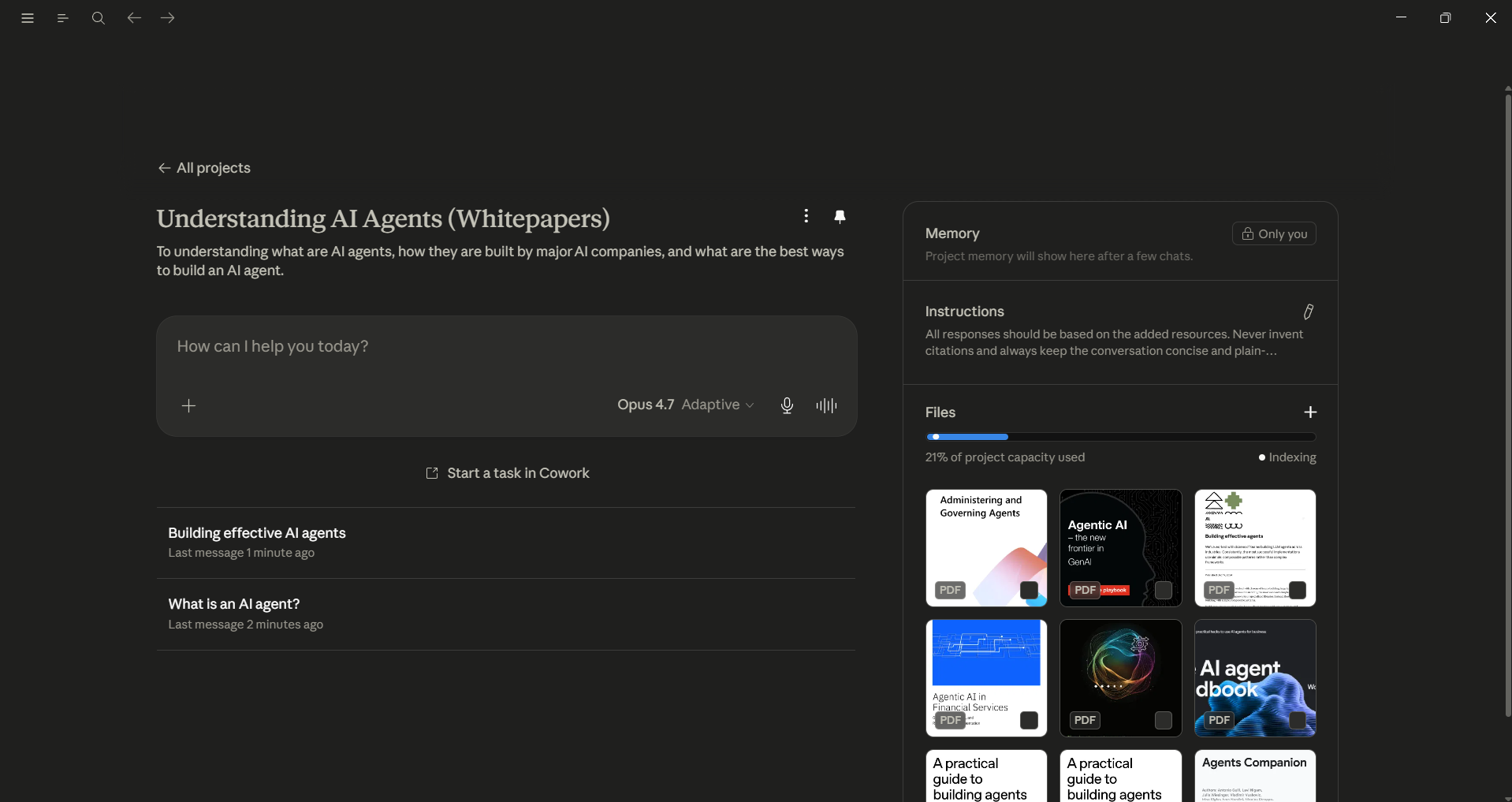
2. Custom Styles change output quality, not just tone
Custom Styles is an overlooked feature that people often treat as a formatting setting, but it can actually shape and change how Claude responds. A style can be built around a specific role and can work better than tweaking word choice. A skeptical senior engineer style that can push back on your code instead of agreeing with it to create sharper feedback than the default helpful tone. It takes a few minutes to write, and it applies to every chat you select it in.
- Now, Claude has moved writing styles to Skills so you can turn a writing style into a reusable Skill.
3. Memory is on by default and reads past chats
Claude's memory feature is enabled by default, and it can draw on your earlier conversations. If responses suddenly feel more custom to your work, that is why. It is genuinely useful, since Claude stops asking for context it already has, but it is worth knowing it is happening rather than finding it by accident. You can review what it remembers or switch it off in settings if you would rather keep conversations isolated.
- If you are ChatGPT, Gemini, or any other AI assistant user, you can easily import your memory from that AI chatbot to Claude and carry on where you left off.
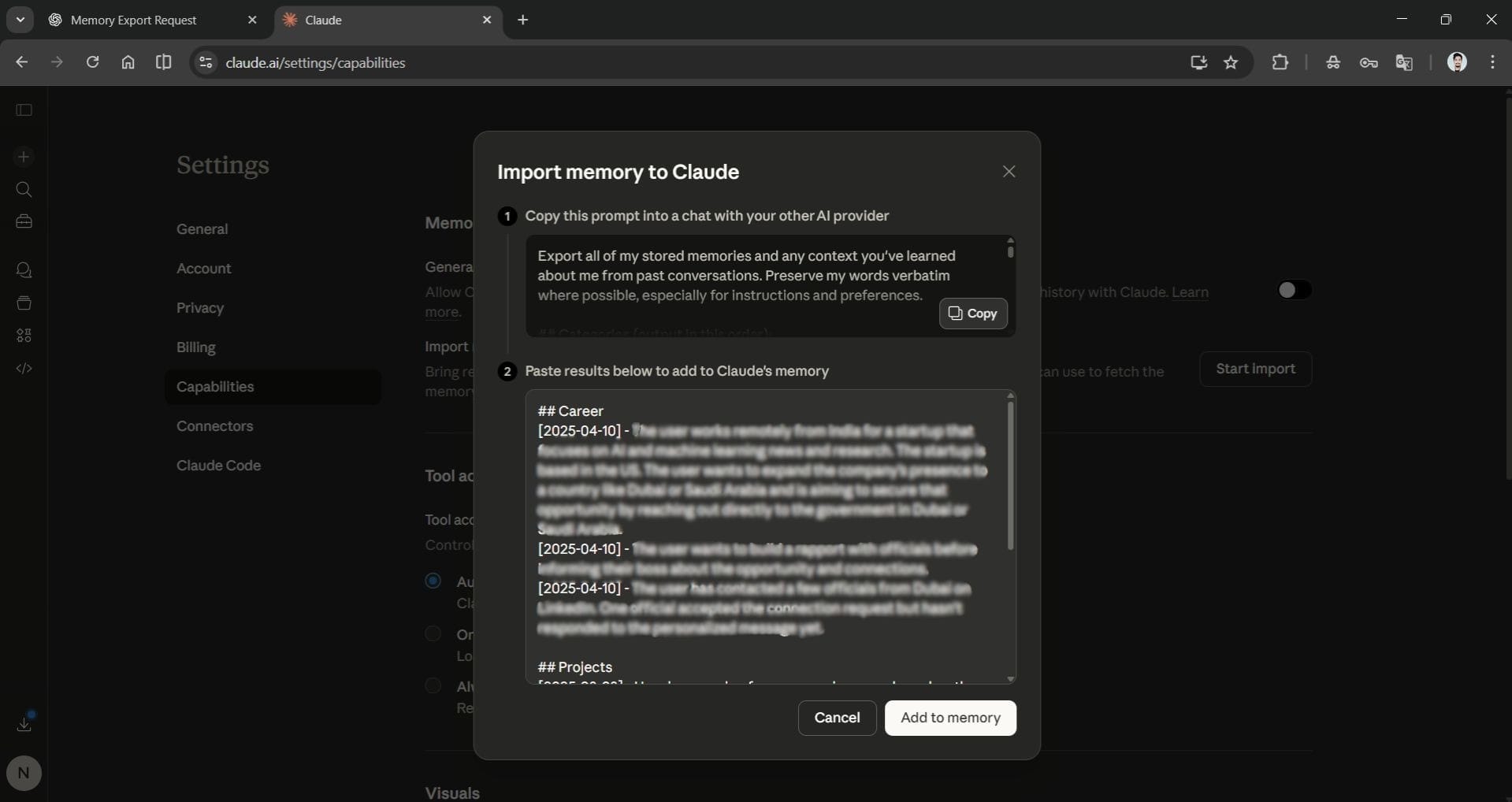
4. Searching past chats
Old conversations are searchable in plain language. Instead of finding the chat in the sidebar that had the working version of something, you can ask directly: What was the final database setup we agreed on last week? Claude will pull it from history. This is most useful for code, decisions, and drafts you know you produced but cannot find.
5. Sonnet 4.6 is the right default, not Opus
Opus 4.7 is, without a doubt, the most capable model in the lineup. However, Sonnet 4.6 is faster and can handle most of your daily tasks well, like creating a draft, analysis, and routine coding. You can set Sonnet as the default model and use Opus for tougher problems. This approach can save you on usage limits and keep responses quick.
6. Haiku 4.5 is built for volume
Haiku 4.5 is quick and affordable. It can work well for high-volume tasks that don't require the top flagship model. You can use Hailu to handle a few hundred support tickets, write standard replies, or summarize several PDFs. If you try to do this repetitive work with Opus, it can quickly use up your resources.
7. Voice mode on mobile is good for thinking out loud
The voice mode of the mobile app is great for thinking through problems. You can talk about an issue while walking, and then ask Claude to summarize your thoughts. This can help you reach a clearer decision than just looking at a screen. It's not just about being hands-free; speaking out loud can help free up your thinking, which can get stuck when you type.
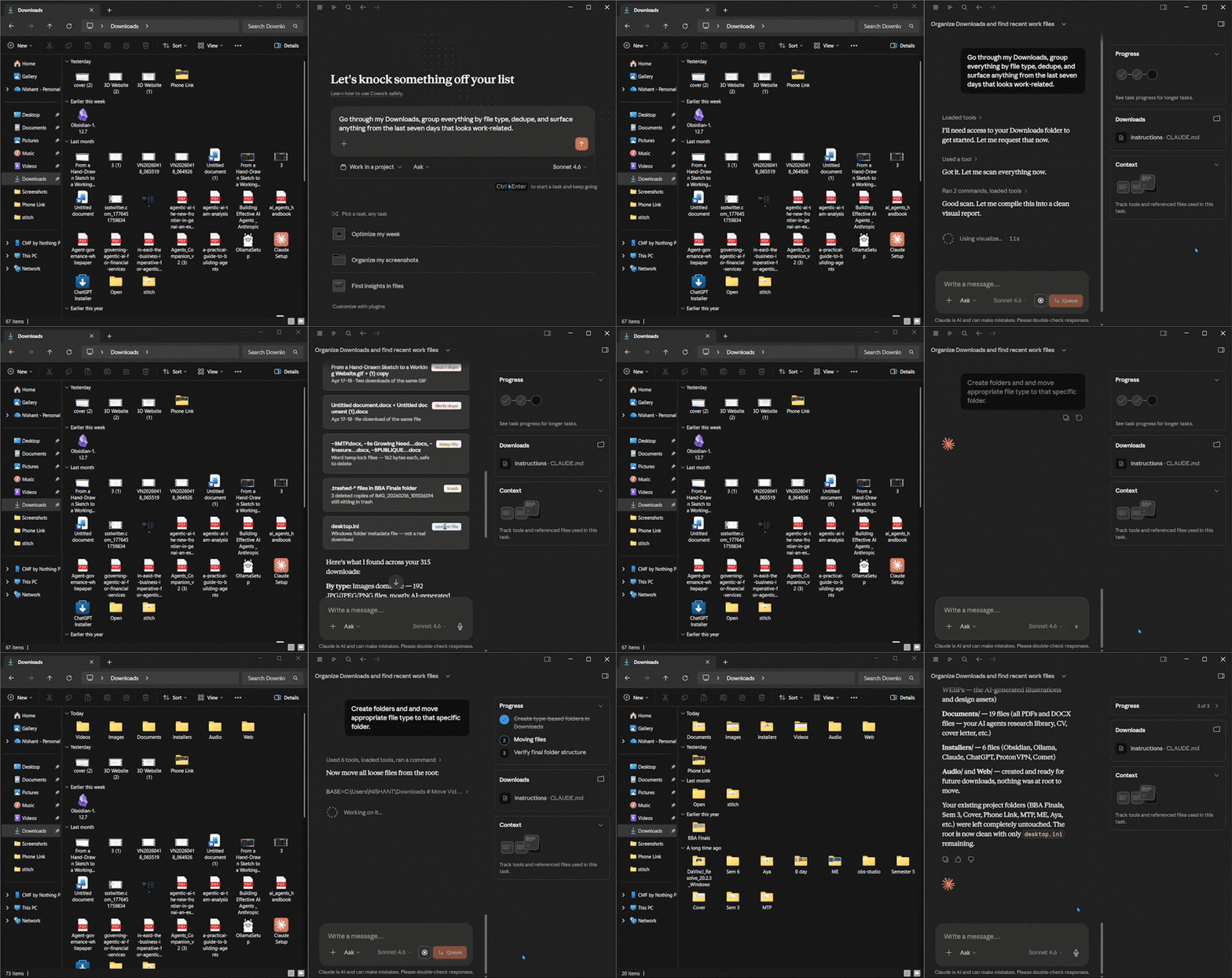
8. Claude Cowork turns plain instructions into finished work
Claude Cowork brings the agentic capability behind Claude Code to non-developers, inside the Claude desktop app. You can give Claude a task to complete, and it complete it for you. You just need to point it at a folder, describe the outcome you want, and it will plan the work, run code or shell commands in an isolated environment, and show you the result.
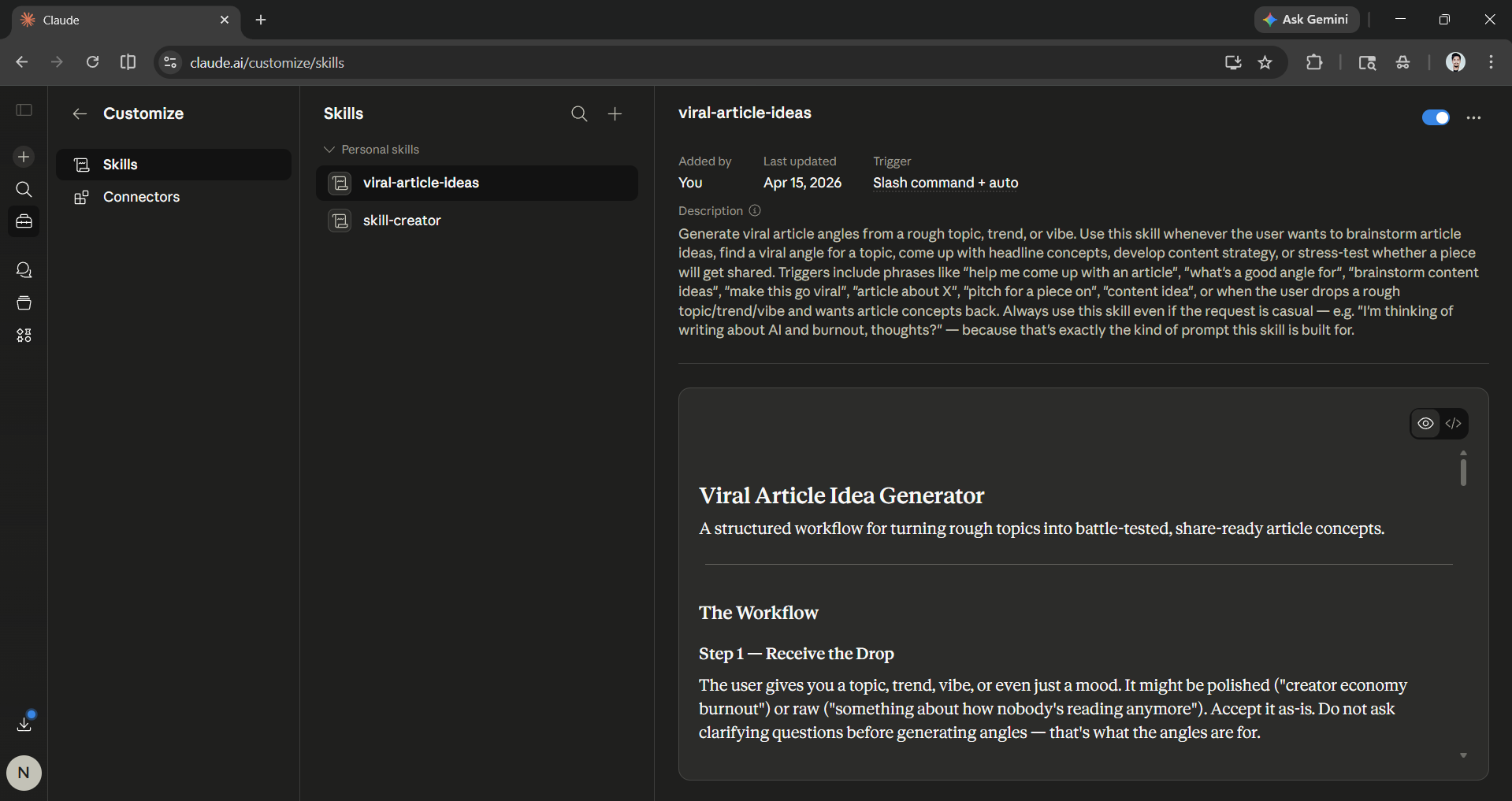
9. Skills beat custom instructions for repeat workflows
For anything you do the same way every time, Skills are more dependable than custom instructions. A Skill packages a workflow that Claude can trigger automatically when the situation matches, such as pulling the right reference docs based on the file you are working on. It will take only a few minutes to set up a Skill, and after that, it runs automatically whenever the workflow runs, with no reminder needed.
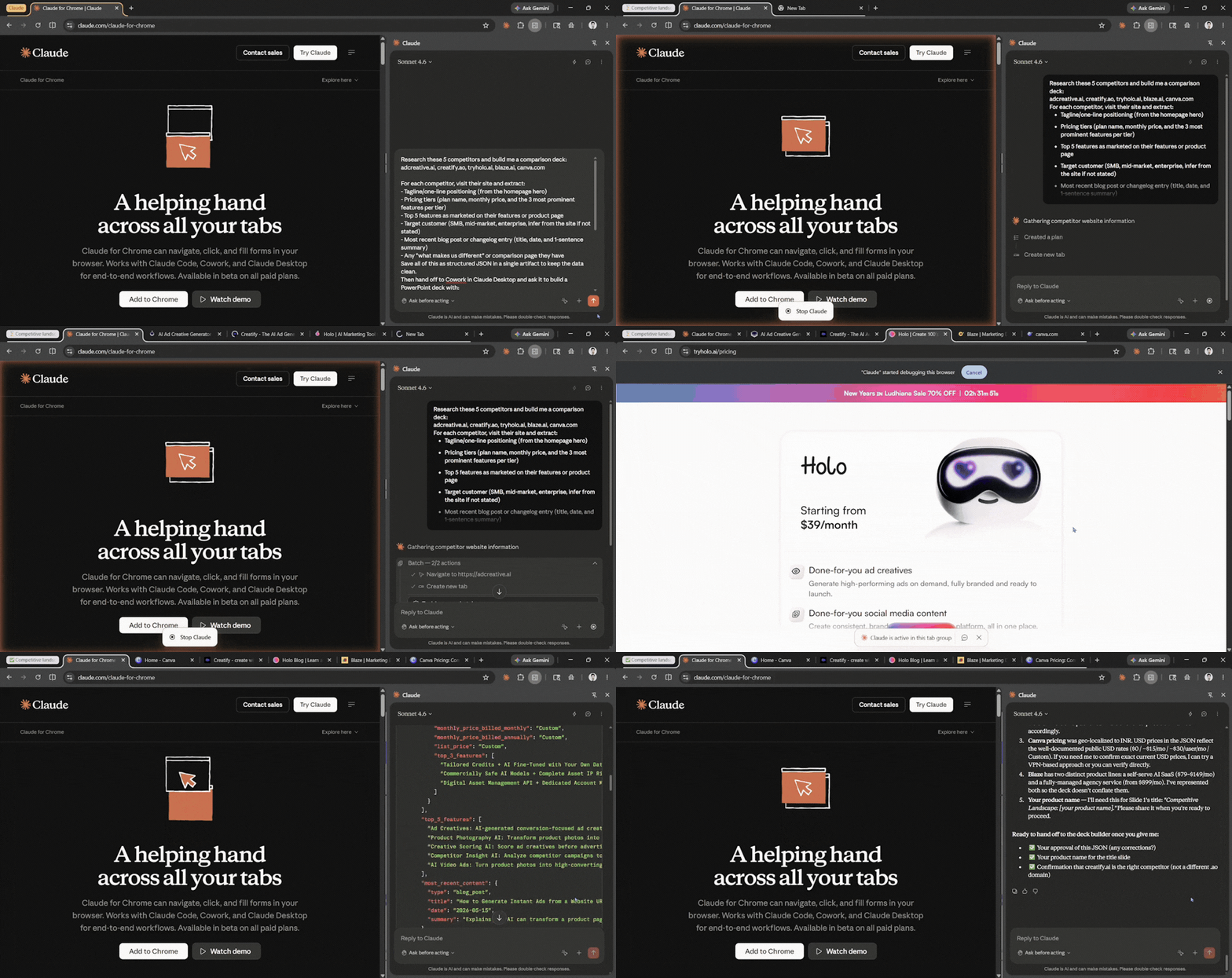
10. Claude for Chrome handles the browser busywork
Claude for Chrome is a browser extension that lets Claude act on the pages you already use. It can read a page, navigate to others, click buttons, fill and submit forms, and move information between tabs. When you activate Claude for Chrome, it will create a group where you can add websites, or it can open websites on its own to click, scroll, and complete tasks. You decide which sites it can touch, and it asks for confirmation before taking any irreversible action.
11. Artifacts can call the API
Artifacts can now make API calls, which means you can build a working tool inside one rather than just a static output. A short HTML artifact can call Sonnet directly to do something useful, like generating client briefs from a few inputs. Claude Artifacts can help you create a small, functional tool in about an hour or less.
In Conclusion:
Claude isn't an impossible tool to use, nor are Claude Cowork and Claude for Chrome. You may only need a Claude monthly subscription to get the most out of Claude and its features. Most of these features may only take a few minutes to set up, and once the setup is complete, you can genuinely feel how differently you work in a positive way. Maybe you already know these features, but it is time to actually use them, especially Claude Cowork and Claude for Chrome.
💡 For Partnership/Promotion on AI Tools Club, please check out our partnership page.

