


What if the AI assistant you use every day could learn your workflows, follow your brand guidelines, and execute specialized tasks the same way a well-trained domain expert would, every single time? Yes, that is possible without you needing to be a developer or have specialized skills to fine-tune an AI model to achieve that.
Claude Agent Skills is a powerful yet underrated capability introduced for Claude that can change how you work with the AI assistant, taking your productivity to the next level.
As you may know, AI assistants like Claude, ChatGPT, and Google Gemini are all general-purpose chatbots. However, what now could separate Claude from other AI assistants is its Agent Skills feature, which will allow you to combine Claude's raw AI capability with domain-specific skills.
What are Claude Skills?
Skills are folders of instructions, scripts, and resources that Claude can actively use to improve performance on specialized tasks. Skills are like custom onboarding packs, structured knowledge bundles that tell Claude exactly how to handle a particular kind of task. When you use Skills, Claude taps into pre-defined expertise that has been carefully created for a specific workflow, industry, or organizational standard.
Skills only activate when relevant. When you ask Claude to complete a task, it reviews available Skills, loads relevant ones, and applies their instructions. This on-demand loading keeps performance tight, context clean, and execution focused.
The Four Types of Skills You Should Know
There are four types of Skills, and not all are created the same way or are for the same audience. There are three distinct categories:
- Anthropic Skills: Skills created and maintained by Anthropic, such as enhanced document creation for Excel, Word, PowerPoint, and PDF files. Anthropic Skills are available to all users, and Claude uses them automatically when relevant.
- Custom Skills: Skills you or your organization create for specialized workflows and domain-specific tasks, such as applying brand style guidelines, structuring meeting notes, creating tasks in tools like JIRA or Asana, or automating personal workflows.
- Organization-Provisioned Skills: For Team and Enterprise plans, organization Owners can provision skills for all users. Skills provisioned this way appear automatically in every team member's Skills list and can be enabled or disabled by default.
- Partner Skills: The Skills Directory comes with skills created by Claude's partners, including Notion, Figma, and Atlassian. These skills work well with their MCP connectors, allowing effective integrated workflows.
The Four Design Principles That Make Skills Powerful
What separates Skills from a simple system prompt or a static instruction set? The architecture is built around four core properties:
- Composable: Skills can stack together. Claude can automatically determine which skills are needed for a given task and coordinate them simultaneously without manual user input.
- Portable: Skills use the same format everywhere. Build once and use across Claude apps, Claude Code, and the API. This cross-platform compatibility can be important for teams that operate across multiple Claude surfaces.
- Efficient: Claude determines which Skills are relevant and loads the information needed to complete that task, helping prevent context window overload.
- Powerful: Skills can include executable code for tasks where traditional programming is more reliable than token generation. This is a critical difference: Skills are not just instructional; they can contain running code.
How to create a Claude Skills: Step-by-Step
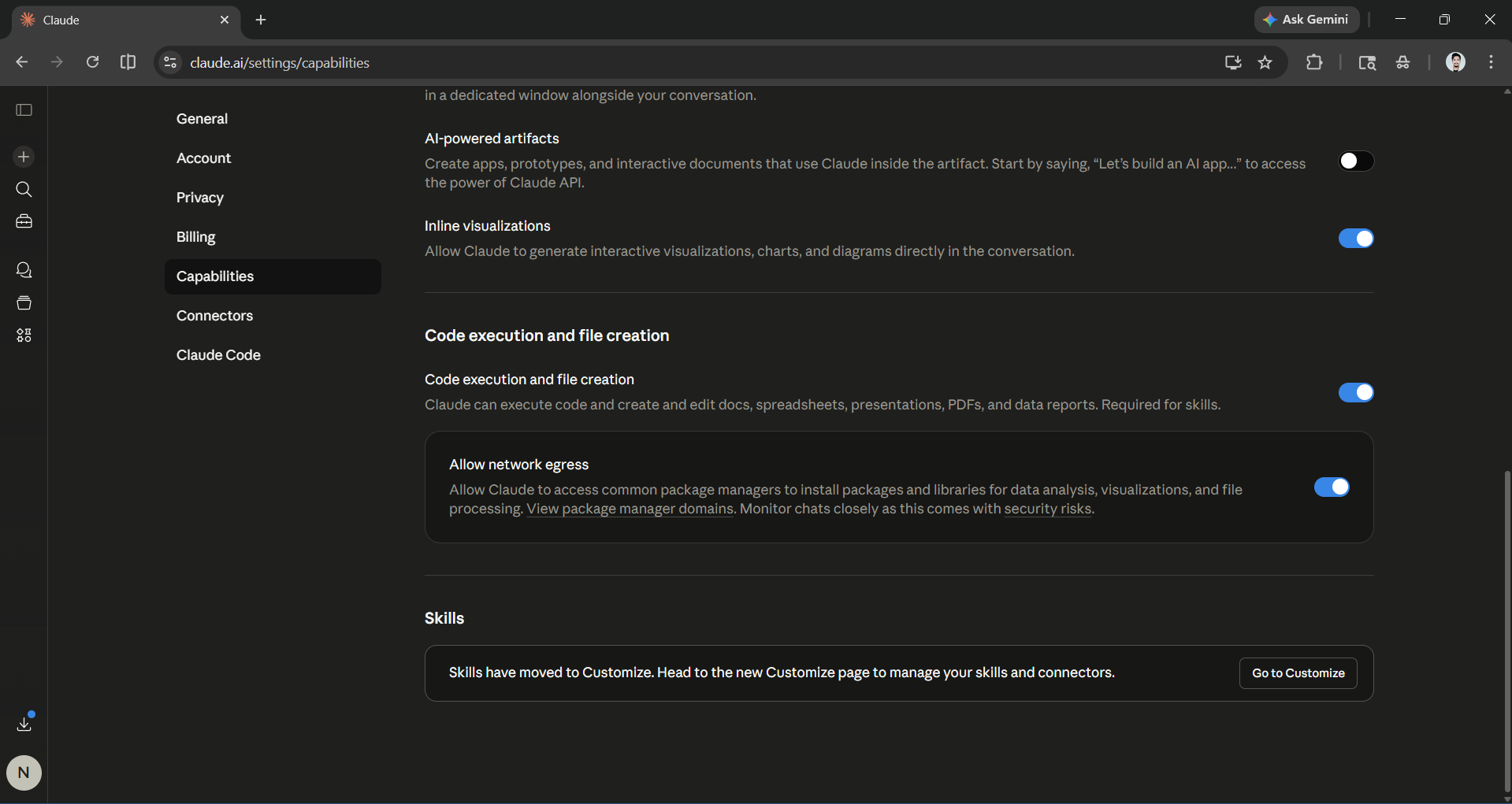
Creating your own skills is more accessible than most people expect. Anyone can create Skills by asking Claude to create one, and there is absolutely no coding required for simple Skills; you can attach executable scripts to custom Skills for more advanced functionality. Before you start creating your skills, make sure code execution is enabled.
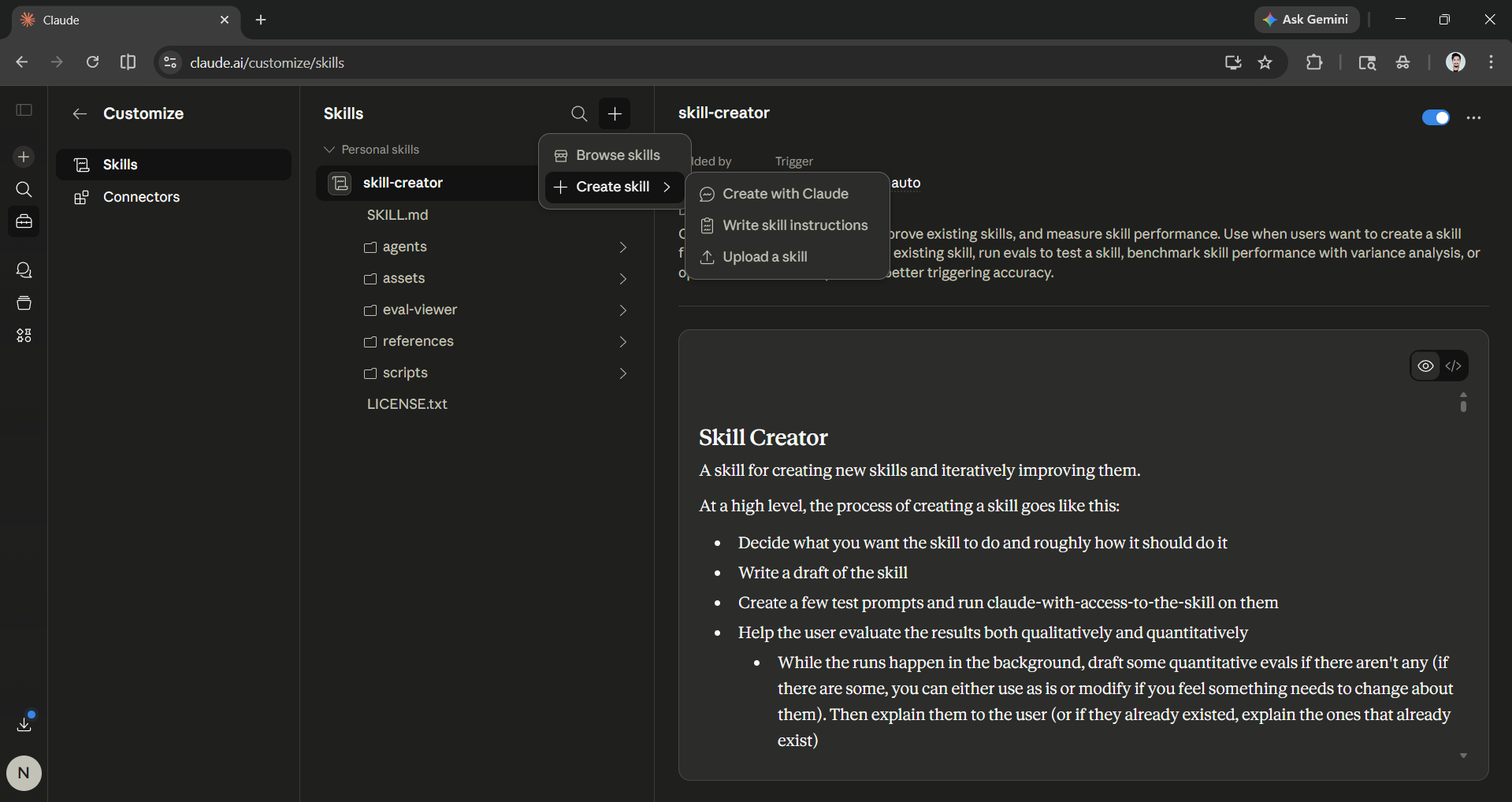
Step 1: Open Claude and go to Customize. You'll see both Skills and Connectors features there. Click on Skills, then the + icon, create Skill, and finally, you can choose to either create a skill with Claude, write skill instructions, or upload skills.
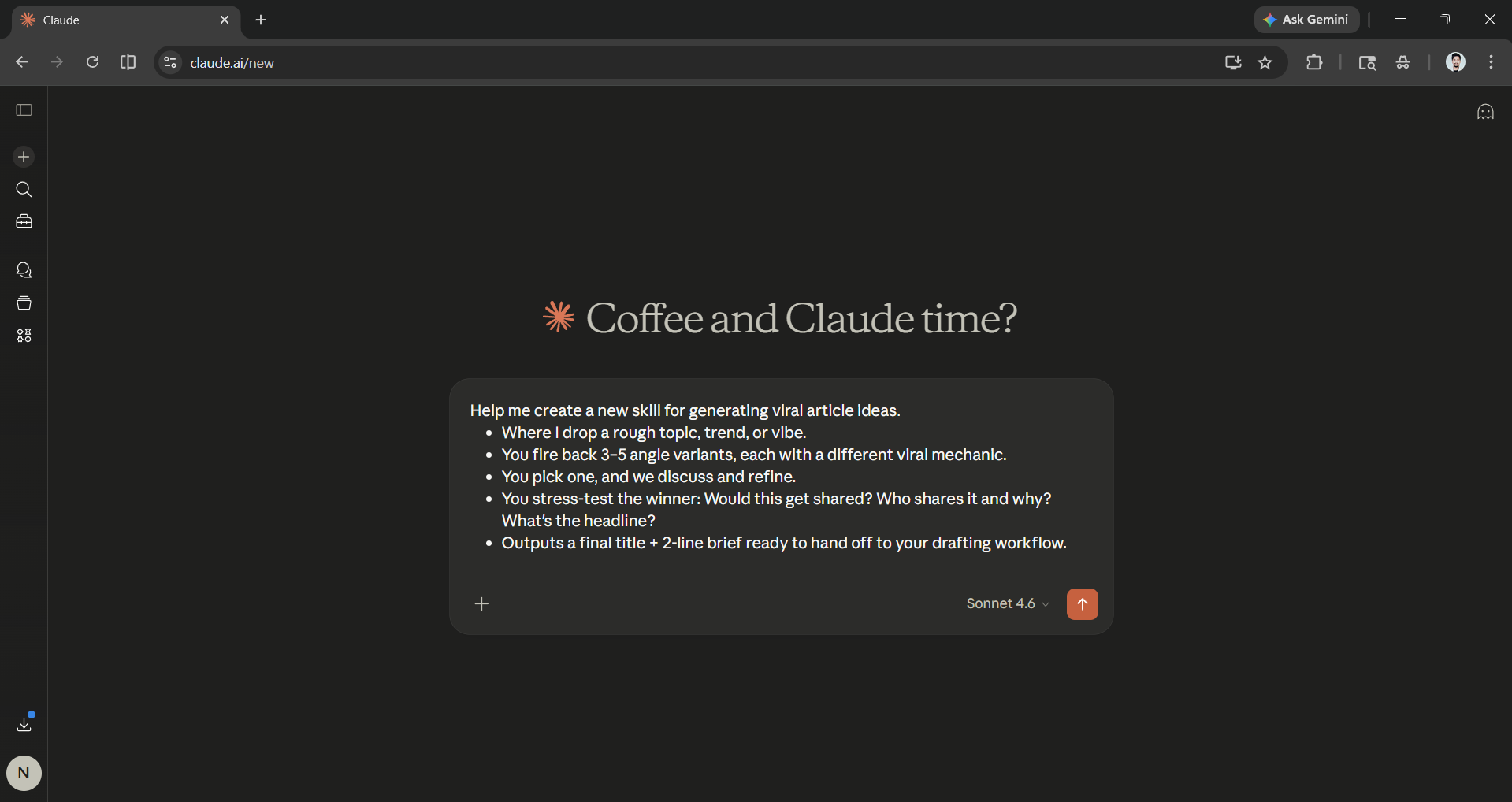
Step 2: To create a skill with Claude, click on that option, and in the prompt box, enter the skill idea you may have. It could be any skill or task you want to automate with Claude.
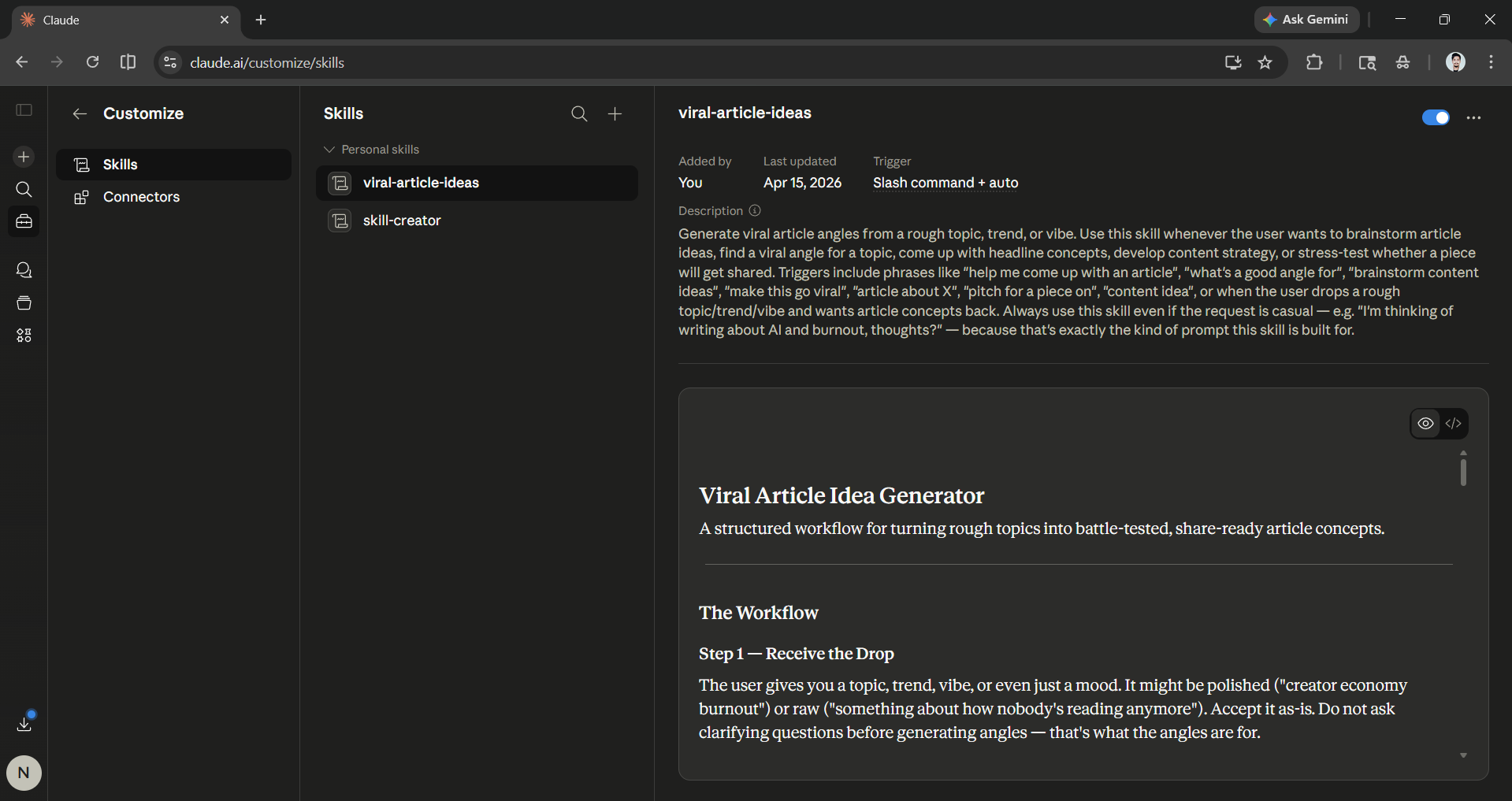
Prompt I used: Help me create a new skill for generating viral article ideas.
- Where I drop a rough topic, trend, or vibe.
- You fire back 3–5 angle variants, each with a different viral mechanic.
- You pick one, and we discuss and refine.
- You stress-test the winner: Would this get shared? Who shares it and why? What's the headline?
- Outputs a final title + 2-line brief ready to hand off to your drafting workflow.
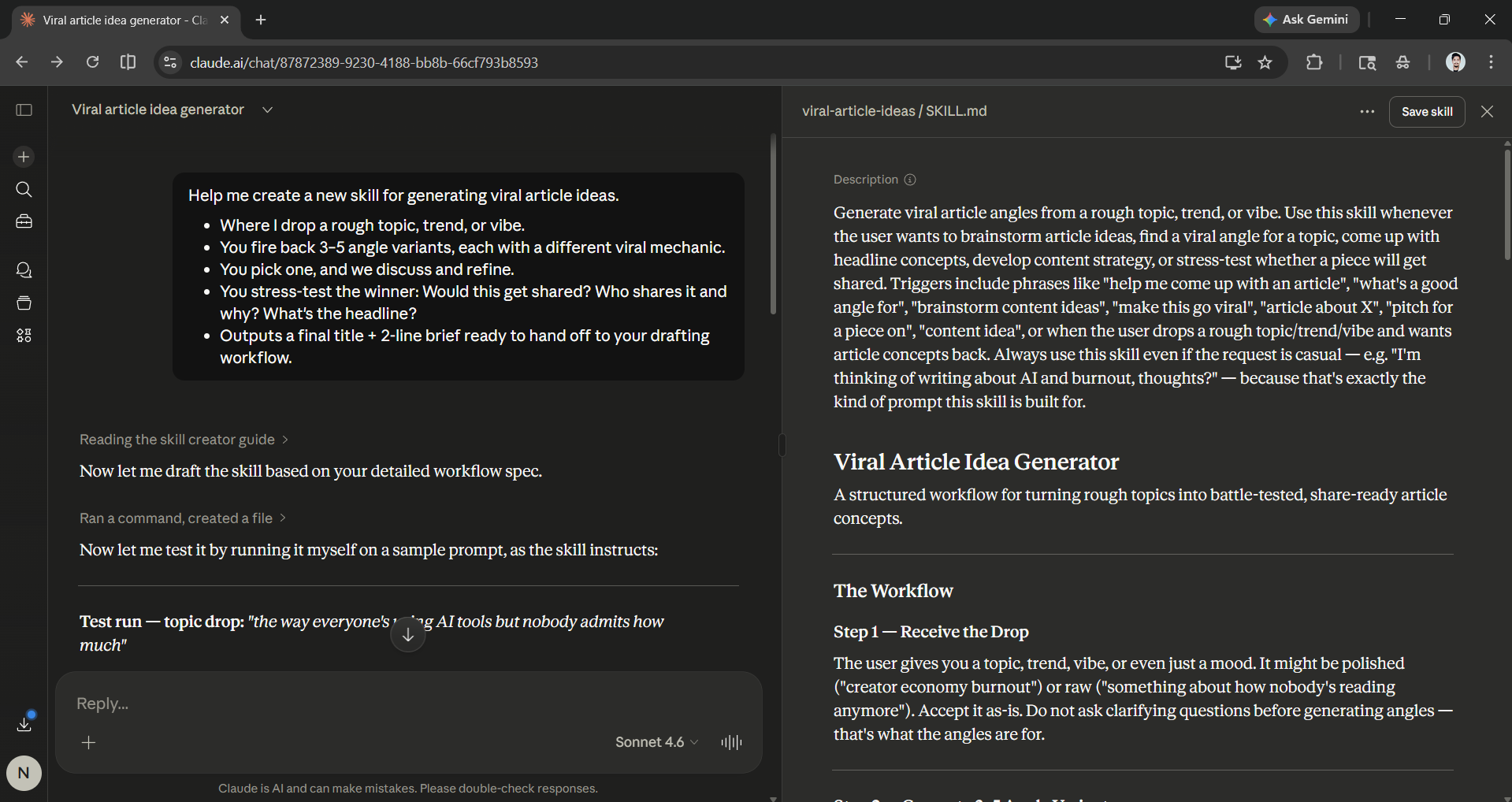
Step 3: Claude will spend a few minutes thinking and creating the Skill. Once it has been created, you can review it and modify it. Finally, you can directly save the Skill and manage it from your skills section.
Editor's note:
Claude Skills is a productivity feature that not many are using. If you want to fine-tune Claude without fine-tuning the model, then Skills are one of the best ways to make it more personalized and expert in your domain. You can turn Claude into a domain expert of any subject, making Claude more than a generalist AI assistant.
Skills are available to all Claude users, including free users, making it one of the most powerful features with wide accessibility. Skills are easy to create; anyone can make them in a few minutes, as long as you have a clear vision and know the specialized capabilities you want Claude to have. So, what skill are you planning to create?
💡 For Partnership/Promotion on AI Tools Club, please check out our partnership page.
