


Claude Cowork is one of my favorite Anthropic AI products simply because it is not an average AI chatbot but an AI agent. The difference between an AI chatbot and an AI agent is well known, but simply put, AI chatbots are generative AI tools that can create new content, whereas AI agents are autonomous software that can act on your behalf. An AI chatbot can at most give you advice on something, while an AI agent can take actions on your command and make things happen.
Claude Cowork is an AI agent, not an AI chatbot. Anthropic has made it especially for non-technical professionals who cannot use Claude Code. However, most people use Claude Cowork more like a chatbot than a capable AI agent. That is a mistake. Cowork is a capable, agentic tool that can handle multi-step work and complete it for you.
You can pass a task to Claude Cowork, and it will finish it for you. But how can you do that efficiently and use Cowork more like a teammate? In this article, I will show you 5 Claude Cowork features that can quietly change everything, and most users don't even use half of them.
Here are 5 Claude Cowork features most people don't use but should start using:
1. Projects: Claude Finally Remembers
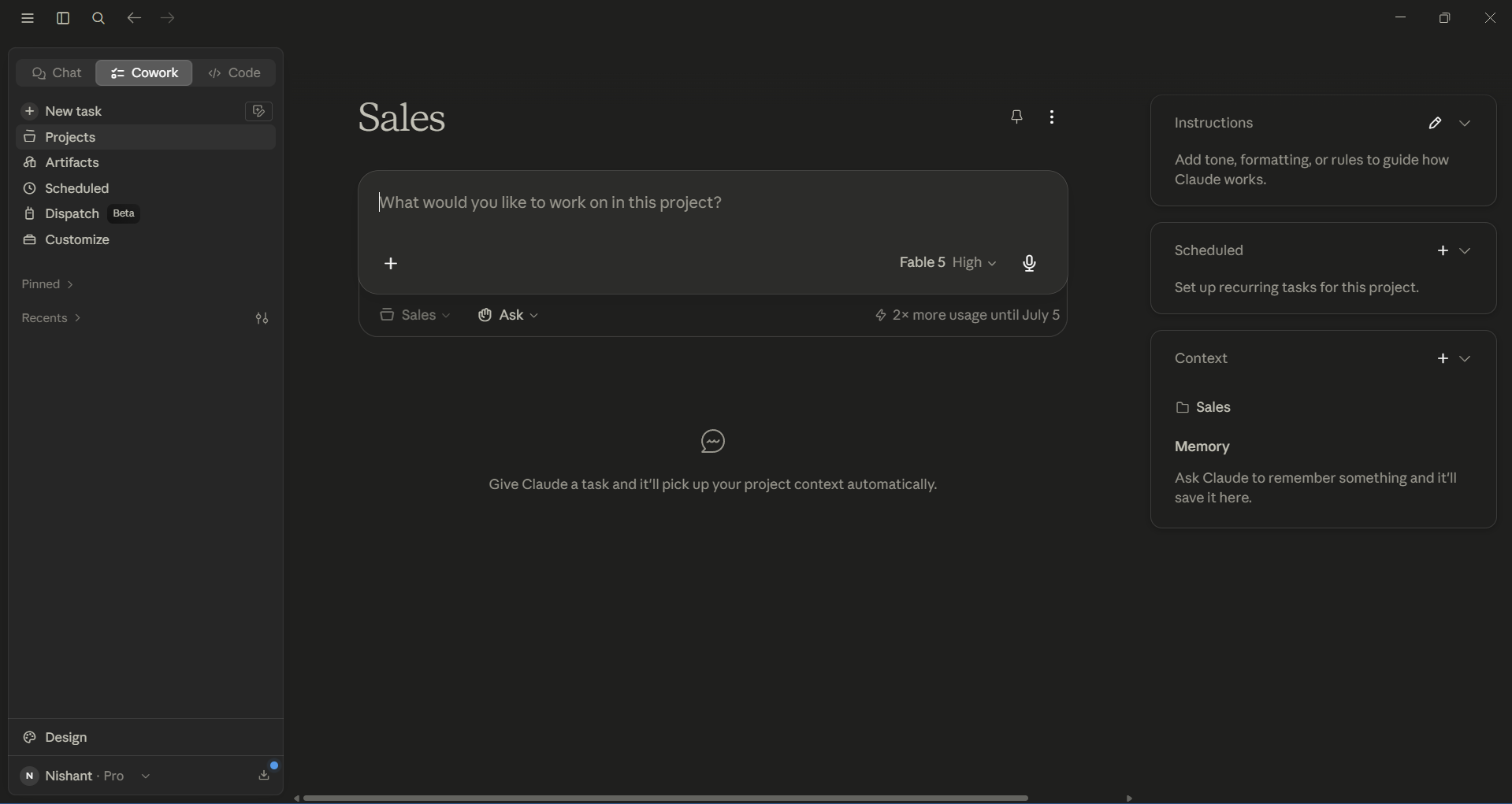
Whenever you start a new chat, you usually have to re-explain the context from scratch. Projects fix that. In Cowork, a project is a self-contained workspace with its own files, links, instructions, and memory, and right now, projects are the only place Cowork can retain memory across sessions.
You can set up a project for recurring work, which can be a client portfolio, a newsletter, or a research thread. Claude can continue from where you stopped. You no longer need to paste the same background information every morning.
2. Connectors: One Assistant Across All Your Apps
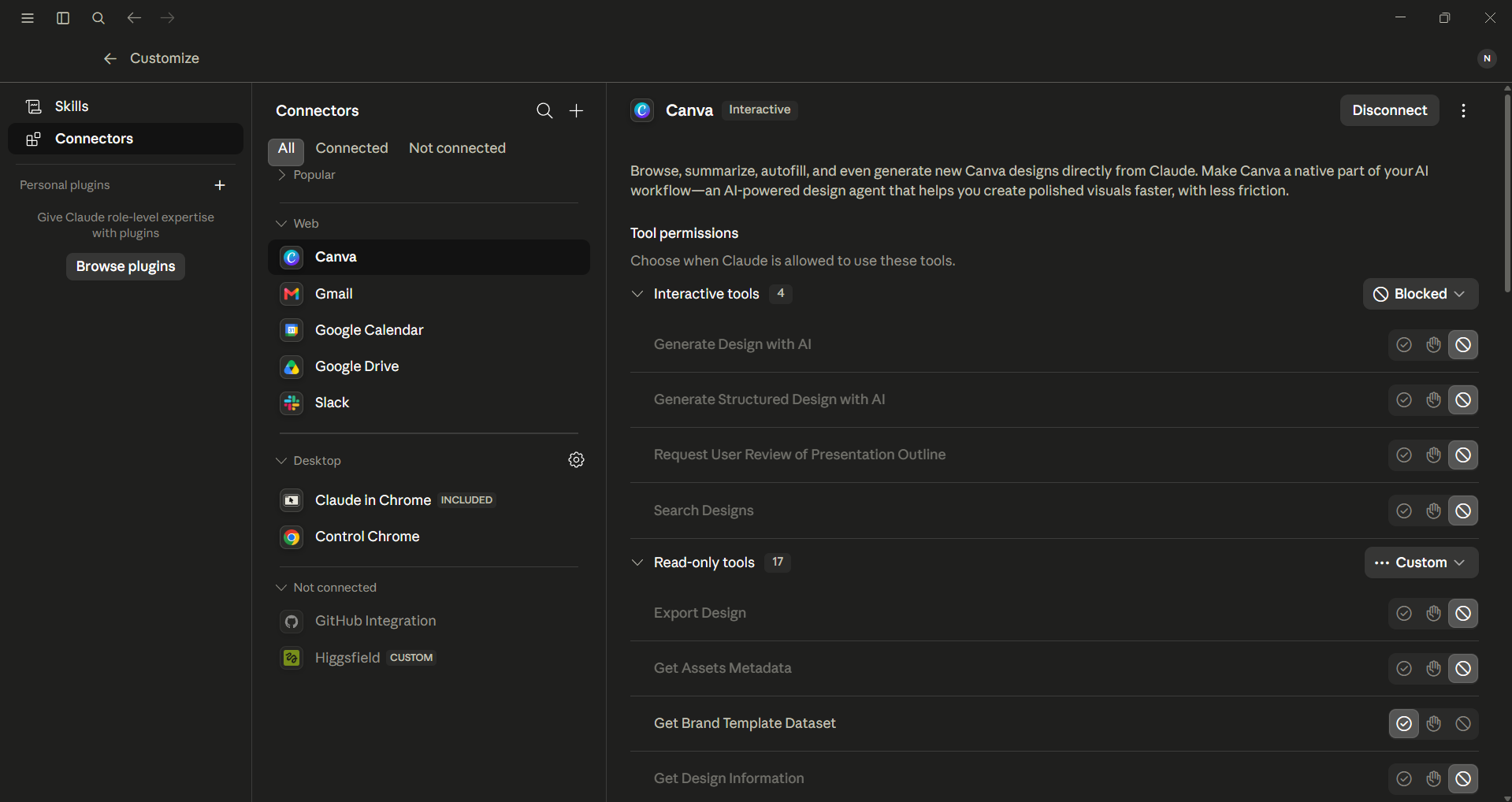
Connectors can plug Claude directly into the tools you already use, for example, Gmail, Slack, Google Drive, Microsoft 365, Zoom, and a growing registry of others built on MCP (Model Context Protocol, the open standard for linking AI to apps).
You can complete several tasks with one command. For example, you can say, "Check my inbox, get the attachment from Sarah, summarize it, and draft a Slack update." This single command includes three different apps. You can control which apps Claude can access, so Claude can only interact with what you allow.
3. Computer Use: Claude Operates Your Screen
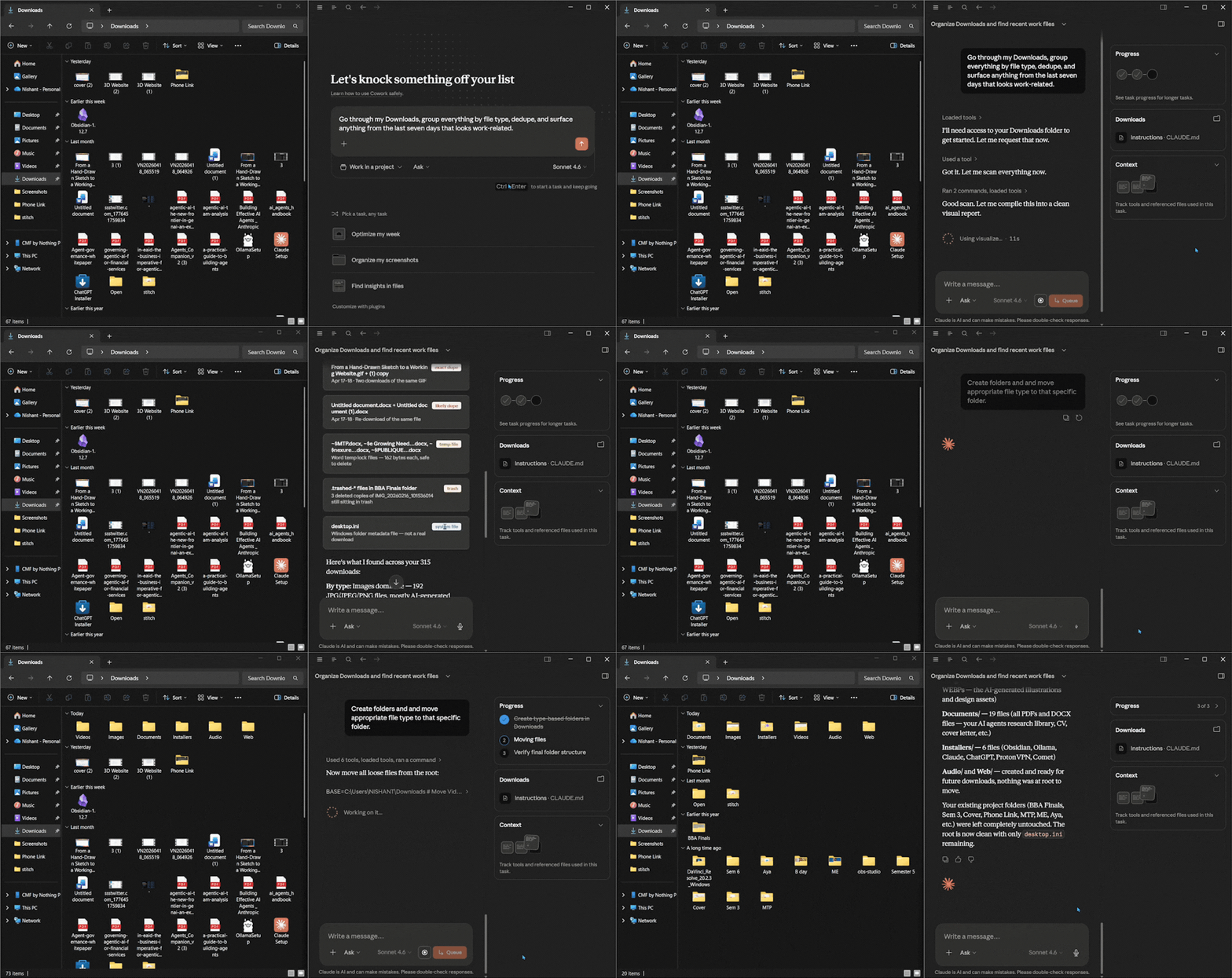
Claude Cowork can open files in your computer, click buttons, and navigate apps without a massive setup. You can also ask it to use Claude for Chrome, and it will open a tab to complete your tasks in your browser.
Claude Cowork is designed to ask for access per application, and browsers and terminals are restricted to different tiers for safety. But for cross-app busywork like pulling data from a desktop app, organizing files, and walking through settings, there is no need for an API; it's a different category of assistant entirely.
AdCreative.ai: An AI-powered platform that automates the creation of high-performing ad creatives for social media and display campaigns
4. Skills: Your Own Slash Commands
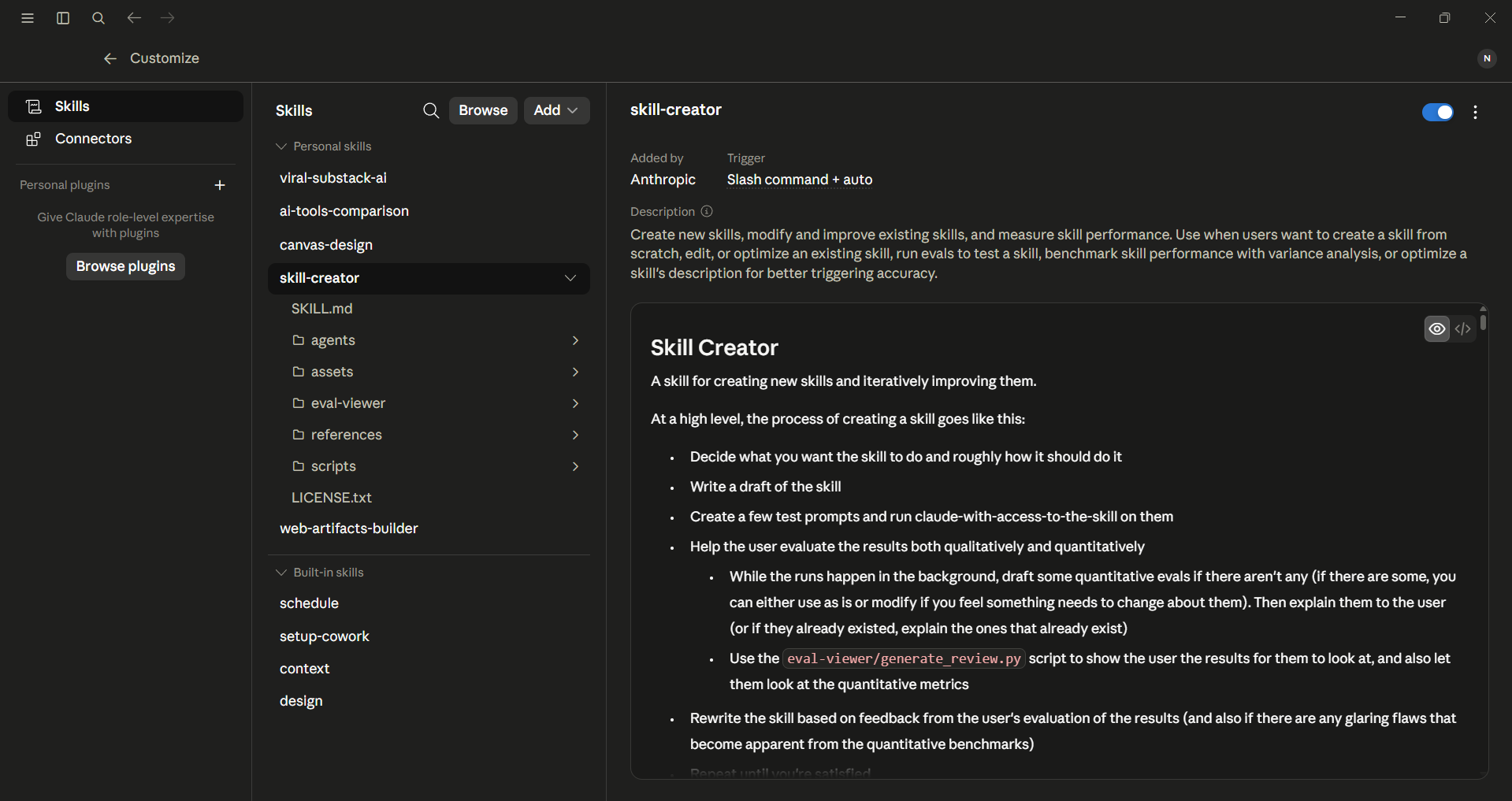
A skill is a simple Markdown file that can teach Claude one repeatable task. You can use a slash (/) command to use the skill or let Claude activate it automatically. Skills are easy to create, and if you write the same 300-word prompt every week, it would be best if you turn that prompt into a skill.
Anthropic already has default skills for Excel, PowerPoint, PDFs, and Word docs. You can also create your own with the built-in skill-creator, and as of mid-2026, Team and Enterprise admins can provision skills across an entire organization.
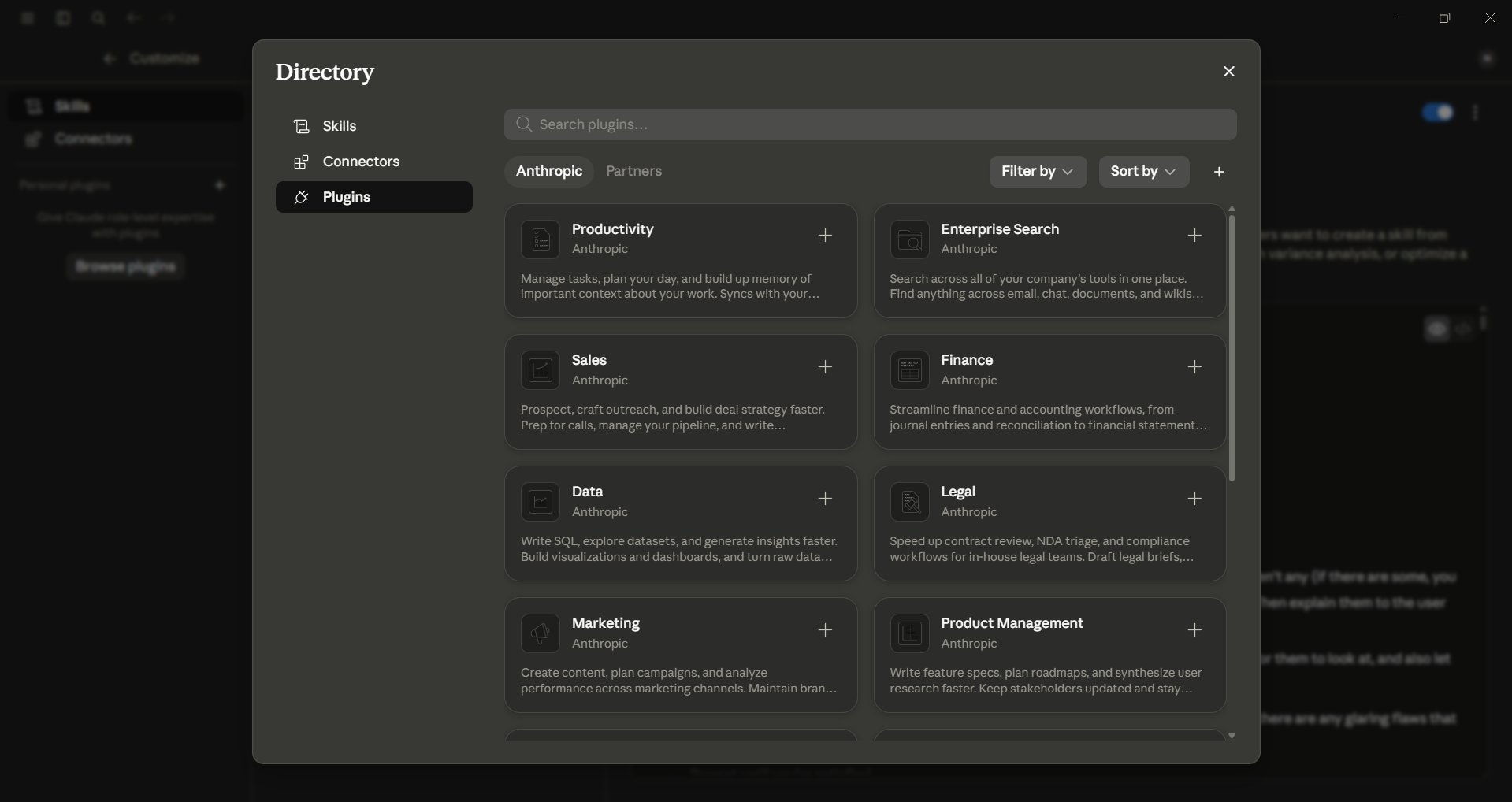
5. Plugins: The Ecosystem Play
Plugins combine skills, connectors, and sub-agents into one easy-to-install package. That way, your setup can match your professional background the moment you start your first conversation. There is a growing marketplace of free community-built plugins that you can easily install in just a few seconds.
You don't need to configure five things separately; instead, you can wire in a marketing plugin or a developer plugin all up at once. This is where Cowork will stop being a product and start being a teammate.
Bonus: Scheduled Tasks
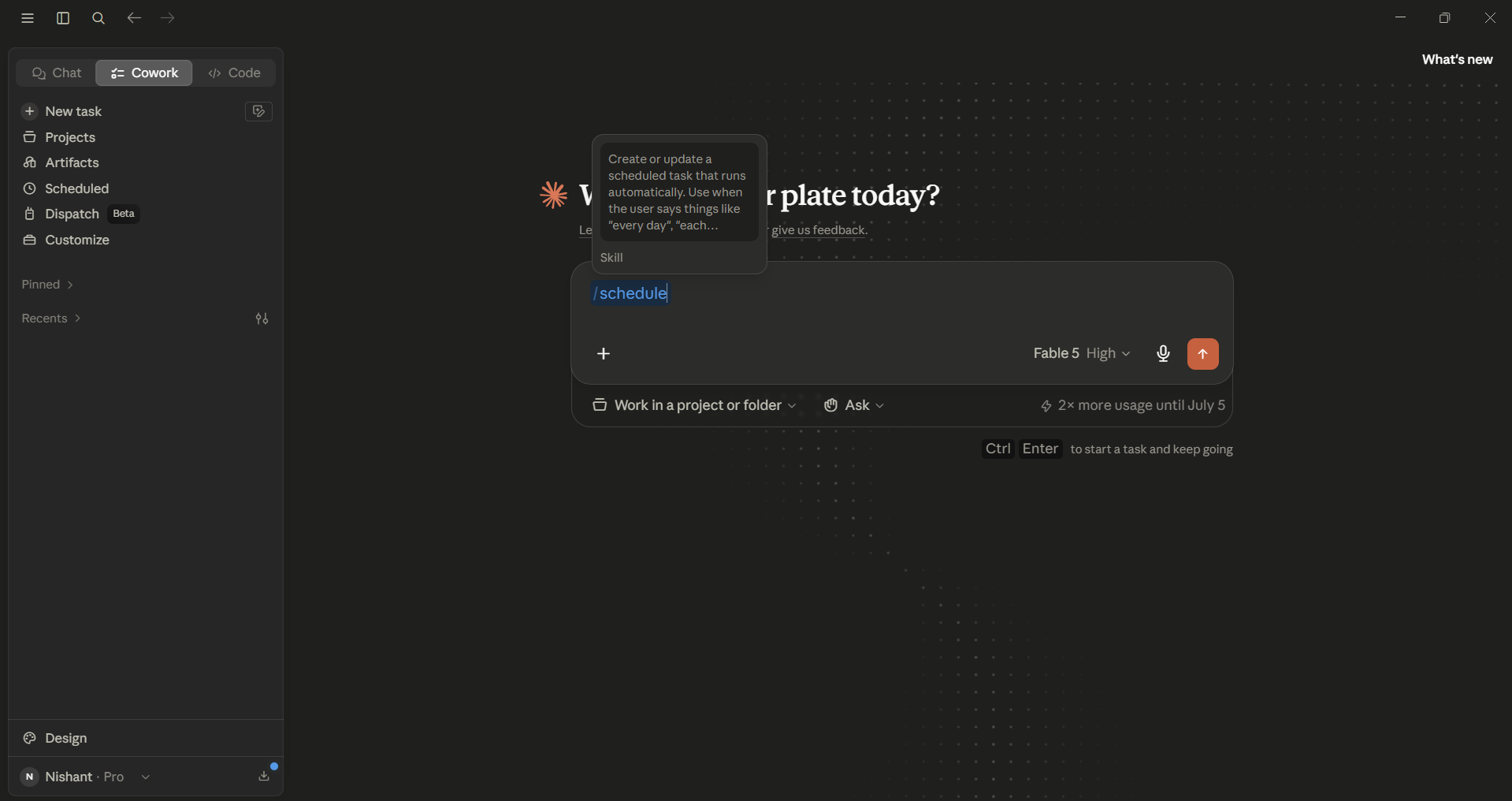
You can type /schedule in Cowork to create or update a scheduled task. Claude will then run it automatically. It can be your morning briefing, a weekly report, or an inbox digest. Chat can't do this; only Cowork can.
In Conclusion:
I use Claude Cowork every day for the majority of my tasks. Claude Cowork can handle multi-step tasks and even create documents, organize files, and complete research on your behalf. However, the only downside of Cowork is that it is only available to Claude Pro, Max, Team, or Enterprise users. So, if you are a free user, you can not use Cowork. If you are a paid user, I would definitely recommend Claude Cowork to you so you can focus on more things while AI does the rest.
💡 For Partnership/Promotion on AI Tools Club, please check out our partnership page.

