

I've spent the last few weeks handing the same tedious tasks to two different AI agents, Claude Cowork and ChatGPT Codex for Work, that everyone has been talking about, to see which one is actually worth using every day. These AI agents are easy to use and require you to have zero technical background. They both do the same thing, allowing you to delegate real-world tasks to AI. They both can open your files, run multi-step jobs, and hand back a finished deliverable instead of just texts. However, they are still very different, and you feel it within five minutes of using each.
- Claude Cowork feels like a capable assistant who is part of an app you already have. You describe an outcome in plain English, point it at a folder, and walk away.
- ChatGPT Codex for Work feels like a developer's command center that grew up and learned to do everyone else's job, too powerful, parallel, and slightly more machinery on screen.
One was built for non-technical people from day one. The other started life as a coding tool and expanded outward.
That origin story is the whole comparison, really. So in this article, I'll cover what each tool is and its features, the main differences between the two, and three quick prompts you can paste into both to judge for yourself. By the end, you'll know which one fits the way you actually work.
AdCreative.ai: An AI-powered platform that automates the creation of high-performing ad creatives for social media and display campaigns
Overview of Each Tool
What is Claude Cowork?
Claude Cowork is Anthropic's agentic system for knowledge work. It takes the same engine that powers Claude Code (Anthropic's developer coding agent) and brings it into the Claude Desktop app, right next to the normal Chat tab. You just need to describe an outcome, step away, and come back to finished work. There is no need for a terminal, no setup, or no code concepts.
Here's what Cowork is best known for:
- Direct local file access: You can point Claude at a folder, and it can read, edit, and create files there without you needing to upload anything.
- Polished, ready-to-use deliverables: It can create clean Excel files, PowerPoint decks, and formatted Word documents.
- Scheduled tasks: You can tell Claude once to run a Slack digest every morning or pull metrics every Friday, and it can handle the cadence useful for the tasks you keep forgetting.
- Projects with memory: Related tasks can be added to a persistent workspace with their own files, instructions, and memory, which is important for recurring or long-running work.
- Layered safety controls: Code runs in an isolated virtual machine, and Claude will ask before performing any actions, and it always confirms before deleting a file, reassuring when it's loose in your real folders.
You might prefer Cowork over Codex if you're a founder, marketer, analyst, lawyer, or operations person who lives in documents and spreadsheets rather than code. It assumes you don't know and don't want to know what a Git branch is.
The tradeoff is reach: Cowork will only run inside the desktop app, so there's no full web or standalone mobile version. If you are intending to use it for heavy tasks, it can easily burn through your plan's usage limits noticeably faster than chatting does.
What is ChatGPT Codex for Work?
ChatGPT Codex for Work is OpenAI's agent platform built on Codex, a tool that started as a coding agent and has steadily expanded into general-purpose computing. The current model, GPT‑5.5, is OpenAI's most capable agentic model, blending coding skills with reasoning and broader professional knowledge. Codex for Work is the framing OpenAI uses for the team and business side: a secure shared workspace with admin controls and flexible pricing.
Here's what Codex for Work is best known for:
- Parallel agents: The Codex app is a command center where multiple agents work side by side across projects, using Git worktrees to keep changes isolated genuinely powerful when you have several jobs running at once.
- Background computer use: Codex can operate the apps on your machine by seeing, clicking, and typing with its own cursor, even continuing after your Mac locks, so it keeps working while you do something else.
- Goal mode: You can hand Codex an objective and let it drive toward it for hours or even days, checking in for approvals built for long, ambient work rather than single tasks.
- Workspace Agents: Shared, cloud-powered agents run multi-step workflows across Slack, Google Drive, Microsoft, and Salesforce, keep running when you're offline, and can live inside Slack channels.
- Everywhere access: Codex runs as a desktop app, a CLI, an IDE extension, on the web, and inside the ChatGPT mobile app, so you're rarely far from it.
You might prefer Codex over Cowork if your team includes engineers and non-technical users; it is one agent platform that covers both coding and knowledge work. It's also the stronger pick if you need agents that keep running unattended in the cloud.
The tradeoff is that Codex: A non-technical user doesn't have to touch any of the coding part, as OpenAI has added role-based onboarding aimed at non-coders. However, the app still has more technical surface area than Cowork, which has essentially none.
What's the main difference between Claude Cowork and ChatGPT Codex for Work?
The honest answer is that these two tools believe different things about who AI agents are for.
Claude Cowork is designed for the marketer, the recruiter, the finance associate, and the lawyer, people whose work is documents, data, research, and email. So Anthropic took its powerful coding architecture and deliberately hid every trace of code from the experience.
- Cowork lives inside the same Claude Desktop app that a non-technical person already uses for chatting.
- You just need to switch a tab, describe what you want, and grant access to a folder.
- There is no terminal, no repo, or no branch.
ChatGPT Codex for Work comes at it from the other side. Codex started as an AI coding agent for engineers and still is, with a serious reputation: parallel agents, worktrees, IDE integration, and a CLI. OpenAI has used the same app; once it's good enough, it can do everyone's computer work, not just code.
- Codex for Work extends its capabilities to the same threads-and-projects model, the same app, now pointed at slide decks, spreadsheets, dashboards, and research.
- The philosophy is that it expands on a tool that already works for the hardest users and widens the aperture.
Claude Cowork is completely for non-technical users. However, ChatGPT Codex for work can be used by both technical and non-technical users, and both can use a single agent platform. Neither vision is wrong; they're just aimed at different user bases.
In one line: Claude Cowork is a coding agent disguised as an assistant for everyone; ChatGPT Codex for Work is a coding agent that opened its doors to everyone while keeping its developer workshop fully intact.
3 Quick Prompts to Compare Them Yourself
The fastest way to pick is to run the same small task in both and judge the result. These 3 prompts are deliberately short; each should take a few minutes to complete and works in either tool. You can swap the bracketed paths and details for your own, then compare the outputs side by side. I used Claude Sonnet 4.6 and GPT-5.5 low.
1. The folder cleanup test
Look at the folder at [path to a small folder with 20-30 mixed files]. Propose a plan to organize it: folders to create, how to sort files by type and date, any renaming conventions, and any duplicates or junk to flag. Show me the plan first and wait for my approval before changing anything.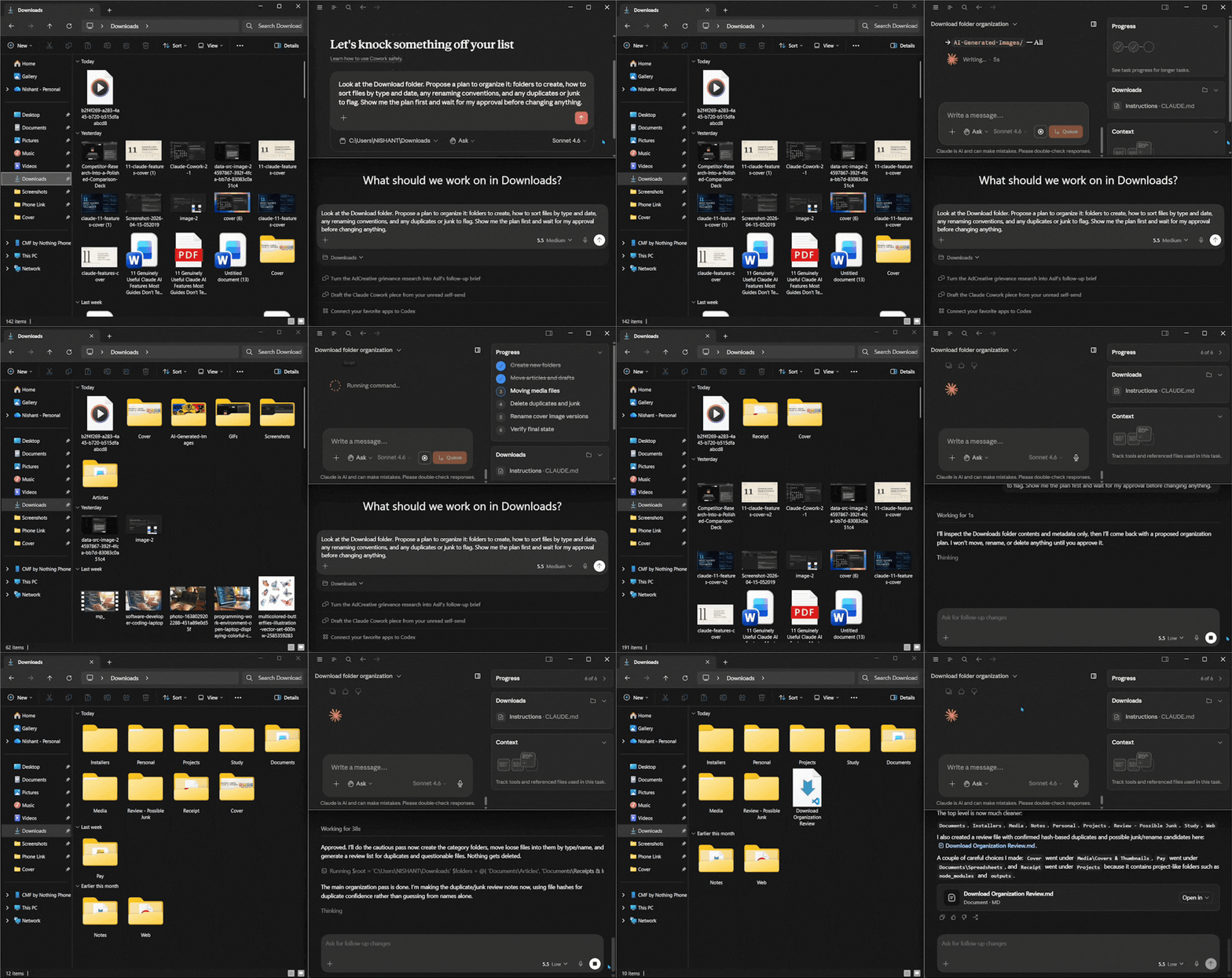
Verdict:
I prefer Claude's output here, as the folders looked appropriate and everything in them was added nicely and was well organized. Codex for Work, on the other hand, did the same thing but also added existing folders to newly created ones and moved previously existing files into completely different folders, creating more confusion.
2. The receipts & invoices to spreadsheet test
In the folder at [path to 5-8 receipt or invoice images/PDFs], read each file and pull out: vendor, date, total amount, and a one-line description. Put it all in a spreadsheet, one row per file, sorted by date, with a totals row at the bottom. Save it as an .xlsx file in the same folder.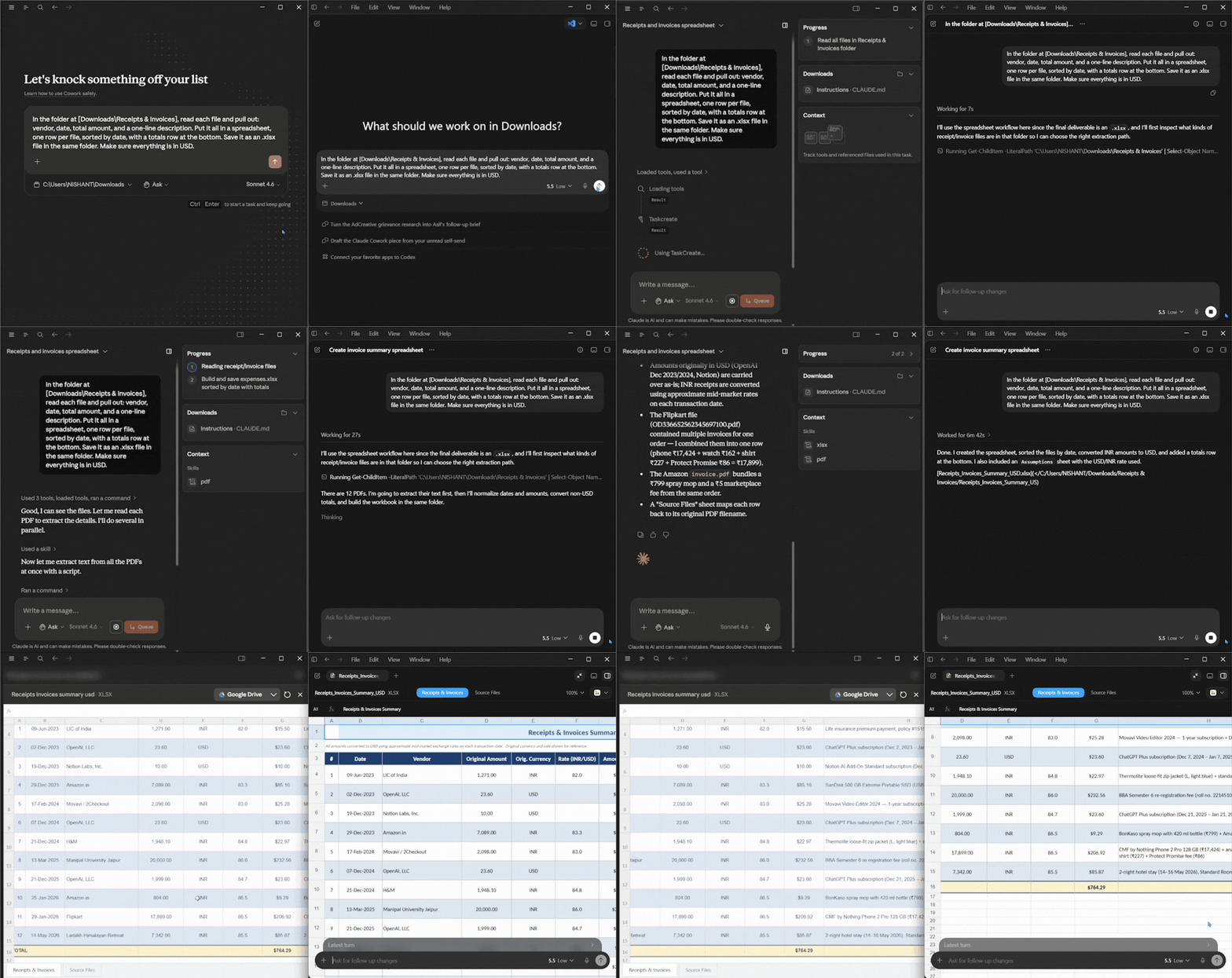
Verdict:
It was a tie game, but output styles were different if that's what matters to you. Both Claude Cowork and ChatGPT Codex for Work gave me the same output, and everything was accurate.
3. The rough-notes-to-document test
Read the notes in [path to a messy notes file or short folder of notes]. Turn them into a clean one-page summary document with a short overview, 3-5 key points, and a list of any open questions or next steps. Save it as a Word document. Keep it professional and concise without any filler.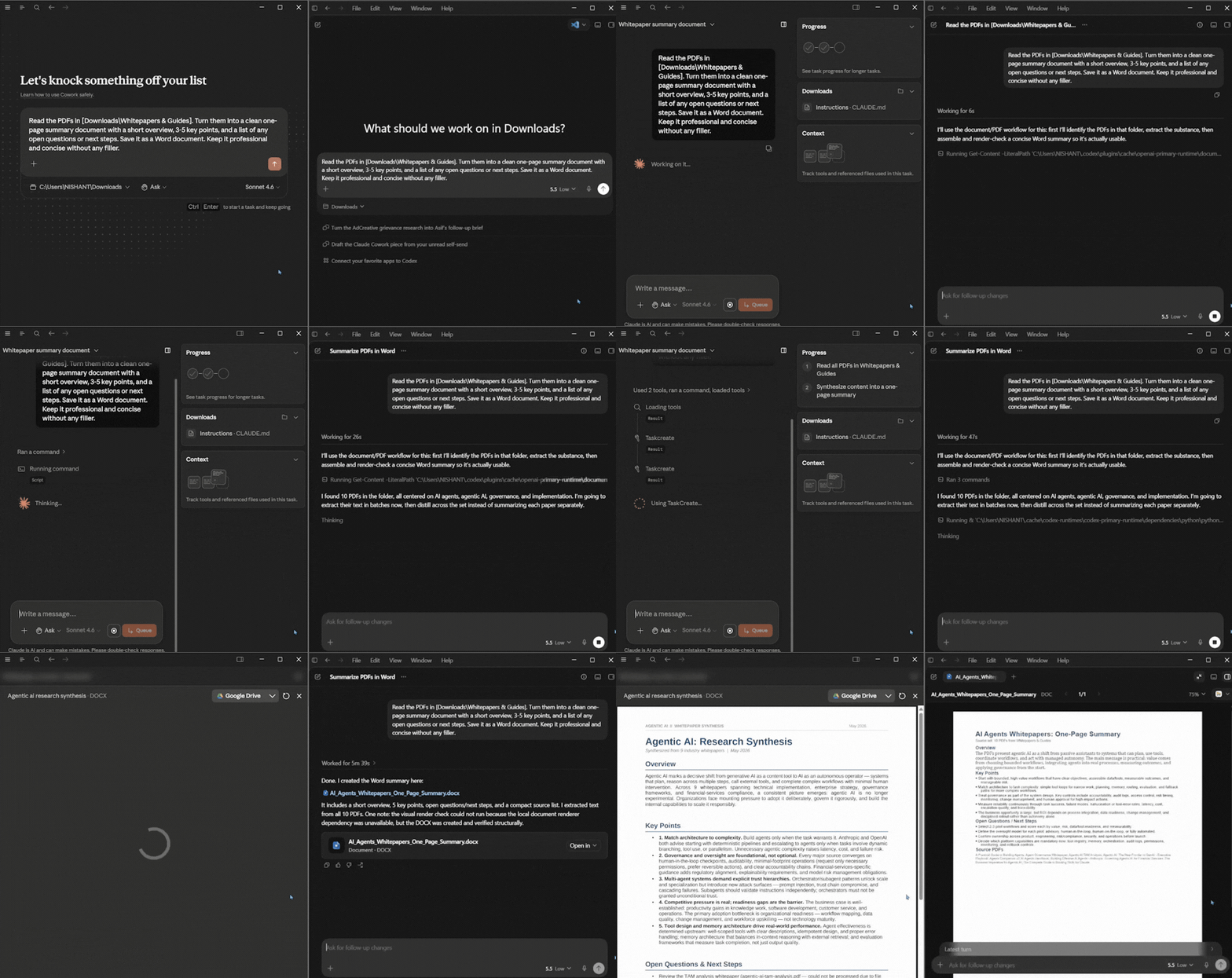
Verdict:
I preferred Claude Cowork's output here mainly because of its output. Codex for Work did an amazing job; however, the output style wasn't to my taste.
Bottom Line: Which Should You Choose: Claude Cowork vs ChatGPT Codex for Work?
After living with both, my take is that this isn't a better tool question; it's what are you going to use it for.
- You can choose Claude Cowork if you are a non-technical professional and you want that to stay true. If your work is documents, spreadsheets, research, reports, and email, Cowork meets you exactly where you are. It hides every technical concept, it lives inside an app you may already use, and it hands back deliverables that need the least cleanup.
- You can choose ChatGPT Codex for Work if your world includes code or includes people who write it. Codex is the stronger pick when you want one agent platform for both engineering and knowledge work.
ChatGPT Codex for Work can do what Claude Cowork does, and Claude Cowork can do what ChatGPT Codex for Work does. However, their output styles are very different, and that could be the decider for you. If you want to know how to use Claude Cowork and what you can automate with it, or how to use ChatGPT Codex for Work and what you can automate with it, we have gone deep with both AI agents, and you can take a look at our previous article to choose the right AI agent for you based on their outputs. Personally, I'll edge towards Claude Cowork, but I also prefer ChatGPT's speed and similar-quality output.
💡 For Partnership/Promotion on AI Tools Club, please check out our partnership page.
