


OpenAI has added a new feature to ChatGPT Codex that has nothing to do with a terminal or technical coding. It's called Sites, and it lets you describe an app in plain English and get back a working, hosted website your whole team can open from a single URL.
If you've spent the past two years watching vibe coding tools promise exactly this, here's what's actually different: Sites lives inside Codex, the finished app is hosted by OpenAI, and the whole thing is pointed squarely at non-technical professionals who don't know how to code.
AdCreative.ai: An AI-powered platform that automates the creation of high-performing ad creatives for social media and display campaigns
What is Sites by OpenAI?
Sites is a Codex plugin that lets Codex create, save, deploy, and inspect websites, web apps, and games, all hosted by OpenAI. You can give Codex a prompt (or point it at a project you already have), and it will turn that into a live site with its own link. There's no separate deployment pipeline, no DevOps step, no copy-pasting into a hosting dashboard afterward.
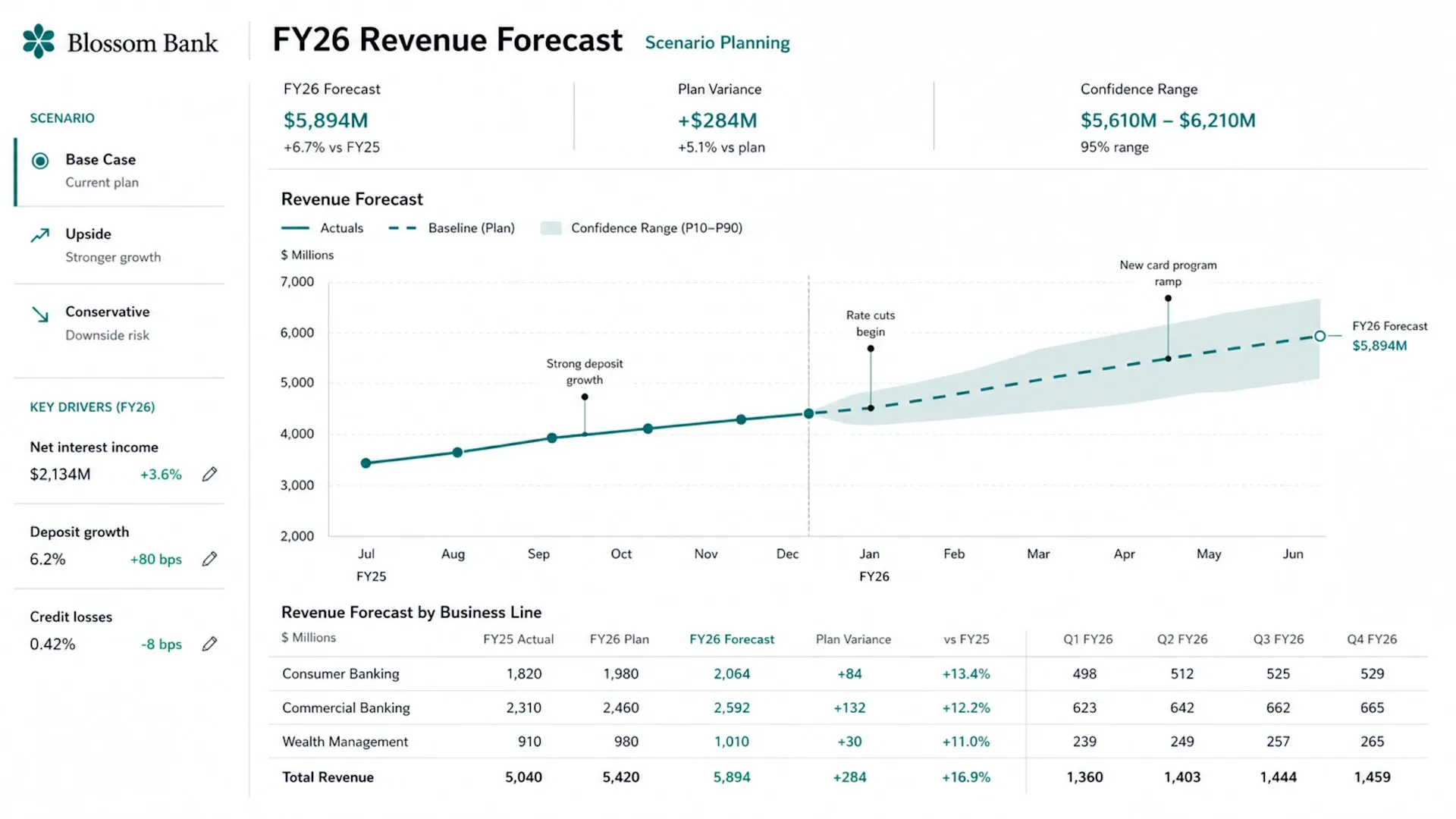
OpenAI describes Sites as a new kind of canvas for your ideas. Codex can build dashboards, planners, review workspaces, project boards, galleries, and small internal tools, which are the kind of lightweight apps teams usually have to ask an engineer to make. OpenAI launched Sites this week alongside two other Codex updates:
- Annotations (in-place editing instead of regenerating a whole file).
- Six role-specific plugins for jobs like sales, data analytics, and creative production.
Who is it really for?
This is the part worth paying attention to. OpenAI says Codex now has more than 5 million weekly active users, and roughly 20% of them are knowledge workers rather than developers, a group that's adopting Codex about 3 times faster than engineers.
In simple words, analysts, marketers, operators, and project leads are adopting and showing up faster than the coders. The Sites plugin is OpenAI's tool designed for these users. The means is that as long as you can write a clear brief/prompt, you can create an internal app without needing a GitHub account, hosting, or waiting for engineers to help.
How Sites actually works
You can start using Sites in Codex simply by tagging @Sites and describing what you need. For example, you might want a dashboard for tracking requests where team members can submit items, see who is responsible for each one, and filter by status.
The one mechanic worth burning into memory: every Sites' deployment URL is a production deployment. There's no quiet staging link. So the workflow has two deliberate stages.
- First, you ask Codex to save a version, a reviewable build you can check before anyone sees it.
- Then, only when you're happy, you ask Codex to deploy the saved version, and Codex hands back the live production URL.
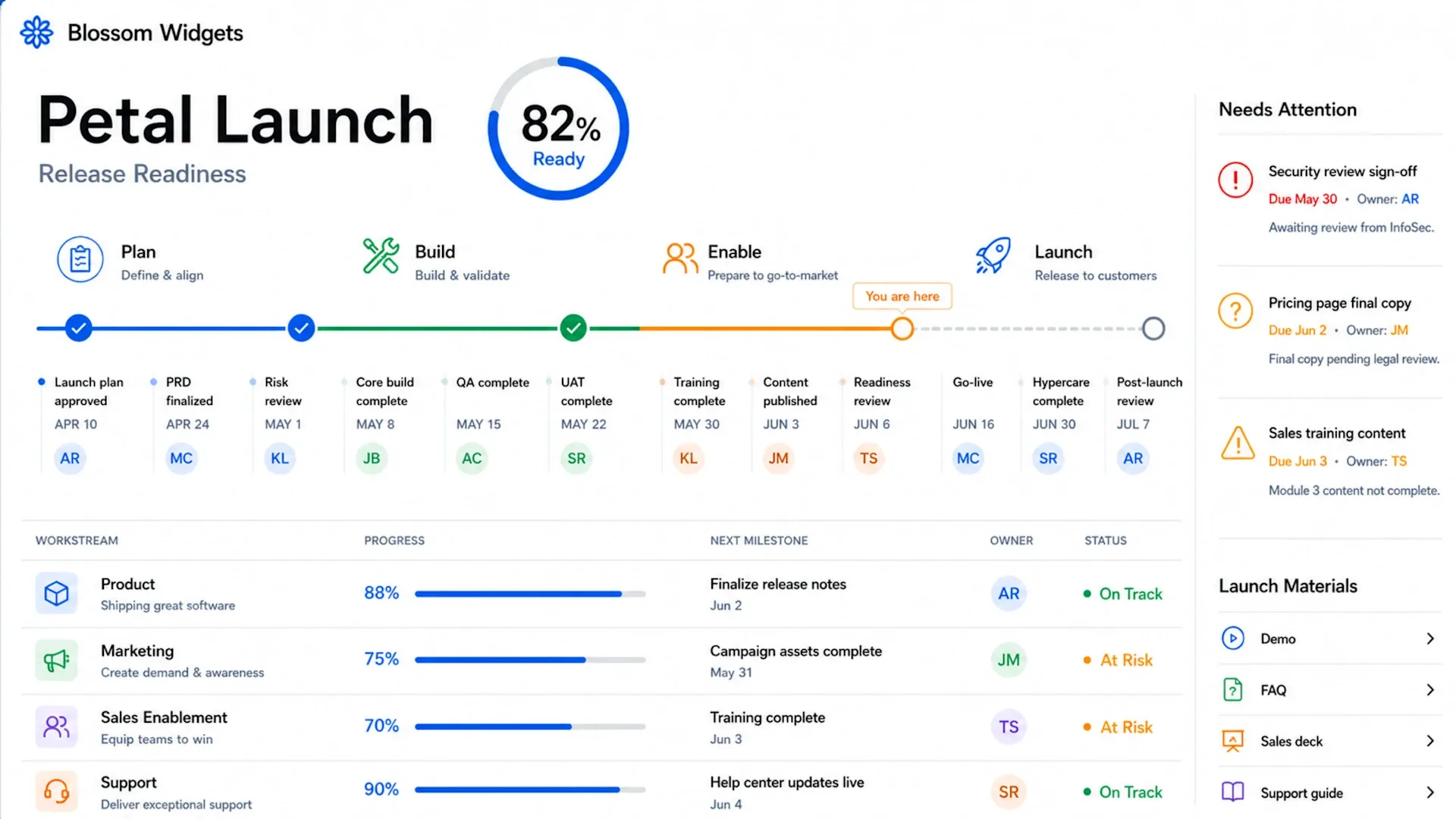
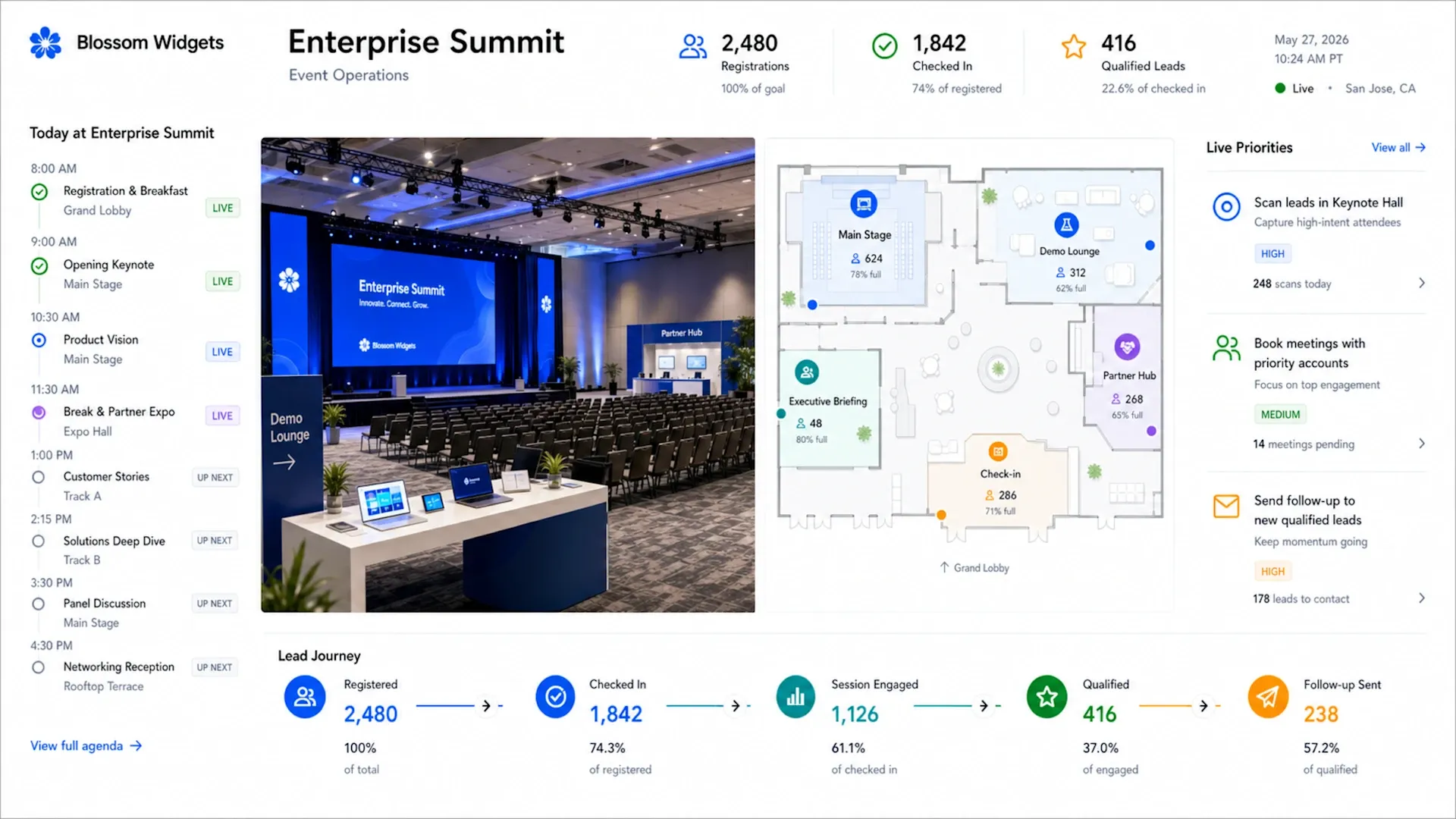
Need the app to actually remember things? You can ask for D1 (a relational database for records, scores, and progress) or R2 (object storage for uploaded files and images). And before you share anything, you can set the audience to owner-and-admins only, your whole workspace, or a custom list of people you pick.
The catch: who can use it today
Sites is launching in preview for Business and Enterprise customers, before expanding more broadly. If you're on a ChatGPT Business workspace, it's switched on by default. On Enterprise, an admin must first enable it via role-based access controls.
- To be clear about scope: Sites are shared within your workspace via URL. This is a tool for internal apps and team collaboration, not a public website builder.
Should you care?
If you're a non-technical operator who's been priced out of "just build the tool yourself," yes. The genuinely useful move here isn't the AI writing code; plenty of tools do that. It's that OpenAI combined the build-and-host gap into one conversation, then wrapped it in workspace permissions that enterprises will actually approve.
Many individual users can't access Sites in Codex yet because it is currently in preview and is for Business/enterprise users only. However, it is clear that Codex is moving from being just a coding helper to a tool that teams can use to create the software they need. The introduction of Sites shows that non-developers can start saying, "I'll just build a quick app for that."
💡 For Partnership/Promotion on AI Tools Club, please check out our partnership page.
