


In 2026, we will have plenty of autonomous AI agents that can think and complete tasks on your behalf; isn't that what they are for? Yes, they are. However, the issue, or at least something that makes most people uncomfortable, is that most AI platforms ask you to hand over and let them access your most sensitive data and trust them with it. If you are not using AI for professional work and are just testing it like a hobbyist, that is fine; however, it isn't like that.
According to Gallup, nearly 50% of employees use AI at work, 26% use it frequently, and 12% use it daily in their roles. That is where using a private AI agent could be the play. An AI tool that doesn't make you sacrifice using AI, but also one that runs and stores everything on your machine.
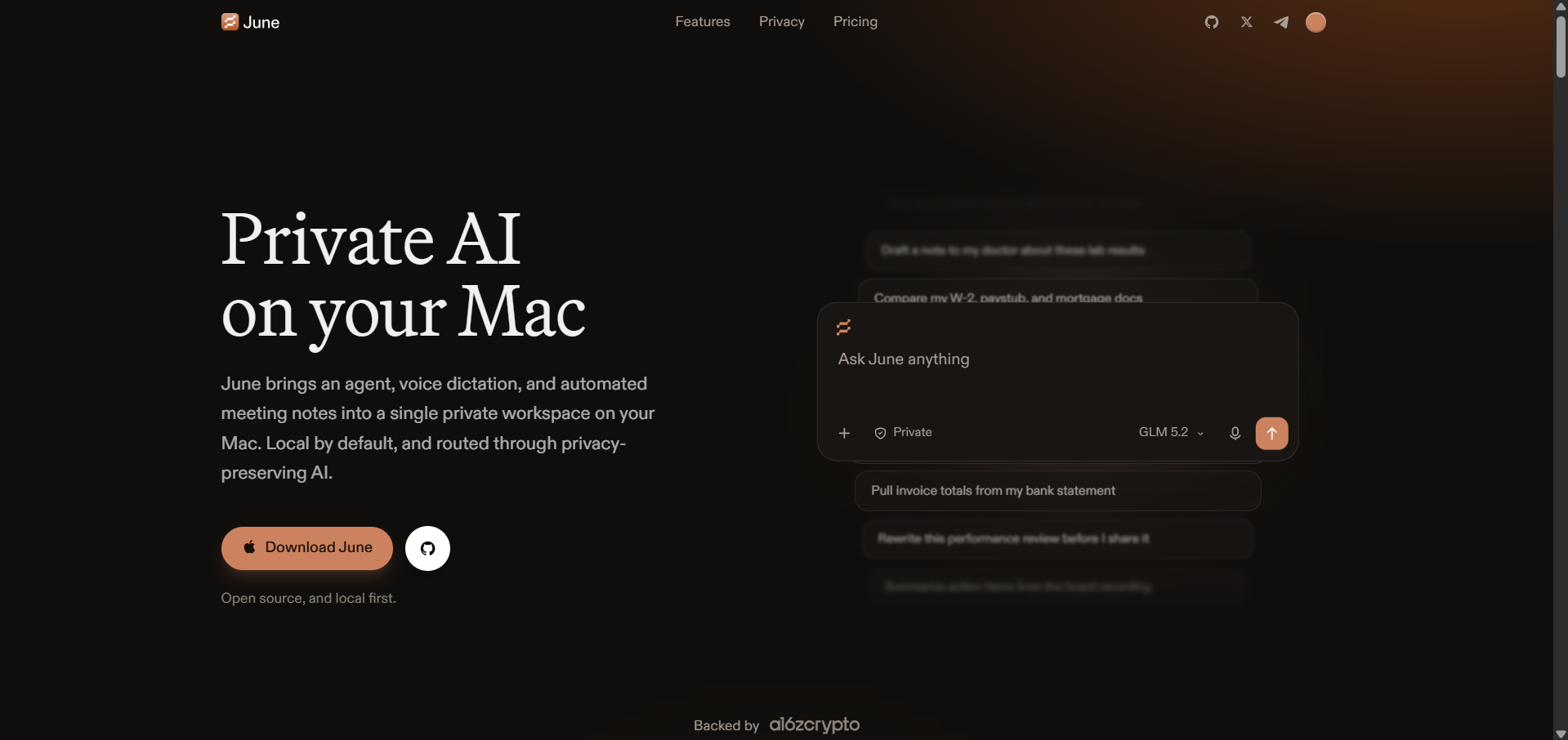
While searching for a private AI tool, I found June, an AI app for macOS from OpenSoftware that is completely open source and doesn't hand your data to anyone.
What Is June AI?
June is a free, open-source (MIT-licensed) desktop AI assistant for Mac that bundles four tools into one private workspace:
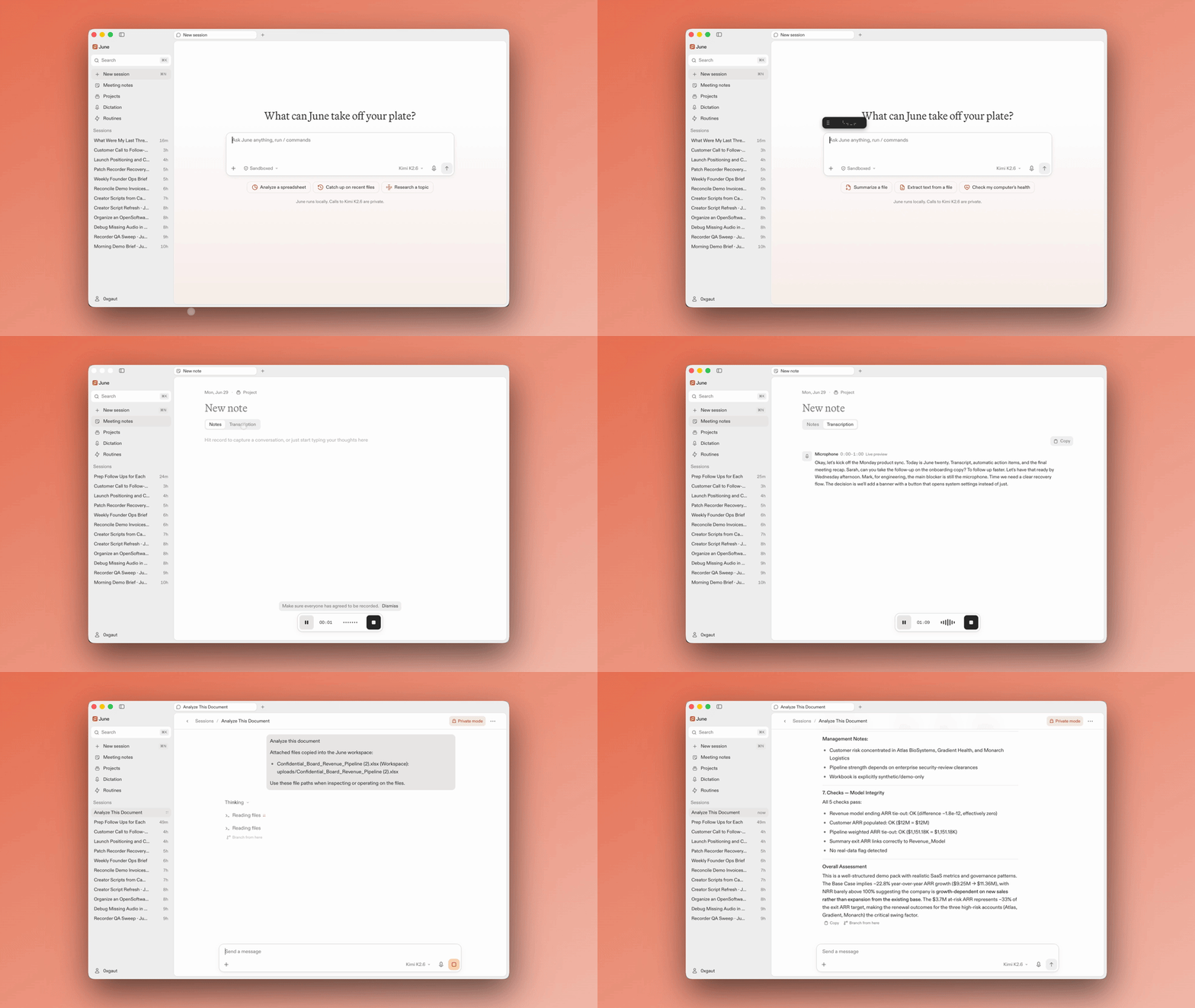
- AI chat + a local agent: You can ask questions, research, and let the agent read files, create reports, and schedule routines. It is built on the open-source Hermes framework and features secure sessions and approval steps for risky actions.
- Voice dictation into any app: You can hold the fn key, talk, and June types cleaned-up text wherever your cursor is, like email, Slack, docs, anywhere.
- Meeting notes without a bot: June can record audio from your Mac, so nothing joins the call or shows up in the participant list, and then can generate structured notes with decisions, action items, and risks.
- Private model routing: Your prompts go to zero-retention Venice models by default, meaning nothing is stored or trained on. Frontier models like OpenAI and Claude are available as opt-in, anonymized options.
It runs on macOS 14 or later (Apple Silicon and Intel). Windows hasn't launched yet.
How Does June Keep Your Data Private?
This is where June actually stands out from most AI apps I've looked at. Your files, transcripts, chat history, and agent memory stay on your Mac; OpenSoftware stores only account, login, and billing records. When prompts leave your device for inference, they pass through a backend running in a TEE (a trusted execution environment; a confidential VM that cryptographically proves which code it's running).
You can check the live attestation yourself at opensoftware.co/verify. Since the entire codebase, including the backend, is on GitHub, the privacy claims are verifiable rather than just a marketing line.
However, while June runs on your machine, it isn't fully offline. Your notes and files stay readable offline, but dictation, note generation, and the agent all require an internet connection for model calls.
AdCreative.ai: An AI-powered platform that automates the creation of high-performing ad creatives for social media and display campaigns
June AI Pricing: Free, Pro, and Max
Who Should Use June?
If you have been using cloud AI tools for health questions, contracts, or meeting notes, June is built for exactly that. It offers a reliable alternative to combining Granola (for meeting notes), Superwhisper or Wispr Flow (for dictation), and the ChatGPT desktop app. June could replace all three with one private, open-source tool.
However, it is brand new (just launched days ago), available only for Mac, and although it limits risks, the agent can still make mistakes according to June's own documents.
In Conclusion:
June is one of the more serious attempts I've seen at private, verifiable AI for everyday work. The combination of open-source code, TEE attestation, and zero-retention model routing offers more than most privacy-friendly apps. Since the free tier needs no credit card, trying it is a no-risk decision for any Mac user.
💡 For Partnership/Promotion on AI Tools Club, please check out our partnership page.
