


Generative AI has spent three years developing different modes: first text, then images, then audio, and finally short video clips. Each mode was built using separate models and workflows. While AI-powered video generators have existed for a long time, they haven't come close to what Google launched during Google I/O 26. Google launched Gemini Omni, a new AI model that can combine text, images, audio, and video to produce a single, coherent output, starting with video (image and audio outputs planned in later releases). The first model in the family, Gemini Omni Flash, is rolling out across the Gemini app, Google Flow, and YouTube Shorts.'
What is Gemini Omni?
Gemini Omni appears to be Google's way of telling creators that they no longer need different tools for image, video, and audio syncing to make one piece of content. Instead, Omni treats each input as a reference. It sees every edit as part of a conversation, keeping track of characters, lighting, physics, and scene elements across different versions.
AdCreative.ai: An AI-powered platform that automates the creation of high-performing ad creatives for social media and display campaigns
The problem Gemini Omni solves is that current video generators forget what they just produced. For example, if you ask for a second edit and the character's jacket might change color, the camera angle could reset, and the soundtrack can go off-beat. Omni treats a scene as a lasting object that remains consistent throughout different stages. This approach better reflects how editors, marketers, and designers actually work.
For those with a technical background, the key idea is that there is a unified way to handle different types of content. Google hasn't shared a detailed report yet, but actions like syncing audio beats with image changes and using motion details from videos for still images suggest they have a common approach to understanding content instead of using separate models. For non-technical professionals, the main takeaway is simple: use one prompt window for one project and one conversation.
Main features and capabilities
- Omni has the ability to combine images, audio, video, and text to create a cohesive video.
- Continual edits that build upon previous versions, maintaining aspects like characters and scene elements.
- Advanced physical modeling for gravity, kinetic energy, and fluid dynamics to create more realistic videos.
- Omni has the capability to base visuals on scientific, historical, and cultural context.
- A consented digital likeness feature lets you generate videos that look and sound like themselves.
- SynthID watermarking is enabled by default.
Availability and access
Gemini Omni Flash is the first model in the Omni family. At launch, distribution looks like this:
- Available to Google AI Plus, Pro, and Ultra subscribers globally through the Gemini app and Google Flow.
- Free to use inside YouTube Shorts and the YouTube Create app, rolling out the same week.
- API access for developers and enterprise customers is planned for the following weeks.
How to use Gemini Omni in Google Gemini:
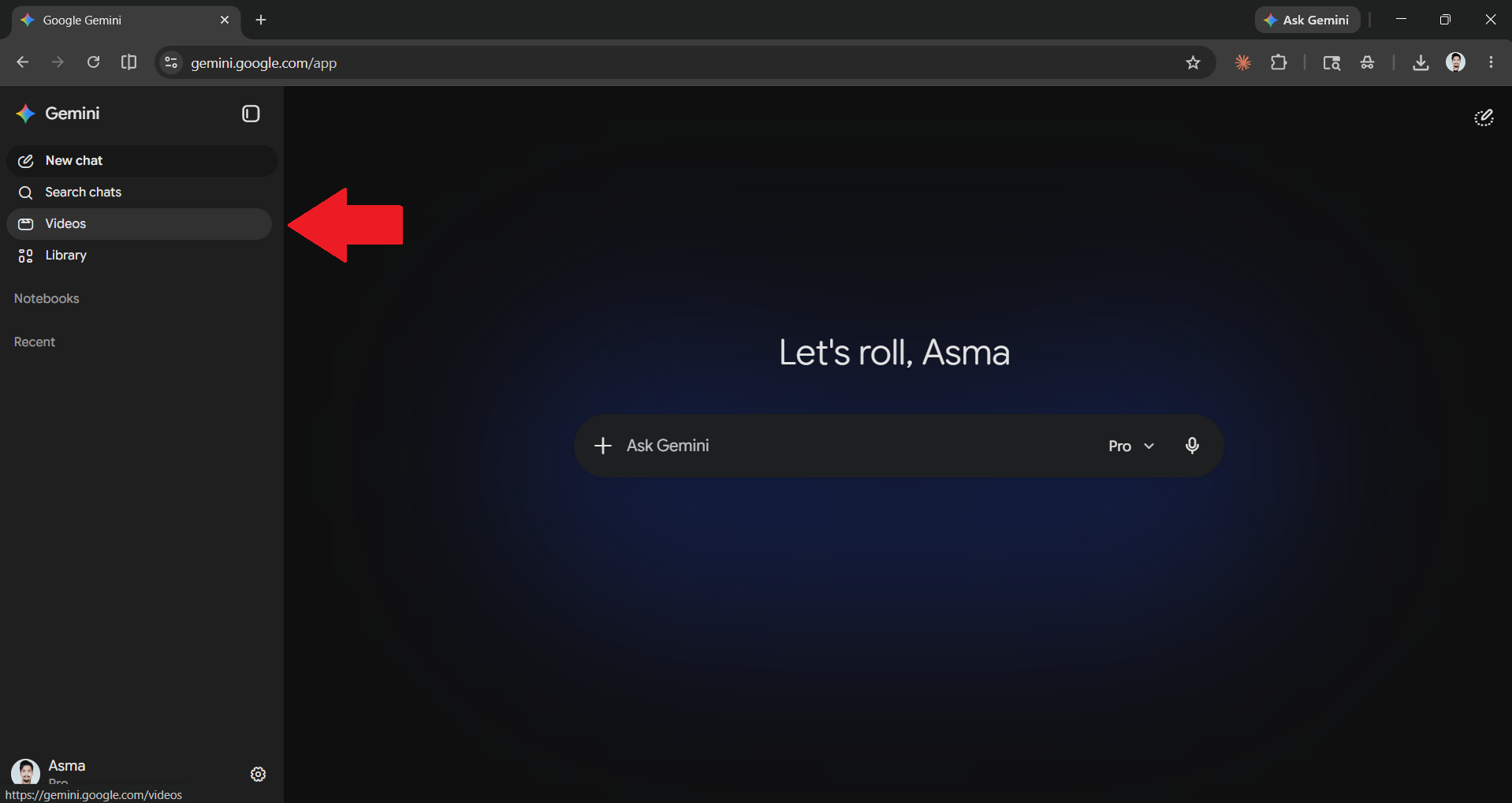
Step 1: Open the Gemini web app and click on the videos option.
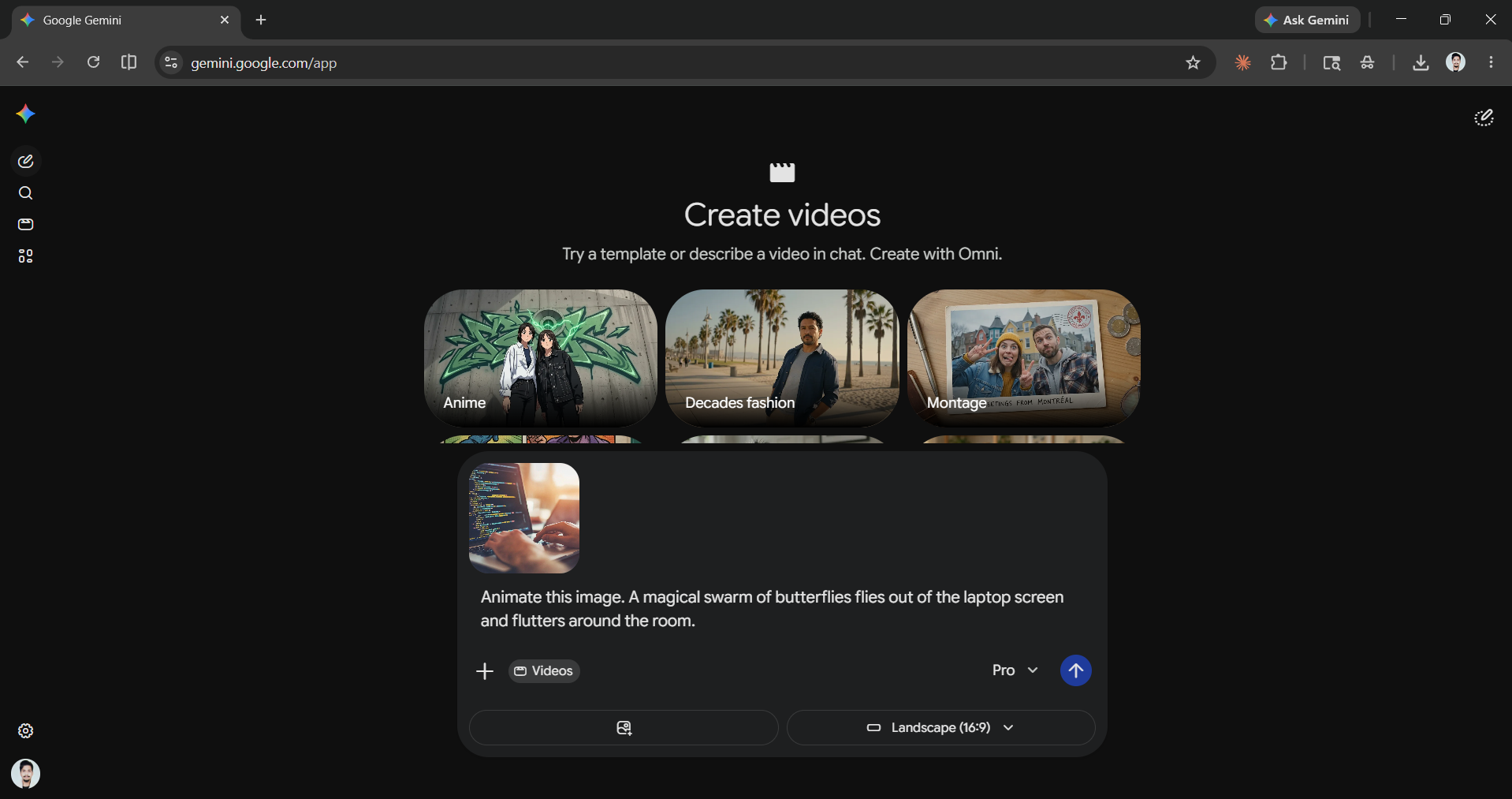
Step 2: Once that is opened, add the image, video, prompt, or audio you want.
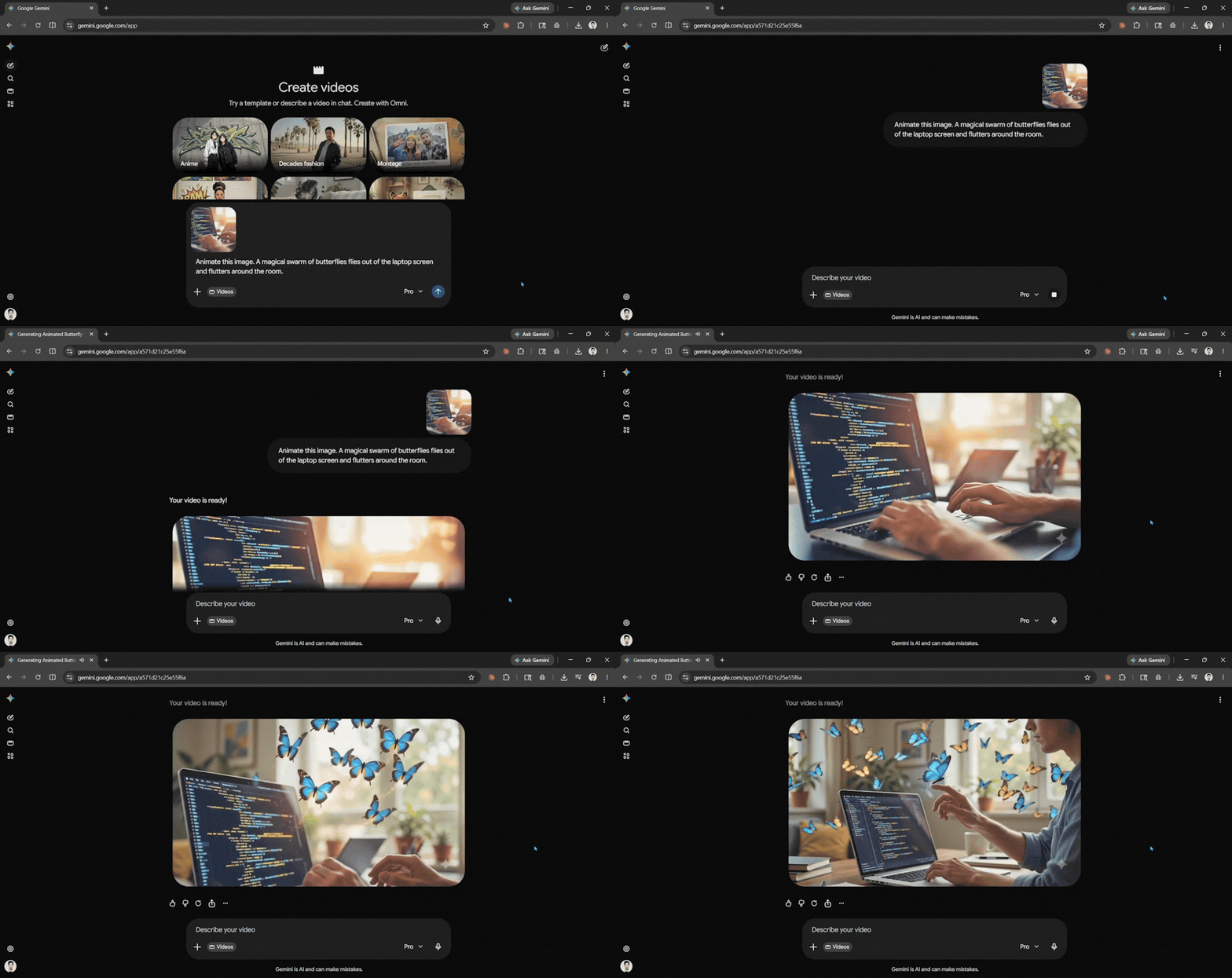
Step 3: Let Gemini generate the video for you.
In Conclusion:
Google has made clear what Omni can and cannot do right now. Audio and image features are planned but not yet available; only video is. The company is delaying voice editing for existing videos until it completes more safety tests. This is important because people want synthetic dubbing and lip-syncing, but these features can also be risky. Google has not provided details on evaluation benchmarks, system architecture, or context-window figures for Omni. This lack of information makes it hard for independent researchers to verify the claims made in marketing.
For working professionals, the right question is not which model do I use for which step? But what does my workflow look like when those steps stop being separate? Omni could potentially change how many tools you use for your creative work and change the unit of creative work from the individual asset to the ongoing conversation.
💡 For Partnership/Promotion on AI Tools Club, please check out our partnership page.

