

Just signed up for Claude AI? Don't waste time figuring it out yourself; here are the first settings to change, prompts to try, and privacy basics every new user should know. Claude AI has quietly become one of the most powerful AI assistants available, but most new users open it, stare at the blank chat box, and have no idea where to start.
If that sounds familiar, you're not alone. Claude can write, analyze, summarize, brainstorm, debug code, and hold surprisingly thoughtful conversations. But like any tool, it works best when you set it up properly from day one.
The good news? You don't need to be an AI expert. A few quick tweaks to Claude's settings, a smarter way of writing prompts, and a basic understanding of what not to share, that's all it takes to go from confused beginner to confident daily user.
Here's exactly what to do first when you log into your Claude AI account:
Set up your Profile Preferences before doing anything else
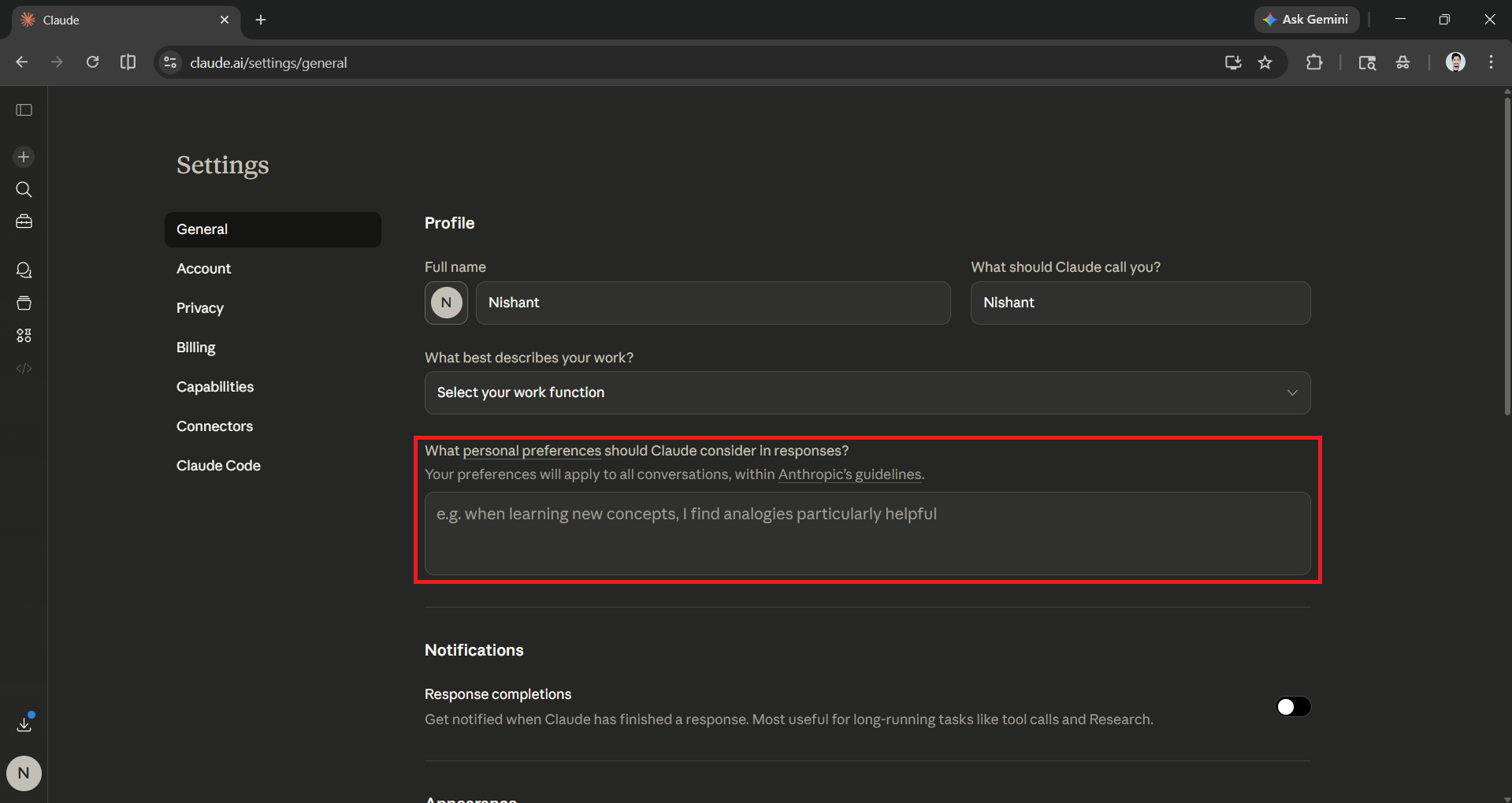
Before you fire off your first prompt, head to Claude's settings. Click your profile icon in the bottom-left corner of the screen and open Settings. Two sections are worth visiting immediately: Personal Preferences and Styles.
- Personal Preferences: You'll find a free-text box asking what Claude should keep in mind when responding to you. This is where you tell it how you like to work; your job role, the kind of language you prefer, your level of expertise, or anything else that would make its responses more relevant.
- Styles: This is a separate section that controls tone and format. Claude comes with five built-in presets (Normal, Learning Formal, Concise, and Explanatory), each of which changes how responses are structured and how much detail Claude offers.
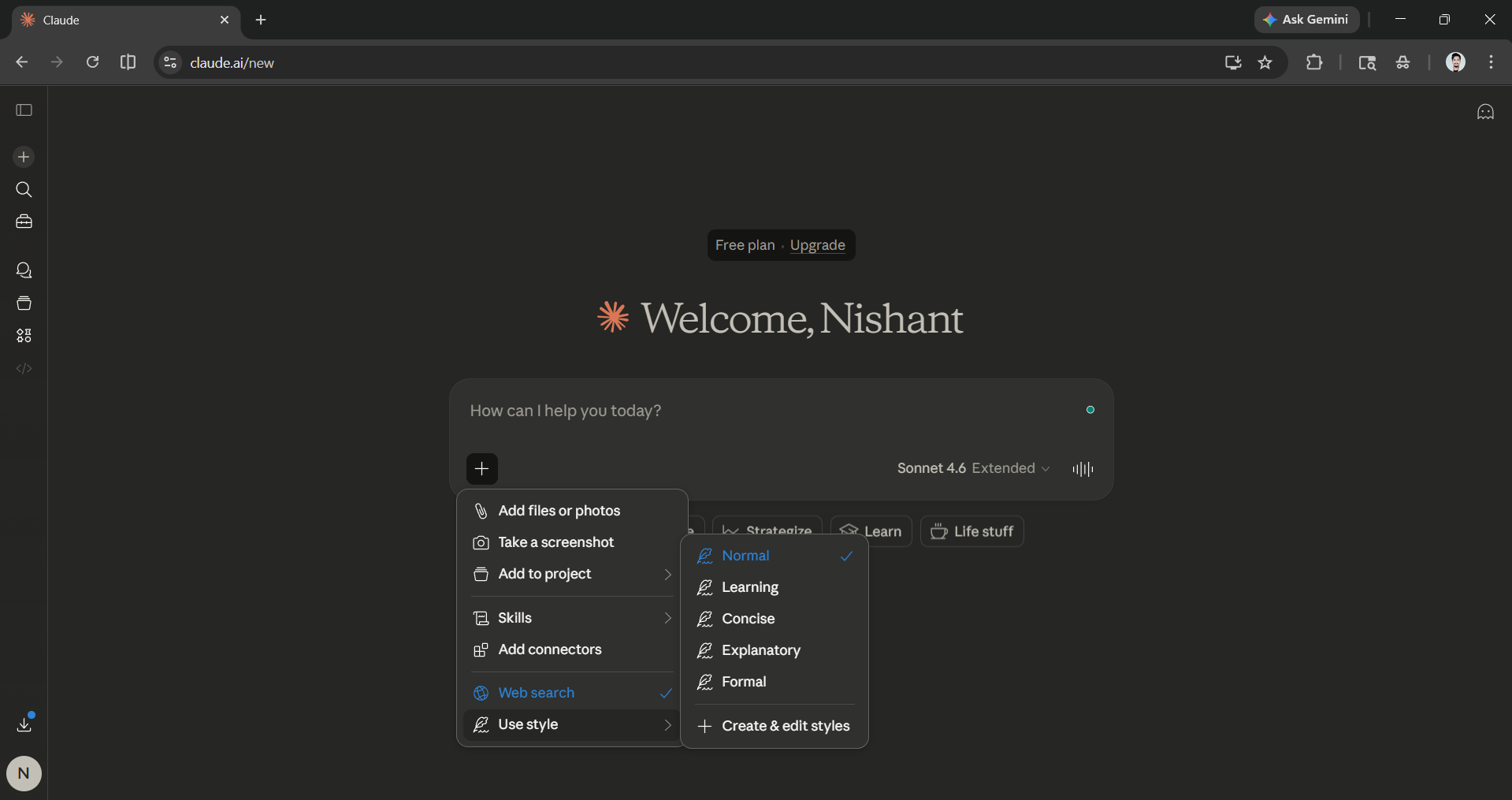
If none of those fit, you can create a custom style by either describing your preferences in plain text or uploading a writing sample for Claude to mirror. Setting this once means you won't have to re-explain your preferences every time you open a new chat.
Claude Projects:
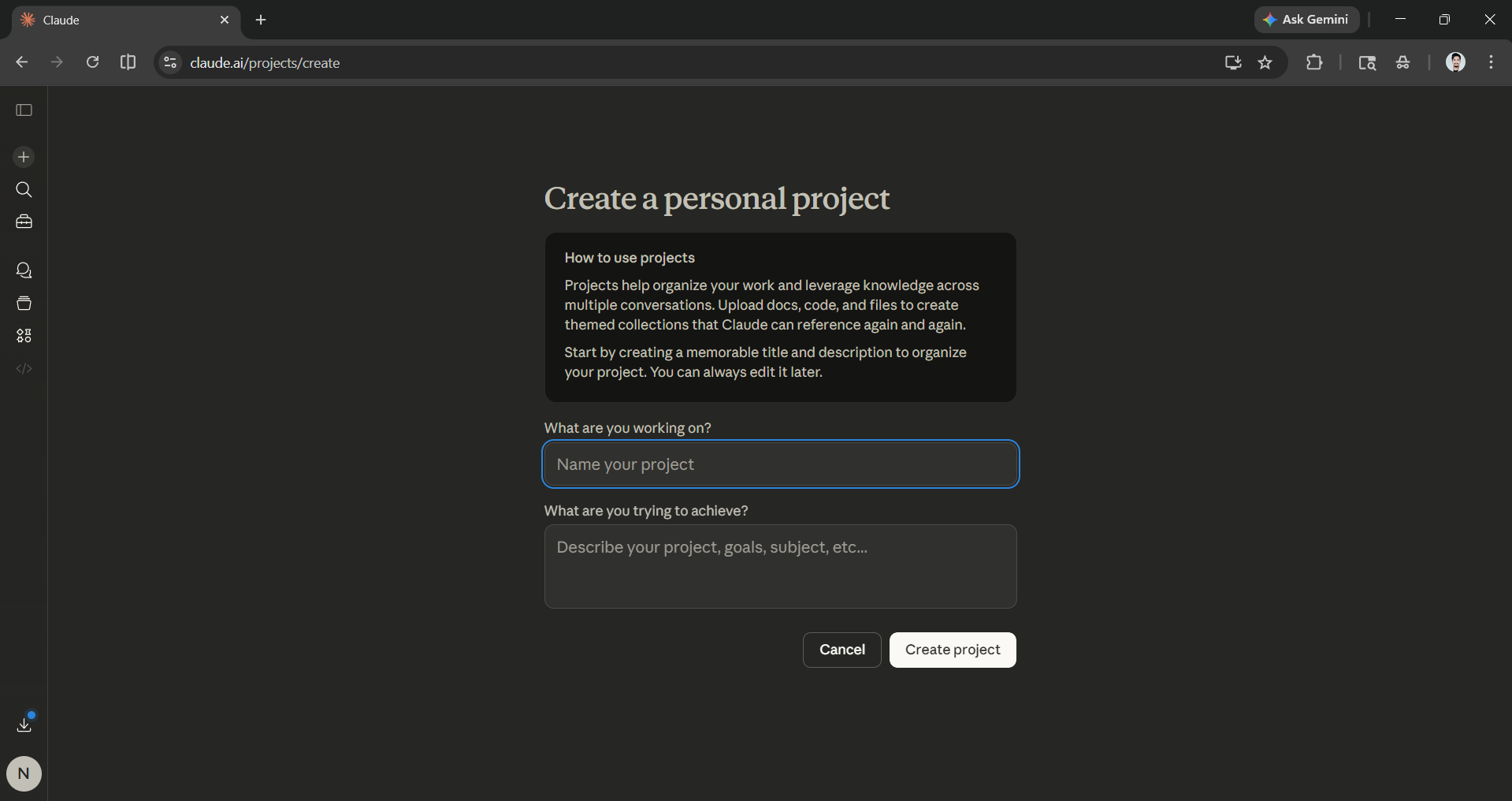
All Claude AI users can access the Project feature, which allows them to set context specific to a particular project. Each Project you create will have its own instructions, knowledge base, and conversation history, separate from your regular chats, making it useful when you're working on something ongoing, like a content series or a product launch. Free users can also access Projects, with a limit of five.
AdCreative.ai: An AI-powered platform that automates the creation of high-performing ad creatives for social media and display campaigns.
Three rules for writing prompts that actually work
Claude is only as good as the instructions you give it. Most beginners write vague prompts and get vague answers. The fix is simple; every strong Claude prompt has three ingredients:
A clear task (what do you want?), context (why do you need it?), and a format (how should the answer look?).
Here are seven prompts you can use right now to feel what Claude is capable of:
- Summarize the key benefits of [product/service] in a comparison table for a non-technical audience.
- Explain [concept] like I'm a complete beginner, then quiz me with 5 questions to check my understanding.
- Act as a brainstorming partner. Give me 10 content ideas for [topic], grouped by format, and highlight the 3 most shareable ones.
- Review the following text and rewrite it to sound more professional. Then explain what you changed and why: [paste your text].
- I have [X hours] this week and need to finish [list of tasks]. Build me a realistic schedule and a daily checklist.
- Act as a critical editor. I'll share something I wrote — give me specific feedback and a 7-day improvement plan: [paste your work].
- Recommend 3 ways I could use Claude regularly for my work as a [job title].
The more specific you are, the better Claude performs, and don't be shy about telling it exactly what you want.
Privacy basics every new user should know:
Claude AI is not the place to share sensitive personal or professional information. That means no passwords, no bank details, no ID numbers, and if you're using the file upload feature, be careful about uploading confidential company documents or contracts.
- To take control of your data, go to Settings → Privacy, or go directly to claude.ai/settings/data-privacy-controls. The key toggle to look for is "Help Improve Claude."
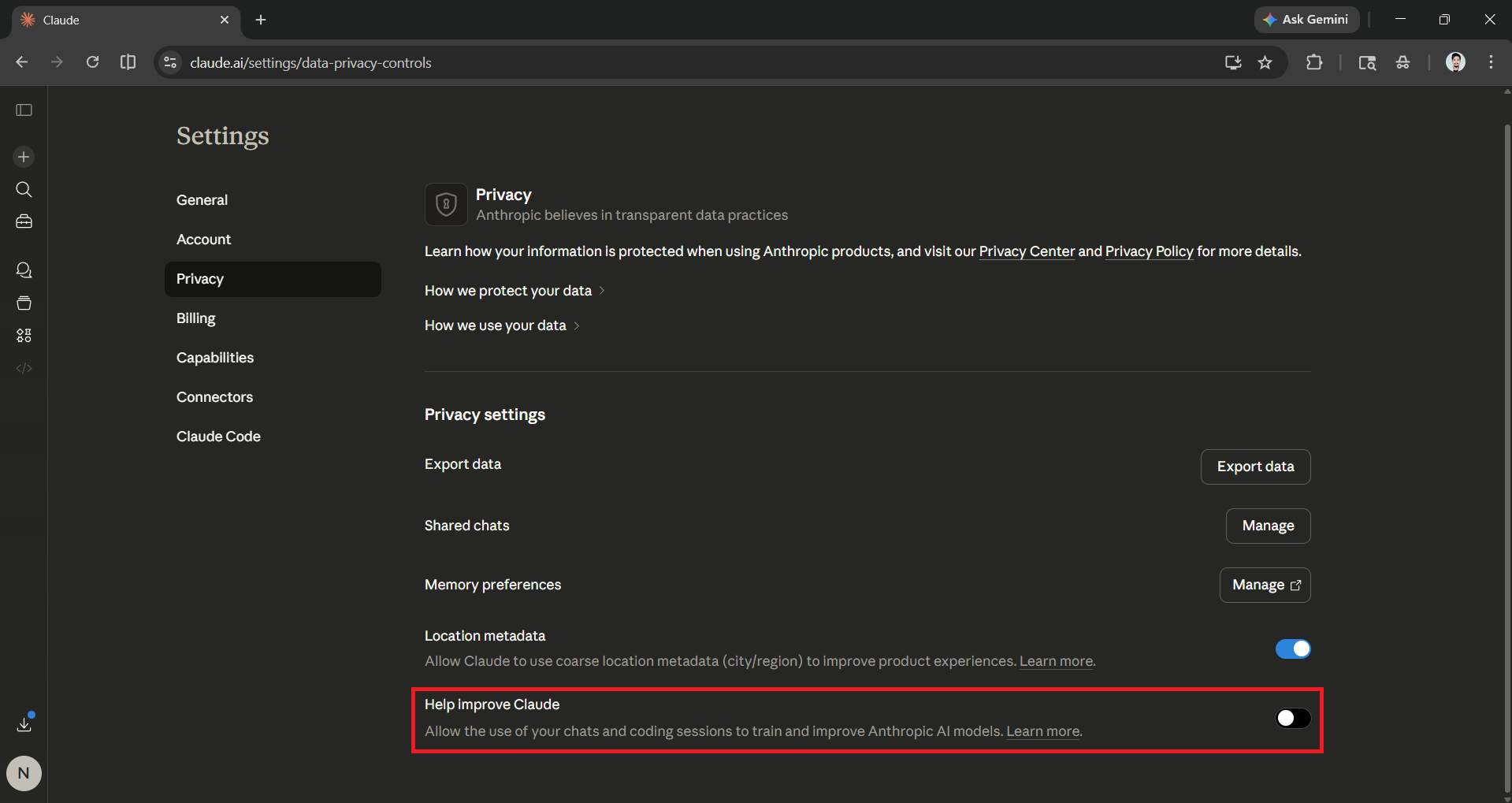
Turning this off means your conversations will not be used to train Anthropic's models. If you leave it on, note that Anthropic retains your data for up to five years for training purposes; if you opt out, that window drops to 30 days. You can switch your preference at any time.
- There's also Incognito mode, available to all users. Start a new chat, and in the top-right corner of the chat window, you'll see a ghost icon; click on it to activate the Incognito mode.
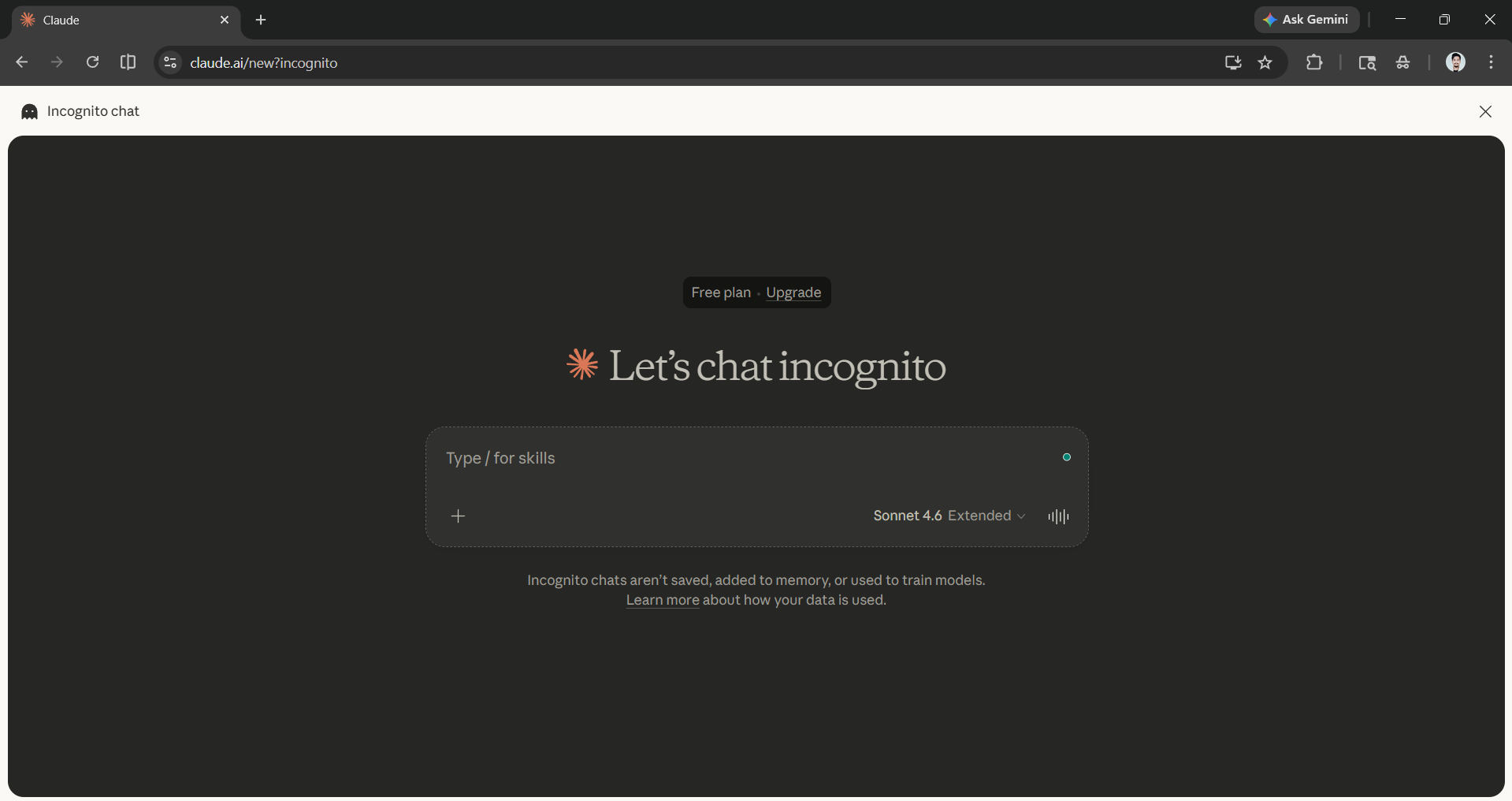
Conversations in Incognito mode are not saved to your history and are not used for model training, which is useful for sensitive topics or anything you'd prefer to keep off the record.
One more thing worth knowing: On February 4, 2026, Anthropic formally announced that Claude products will remain completely ad-free with no sponsored responses, no advertiser influence, and no third-party product placements. In a market where competitors are moving toward ad-supported models, that's a meaningful distinction for anyone using Claude for personal or professional work.
Bottom line
Claude AI has a low learning curve but a high ceiling, so if you just spend five minutes on your settings, learn the three-part prompt formula, and know what not to share, you'll get more value out of Claude in your first week than most users get in a month. The blank chat box isn't intimidating once you know what to put in it.
💡 For Partnership/Promotion on AI Tools Club, please check out our partnership page.
