

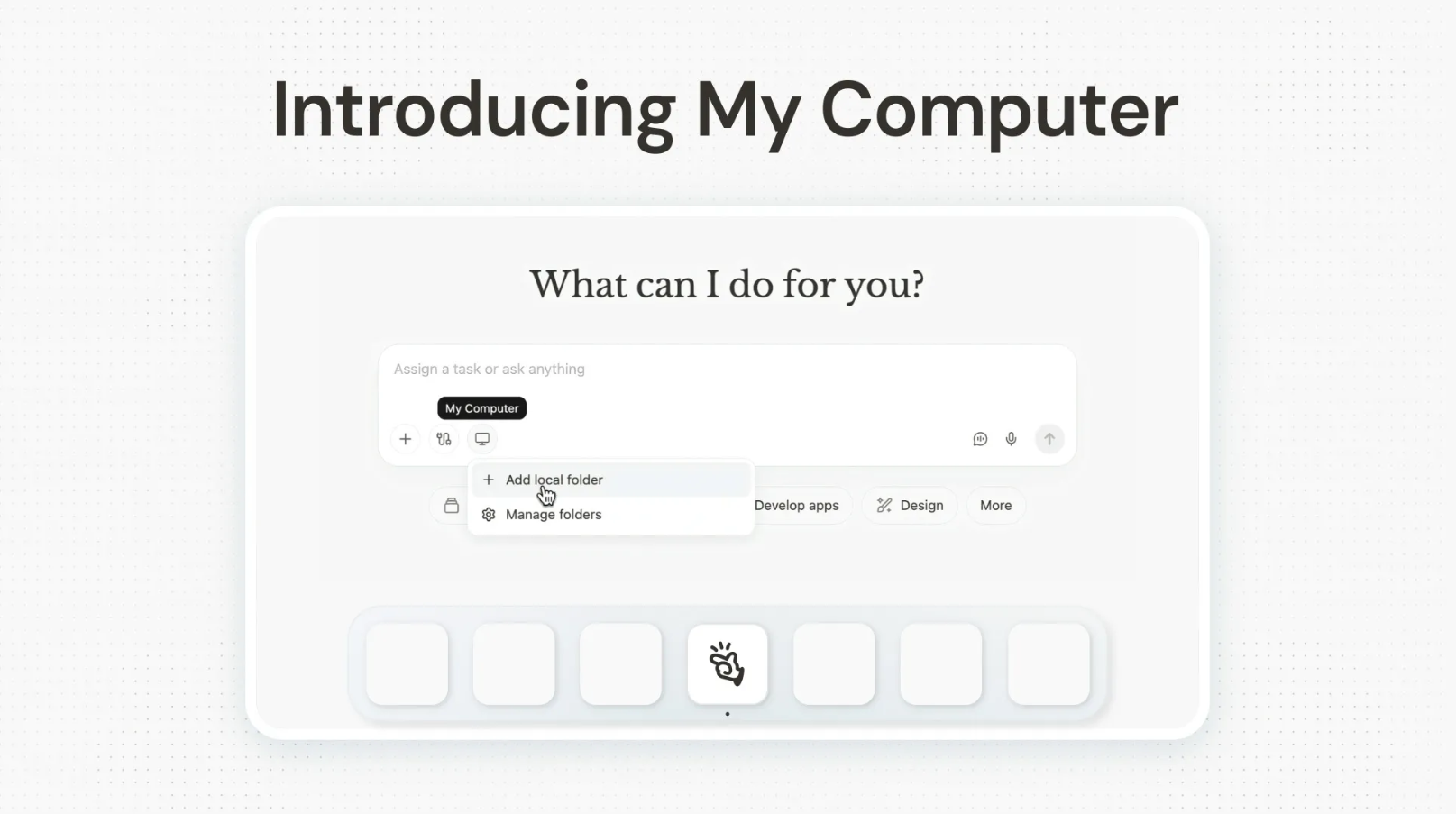
For the past year, much of the excitement around AI agents has centered on cloud-based automation such as browser control, web research, workflow orchestration, and task execution inside remote sandboxes. But a large portion of real work does not happen in the cloud; it happens on personal laptops and office desktops, inside local folders, development environments, apps, invoices, image libraries, and project files. To address that gap, Manus has introduced My Computer.
Why This Matters: The Cloud Gap
For years, powerful autonomous AI agents like Manus ran entirely in the cloud, with capabilities such as browser control, web research, workflow orchestration, and task execution within remote sandboxes. Yet, they remained separated from the one place where most real work happens: the users' own computers. Files sat untouched on local drives, applications waited to be launched manually, and GPUs contributed nothing meaningful.
My Computer is Manus's answer to that structural gap. It brings Manus out of the cloud and onto the user's computer, allowing it to work directly with local files, tools, and applications. The technical idea behind My Computer is relatively straightforward. My Computer can run a command-line interface (CLI) in the user's computer's terminal via the Manus Desktop app, allowing it to read, analyze, and edit local files, as well as launch and control local applications.
AINews.sh: Stay ahead with the latest AI product releases, in-depth reviews, and news. Compare AI tools, open-source models, and paid platforms.
What It Can Do
The feature's practical scope is more comprehensive than it might initially appear. Key capabilities include:
- Intelligent file organization: Manus can turn a disorganized folder into a clean, structured asset library in minutes by scanning files, identifying the content of each image, creating categorized subfolders, and sorting every photo accordingly.
- Bulk document processing: Tasks like renaming hundreds of invoices to a standard format, something that would take an entire afternoon manually, can be completed in minutes with a few terminal commands.
- No-code local app development: My Computer allows Manus to use all command-line tools on a machine, including Python, Node.js, Swift, and Xcode, dramatically expanding the possibilities for complex automation and development.
- Idle compute activation: Users can have Manus use the local GPU for machine learning model training or LLM inference, or turn an idle Mac mini into a 24/7 assistant accessible from anywhere, just by sending a task from a phone while you are out, and Manus will execute it on the home computer.
- Scheduled local routines: My Computer integrates with personal Projects, Agents, and Scheduled Tasks, allowing you to create recurring local routines such as tidying a Downloads folder every morning or generating a weekly summary report from local data.
AdCreative.ai: An AI-powered platform that automates the creation of high-performing ad creatives for social media and display campaigns.
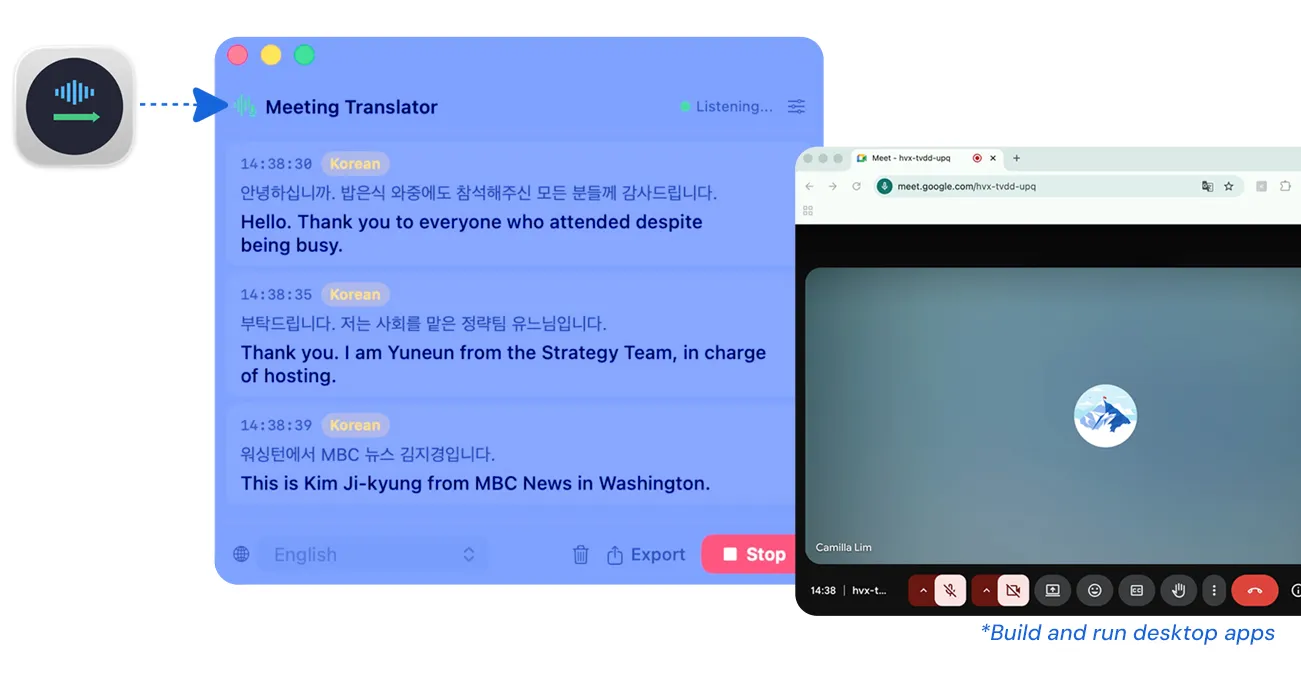
In one internally documented test, a colleague had Manus build a real-time meeting translation and subtitle application in Swift on a Mac, everything from project creation to packaging entirely via terminal commands, with no code written manually.
Cloud and Local, Working as One
One of the more compelling aspects of My Computer is how it unifies cloud services and local resources into a single workflow. Since Manus is already integrated with Google Calendar, Gmail, and other third-party services, it can now remotely access a local machine, locate a file, and send it via Gmail all in a single automated workflow, with the file residing on the machine and the email sent through the cloud.
A Crowded but Consequential Moment
It's worth noting that Manus is not alone in this space. Following the success of OpenClaw, which allows users to automate different tasks via a self-hosted personal AI assistant on their PC, similar AI agents have appeared from February to March 2026.
- Anthropic released a remote control function for Claude Code and a PC operation AI called Cowork.
- Perplexity announced "Personal Computer," an AI agent that runs on PCs around the clock.
The local AI agent category is rapidly becoming one of the most competitive frontiers in the industry.
You Stay in Control
Given the sensitivity of local machine access, Manus has built explicit permission gates into the experience. Every command Manus intends to execute in the terminal will require your explicit confirmation, and there will be options for you to choose "Always Allow" for routine tasks or "Allow Once" to review each action individually.
In Conclusion:
My Computer is available for all macOS and Windows users starting March 16, 2026. Users can get started by downloading the Manus Desktop app, signing in to their Manus account, and authorizing specific local folders for the agent to access. If you are someone who works a lot on your local machine rather than a browser, or just want to automate your local machine tasks, you should give My Computer by Manus a try.
💡 For Partnership/Promotion on AI Tools Club, please check out our partnership page.
