


Claude AI by Anthropic is one of the best AI assistants you can use right now, which is powered by a few of the most powerful AI models: Opus, Sonnet, and Haiku. For the most part, Claude is the best AI chatbot/assistant you can use right now, and even online, you'll mostly see people compliment its capabilities. The only downside of Claude AI is its usage limit, whether you are a free, pro, or max user.
Despite everything, Claude AI is my daily driver, and I use it every day. One of Claude AI's most powerful features is its ability to connect with third-party platforms via MCP. In one of our previous articles, we showed you how to connect Claude to a third-party platform directly via Claude Connectors and manually by adding the MCP server URL.
In this article, we will show you how you can use an MCP app to automate multi-step workflows across websites. We will use the TinyFish AI connector for real execution on live sites, not just search results.
TinyFish MCP App inside Claude AI
According to TinyFish, the MCP app inside Claude can perform multi-step workflows across websites, complete form-based interactions and dynamic site navigation, and structured data extraction from complex, changing page layouts. It is like ChatGPT Agent Mode but for Claude. You don't need separate browsers to manage, proxies to configure, or selectors to maintain.
How to automate multi-step workflows using Claude AI MCP apps:
Make sure you have added the TinyFish MCP to Claude. If you want to know how, you can check out our previous article. It is simple and will take less than a minute.
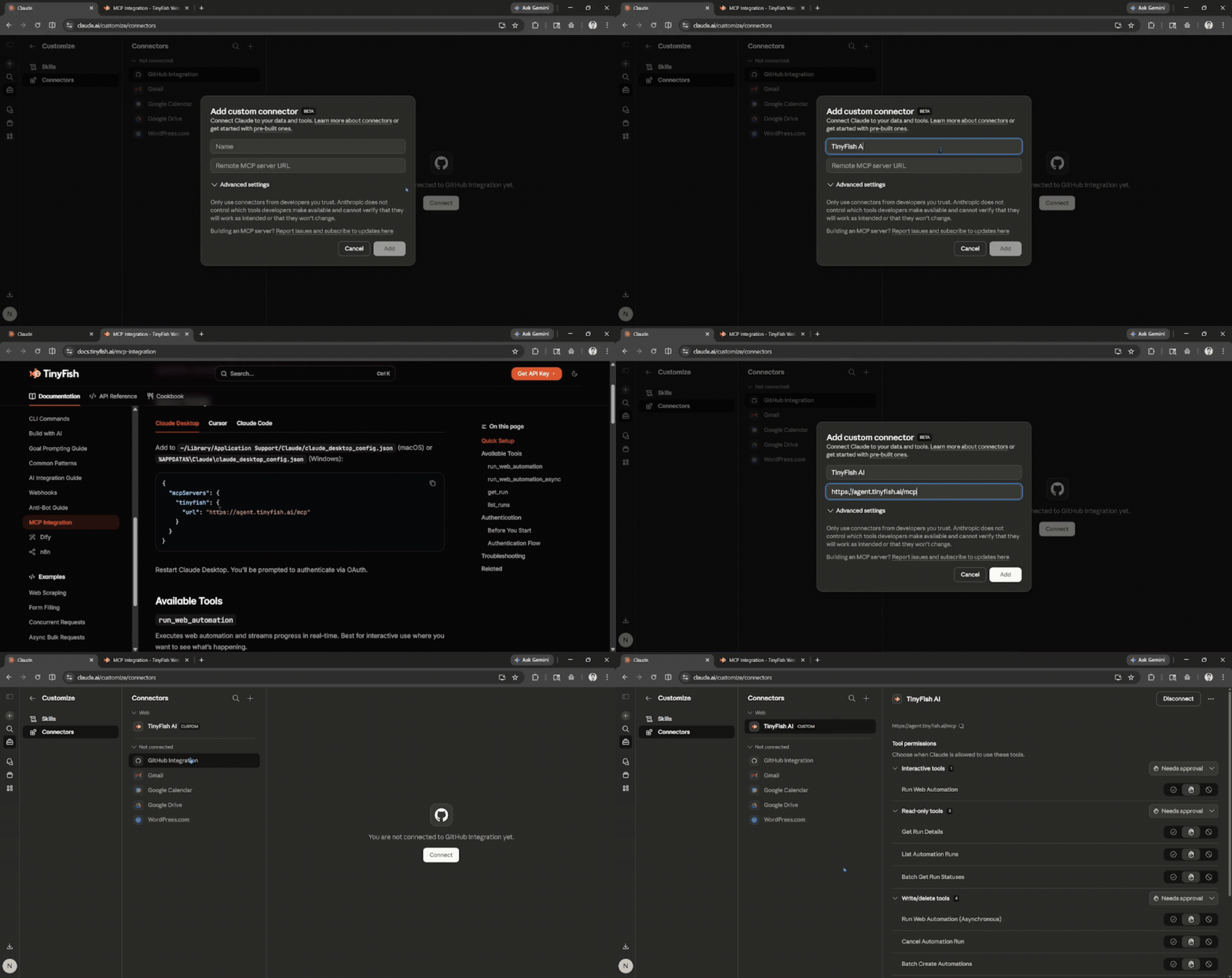
Based on our tests, the TintFish MCP app works in two different ways, with and without displaying the browser in the chat, based on your workflow request. Here's how:
Direct request:
These are direct requests in which you provide Claude with direct website URLs to extract information from one or more websites.
Simply ask Claude to use the MCP app/connector by specifying the name of the MCP app and adding the task request you want Claude to perform using that MCP app.
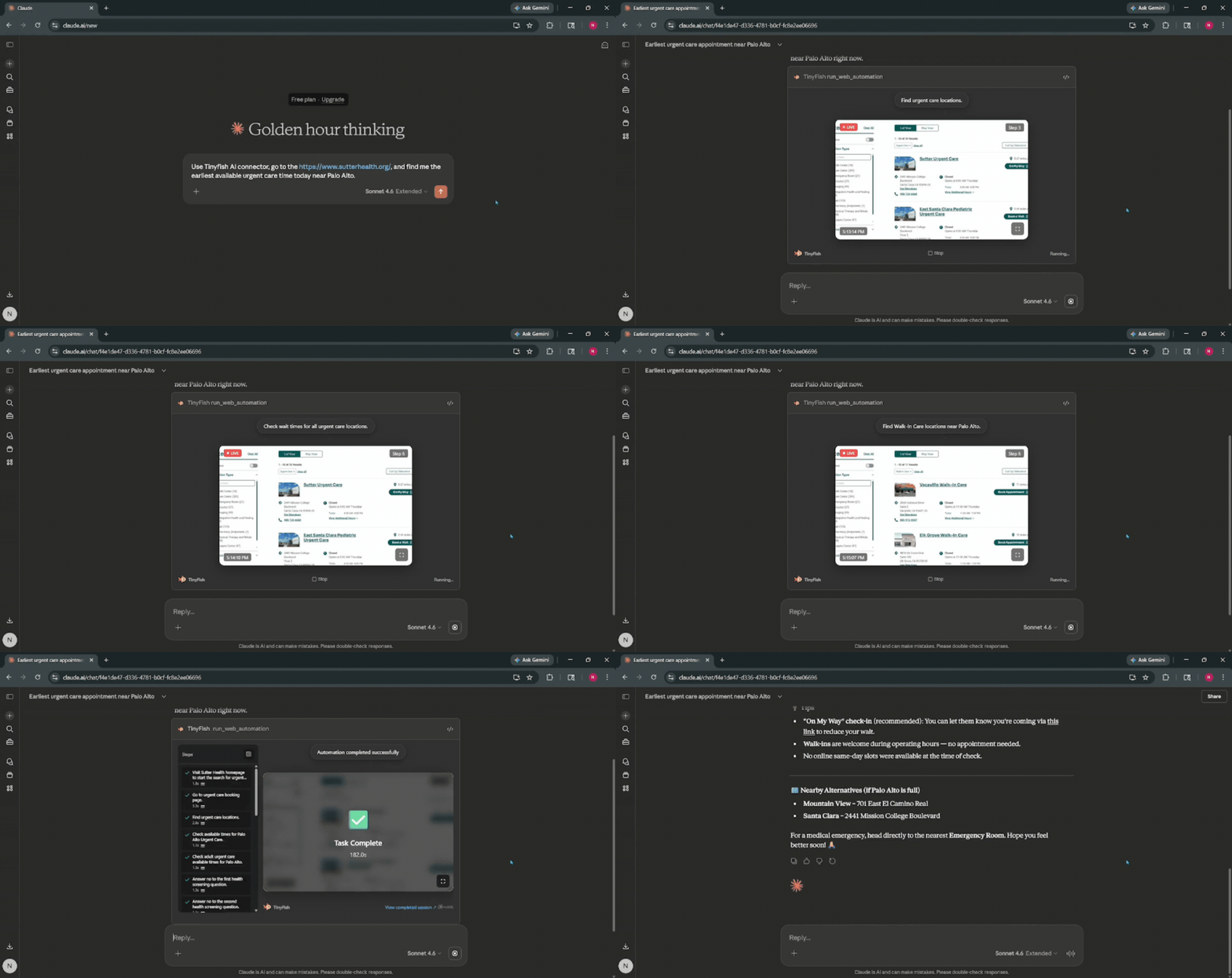
Prompt 1: Use Tinyfish AI connector, go to the Sutter Health website, and find me the earliest available urgent care time today near Palo Alto.
Base44: An AI-powered platform that empowers anyone to transform their ideas into fully-functional apps within minutes, all without coding.
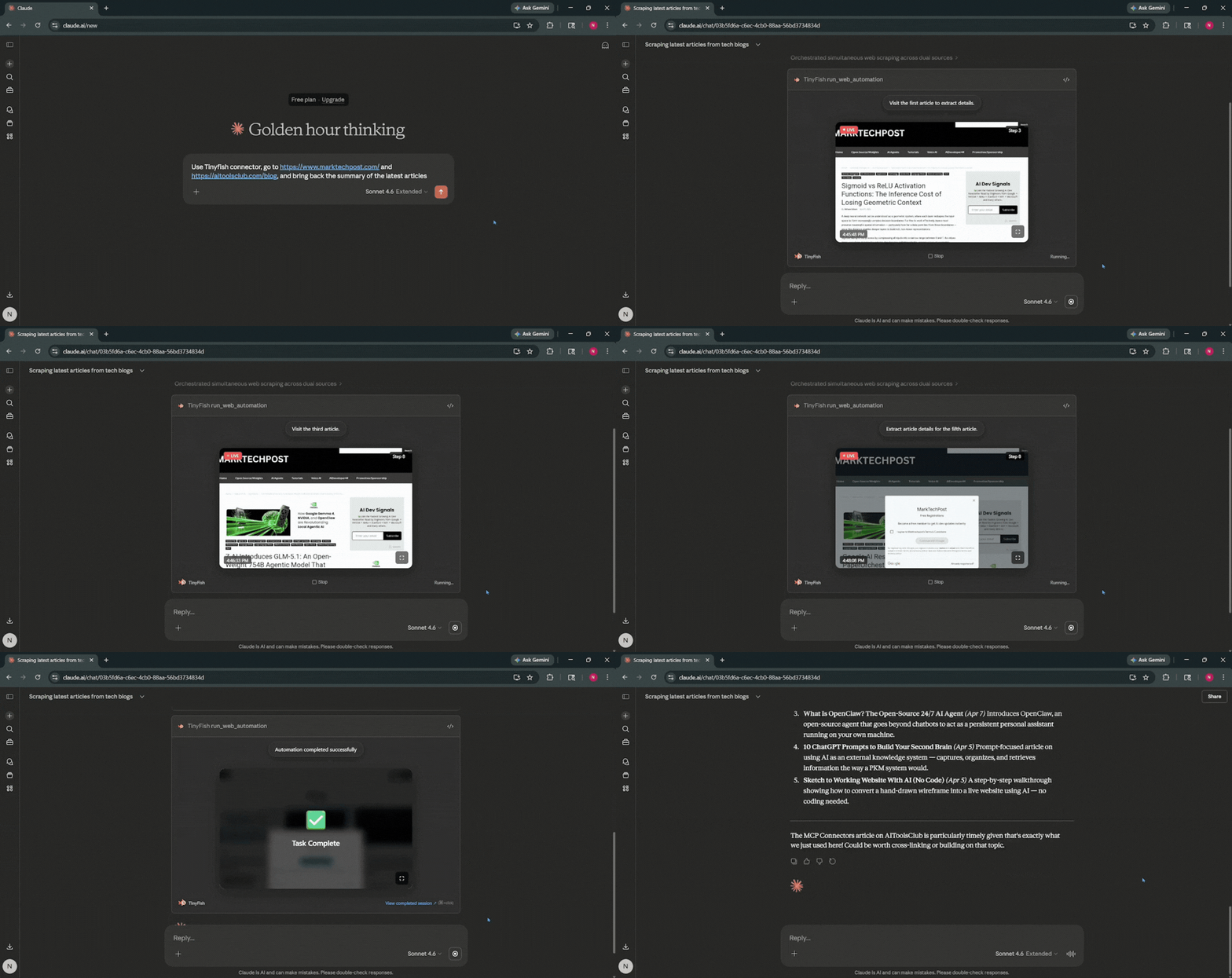
Prompt 2: Use Tinyfish AI connector, go to marktechpost.com and aitoolsclub.com/blog, and bring back the summary of the latest articles.
Multi-step workflow request:
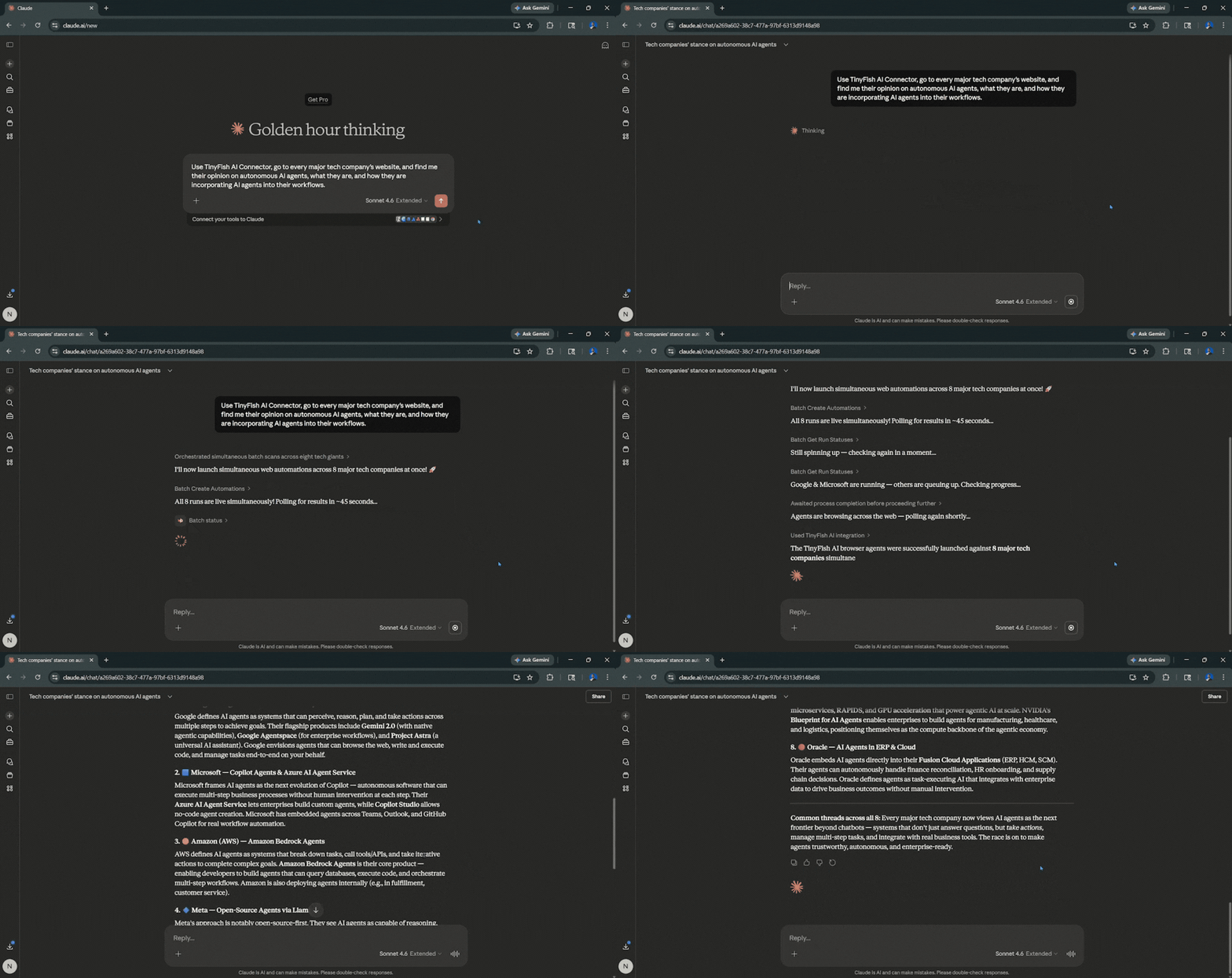
This is when you ask the TinyFish MCP app to extract information from multiple websites. The MCP connector will orchestrate simultaneous batch scans across the websites to extract the information you really want. It can run across multiple websites live simultaneously, boosting productivity and saving time.
Prompt: Use TinyFish AI Connector, go to every major tech company's website, and find me their opinion on autonomous AI agents, what they are, and how they are incorporating AI agents into their workflows.
Editor's Note:
The only downside we have experienced while trying this out is hitting or reaching Claude's usage limit or tool use limit. Overall, it worked mostly like ChatGPT Agent Mode, but without the ability to take over the virtual browser. Claude and TinyFish AI's combination can be a killer as TinyFish AI's web agent gets better. If you want to use the feature, you can do so right now, even as a free Claude user, but we recommend having a Pro or Max subscription to get higher usage and tool use limits.
💡 For Partnership/Promotion on AI Tools Club, please check out our partnership page.
