

Most people don't change their AI provider; for example, if someone has only ever used Claude AI, they are more likely to keep using it for as long as they can. The reason is that as we chat with AI assistants, they capture and remember important details about us, like our workflow, tasks we have done or plan to do, and even some intimate details, which make the AI assistant feel personalized.
However, the restraints are easing as AI providers are allowing users to import their memories and preferences from one AI chatbot to another. It started with Claude's memory import feature, and now even Google Gemini allows its users to import memories from different AI providers.
What is the Gemini Memory Import Feature?
The Gemini Memory import feature allows users to easily import their key preferences, relationships, and personal context directly into Gemini with a single prompt. Once these memories have been imported, Gemini will understand the same key facts about you that you might have shared with other AI assistants, like your interests, the names of your loved ones, or where you grew up. The memory import feature lets you quickly get Gemini up to speed on what matters most to you without starting from scratch.
Gemini Personal Intelligence Involvement:
Personal intelligence allows Gemini to feel more personalized, as it can connect and retrieve insights from your Gmail, Photos, Search history, and past Gemini chats in its responses. It can also reason across complex sources and retrieve specific details. Pairing memory import with Personal Intelligence can make Gemini the ultimate productivity assistant.
How to switch from ChatGPT (other AI providers) to Gemini:
Step 1: Open Gemini, click on Settings and Help, and then choose the Import memory to Gemini feature.
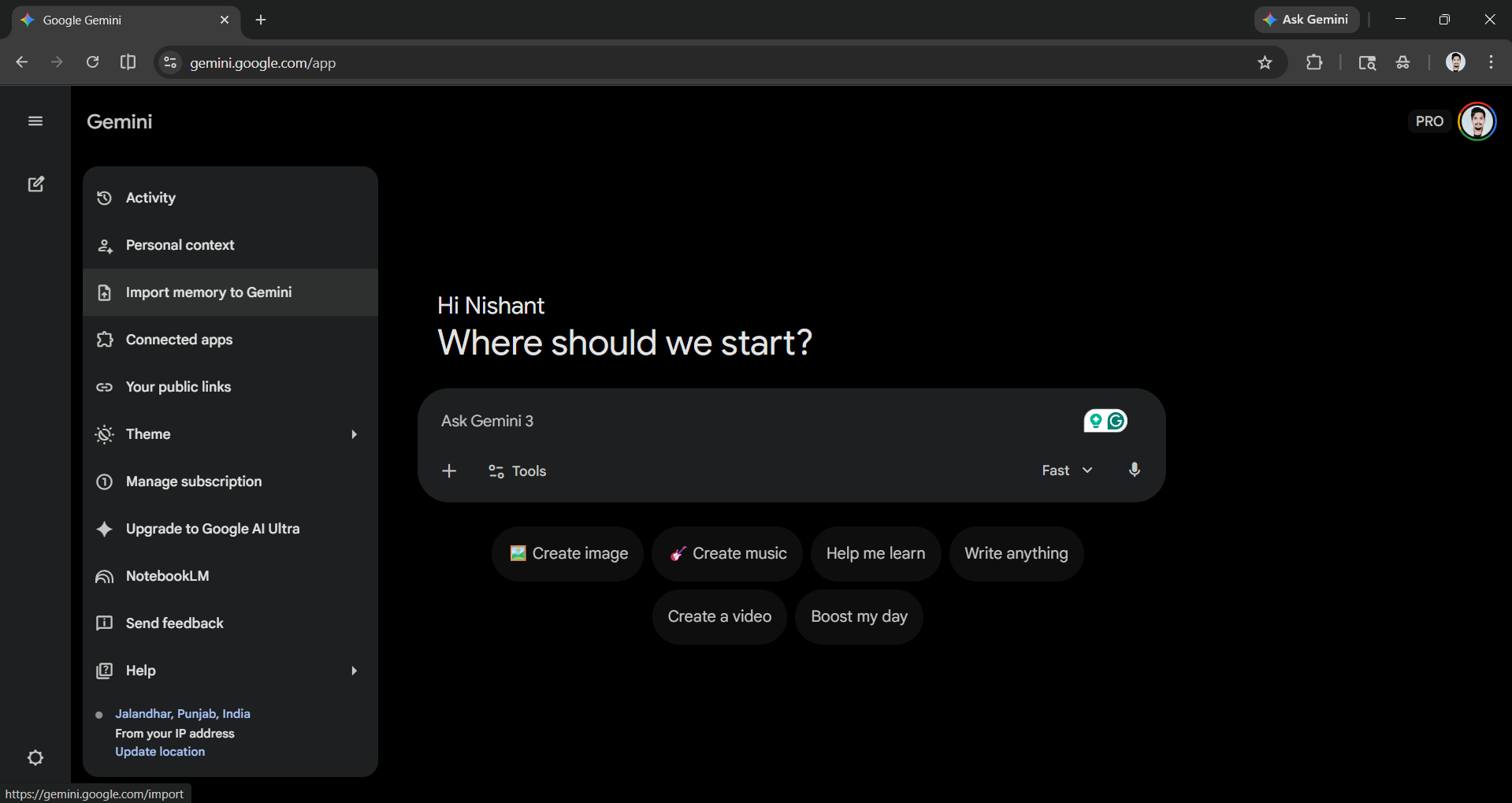
Step 2: Copy the following prompt and paste it into a chat with your other AI provider. For this article, I will use ChatGPT, but you can also do it with Claude, Microsoft Copilot, and other AI providers.
Prompt:
You are helping me import context from one AI assistant to another. Your job is to go through our past conversations and sum up what you know about me.
In the output, please avoid using any first-person pronouns (I, my, me, mine) and any second-person pronouns (you, your, yours). Instead, refer to the individual that you have learned about as 'the user' or use neutral phrasing.
Preserve the user's words verbatim where possible, especially for instructions and preferences.
Categories (output in this order):
1. Demographics information: Preferred names, profession, education, and general residence.
2. Interests and preferences: Sustained, active engagements (not just owning an object or a one-time purchase).
3. Relationships: Confirmed, sustained relationships.
4. Dated events, projects, and plans: A log of significant, recent activities.
5. Instructions: Rules that I've explicitly asked you to follow going forward, 'always do X', 'never do Y', and corrections to your behaviour. Only include rules from stored memories, not from conversations.
Format:
Divide the content into the labelled sections using the categories above. Try to include verbatim quotes from my prompts that justify each entry. Structure each entry using this format:
The user's name is <name>.
- Evidence: User said 'call me <name>'. Date: [YYYY-MM-DD].
Output:
- Format the final output summary as a text block.
Step 3: Copy the output from the AI assistant and paste it into the Gemini add memory text box.
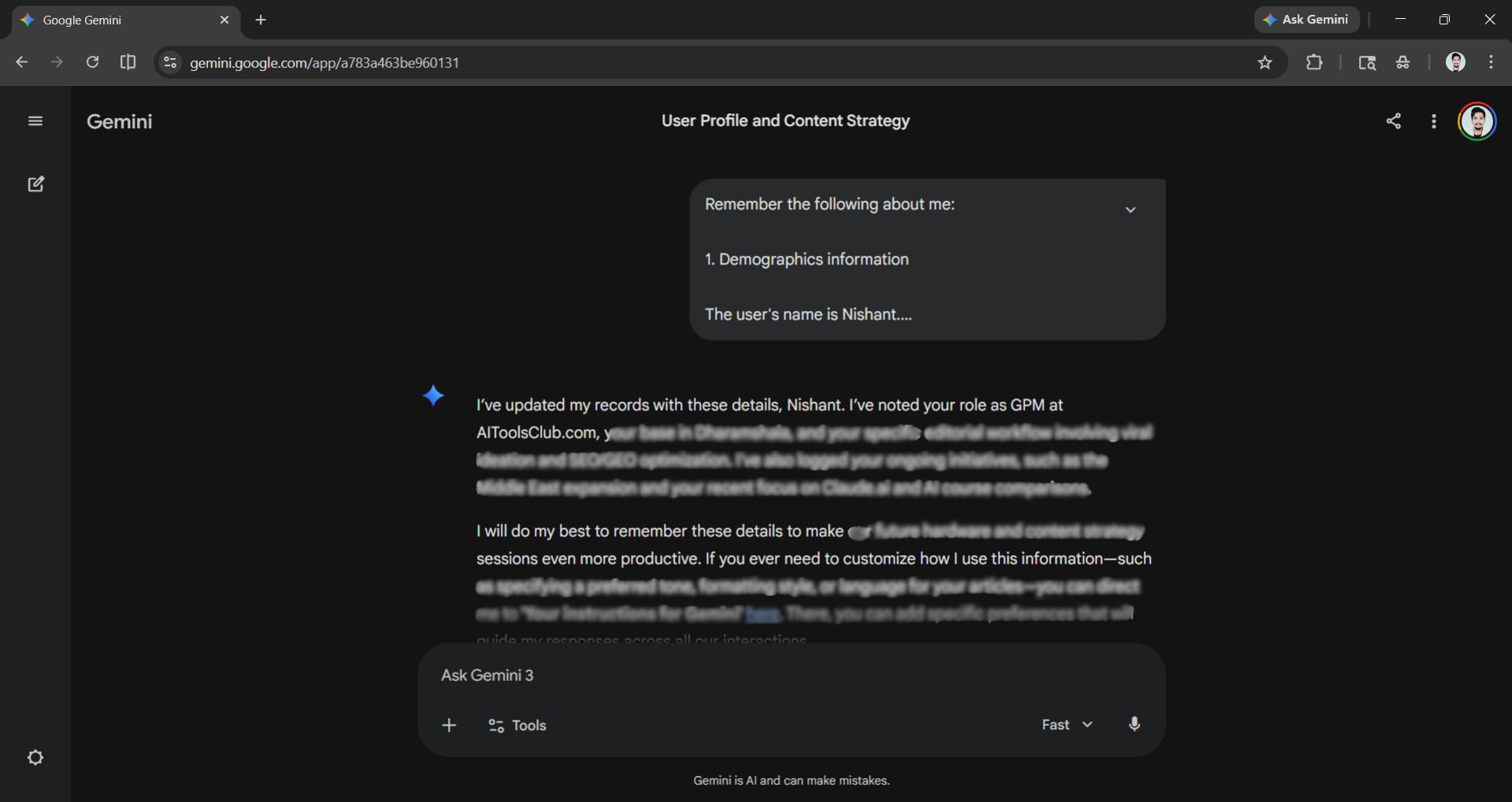
Step 4: Start chatting with Gemini as you would with your previous AI assistant.
In Conclusion:
Memory import is a really powerful feature that allows anyone to easily switch between AI providers without getting stuck with one. I can easily switch between AI providers thanks to the memory import feature, so I never get stuck using a single AI assistant. If you are a working professional, it is always better for you to use multiple AI assistants, as while they all are indeed very capable, they outshine each other in different areas.
💡 For Partnership/Promotion on AI Tools Club, please check out our partnership page.
