


A majority of the professional population is abandoning ChatGPT and moving to Claude as their preferred everyday AI assistant. If you just signed up for Claude AI and aren't sure where to start, you're not alone. While chatting with the Claude AI assistant is easy and straightforward, like it is with ChatGPT, Gemini, and other AI assistants, Anthropic wants you to use Claude as your thinking partner, whom you use to solve problems and create new things.
Anthropic has been and is shipping new Claude AI features at a quick pace, and many aren't immediately obvious. If you are a new Claude AI user, you should know about these features because they will change how you work and help you boost your productivity. In this article, we have broken down the most important Claude AI features every new user should know about in 2026 to boost productivity.
AINews.sh: Stay ahead with the latest AI product releases, in-depth reviews, and news. Compare AI tools, open-source models, and paid platforms.
Here are the best Claude AI features new users should know about to boost productivity:
1. Memory from Chat History (Free for Everyone)
Claude can now remember details across conversations, and this feature is available to all users, including the free tier. Once you have enabled it, Claude can build context about your preferences, projects, and work style over time. You don't have to re-explain yourself in every new chat.
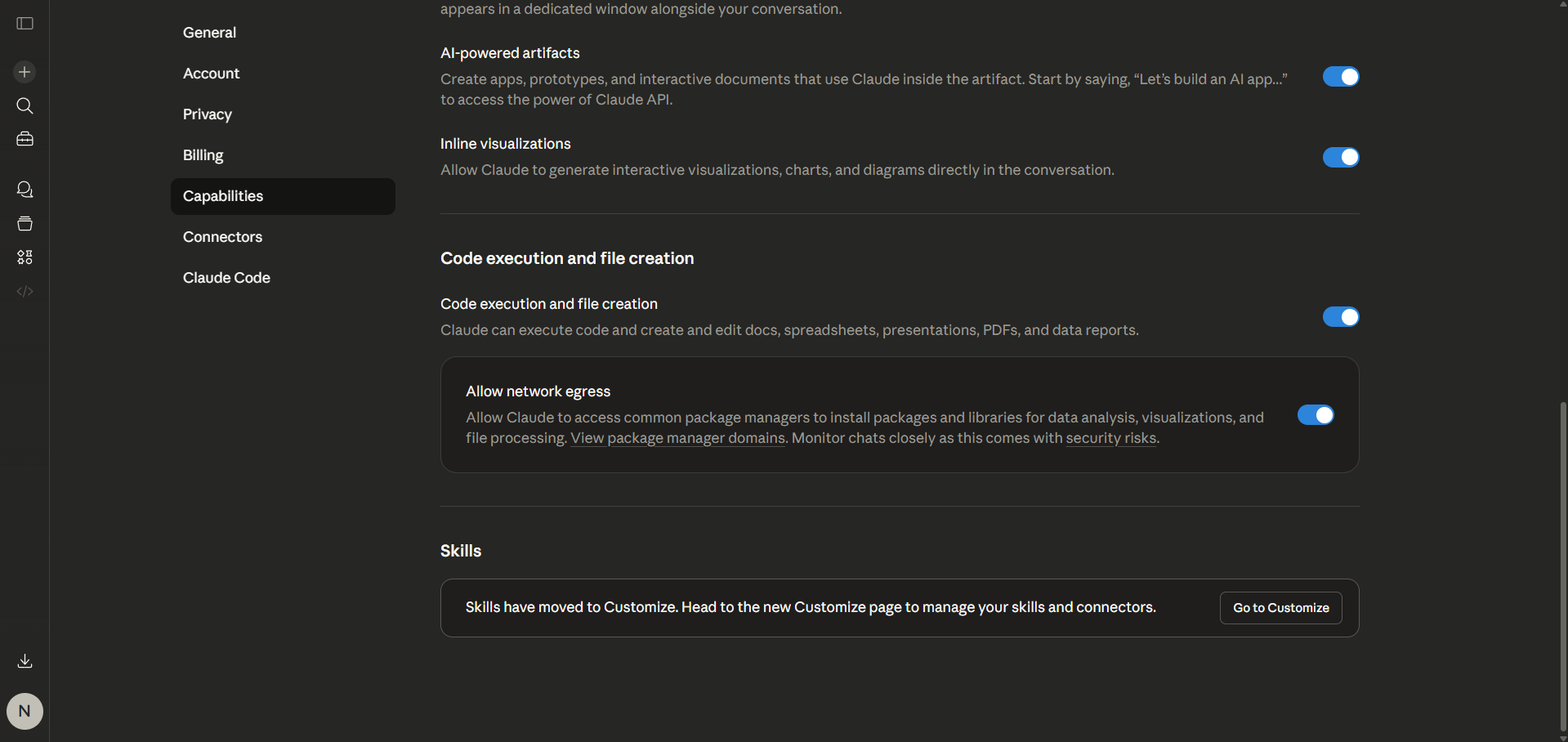
How to enable it: Go to Settings → Capabilities → turn on Generate memory from chat history.
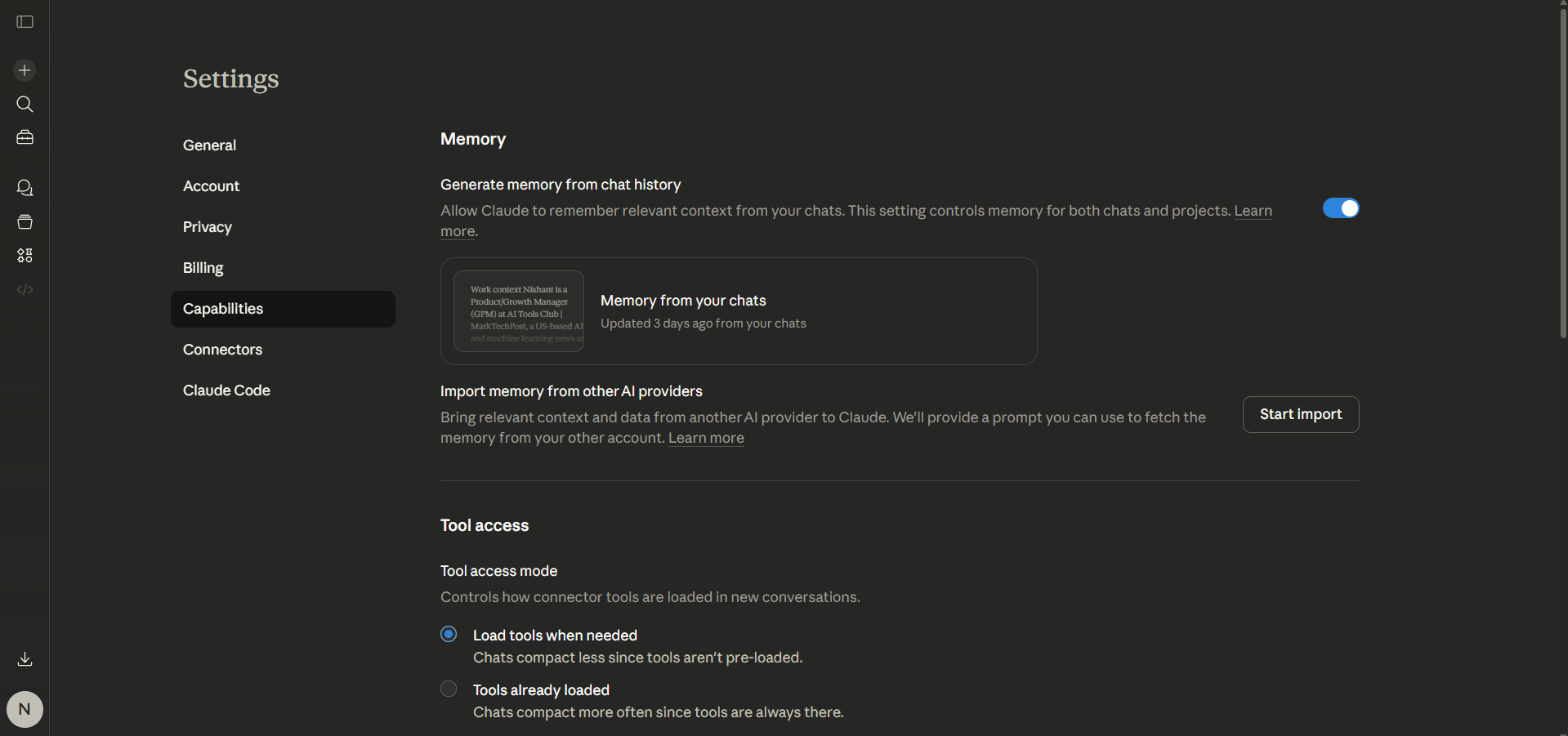
2. Projects: Your Persistent Workspace
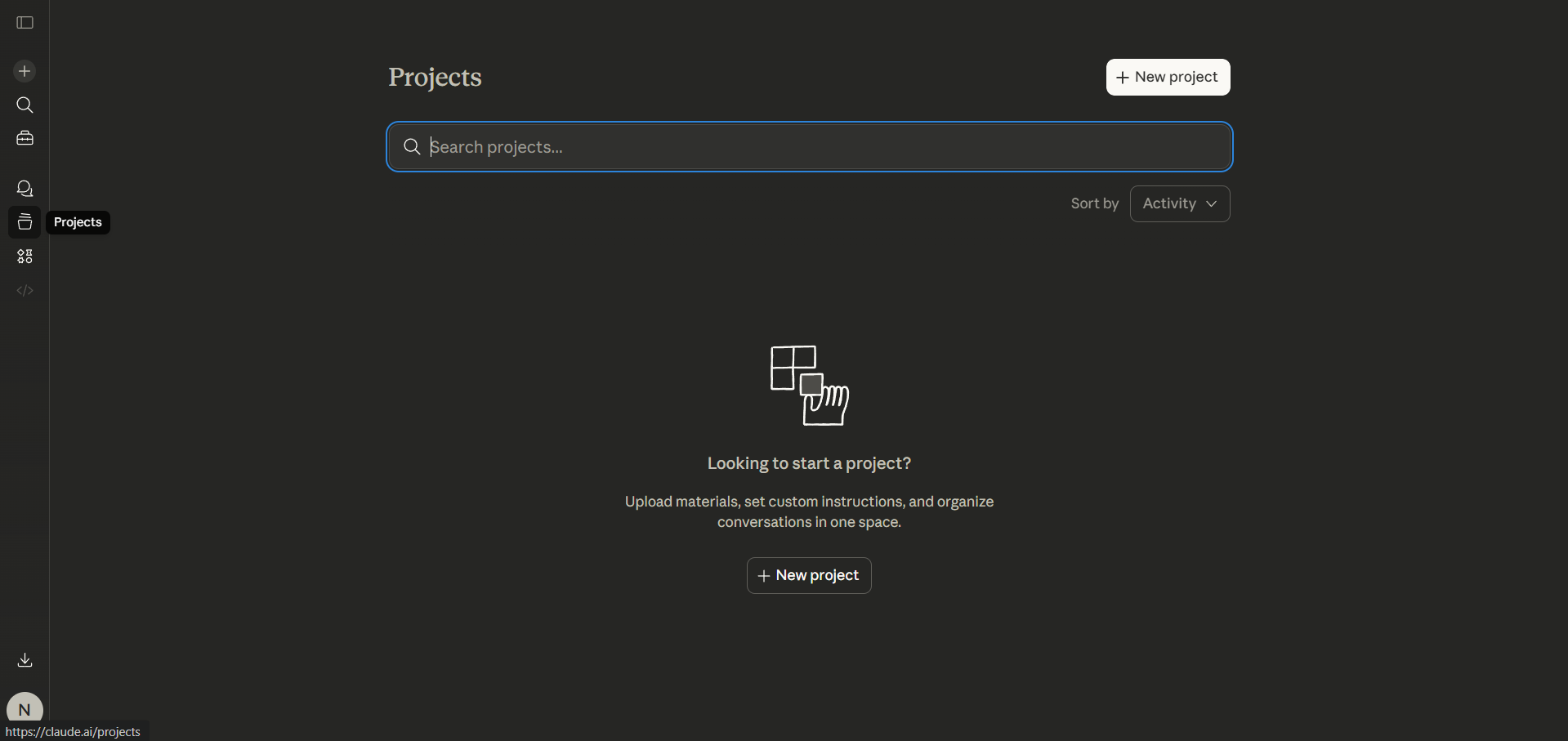
Projects let you organize conversations by topic, client, or task, and Claude will retain context within each project. These are like folder systems where Claude actually remembers what's been discussed.
This is especially useful for ongoing work like content campaigns, code reviews, or research threads. If you become a Pro or Max user, you'll get extended access to Projects as a core plan feature.
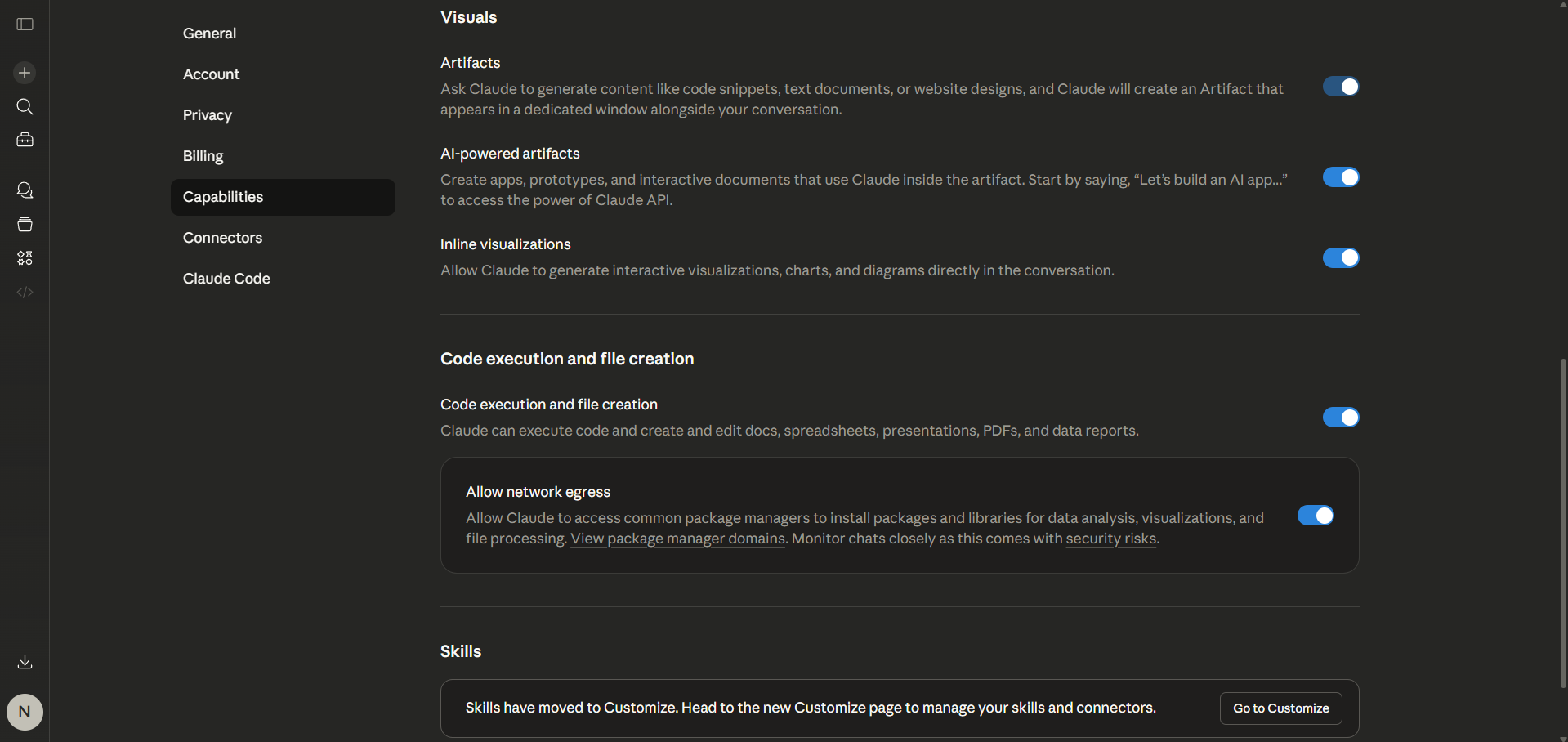
3. Inline Visualizations and Artifacts
Claude can generate/vibe code interactive websites, apps, dashboards, charts, SVG diagrams, HTML widgets, and React components that render directly in the chat window. You don't need separate tools or need to copy-paste code.
This is one of Claude's clearest differentiators from ChatGPT, and I often use Claude Artifacts whenever I need to create new content. You can easily vibe code anything you want and edit it; Claude understands what you need and what edits you need to make. You can start by creating a flowchart, a data visualization, or a quick prototype UI, and Claude will build it in line and make it interactive.
How to enable it: Settings → Capabilities → turn on Artifacts and Inline Visualizations.
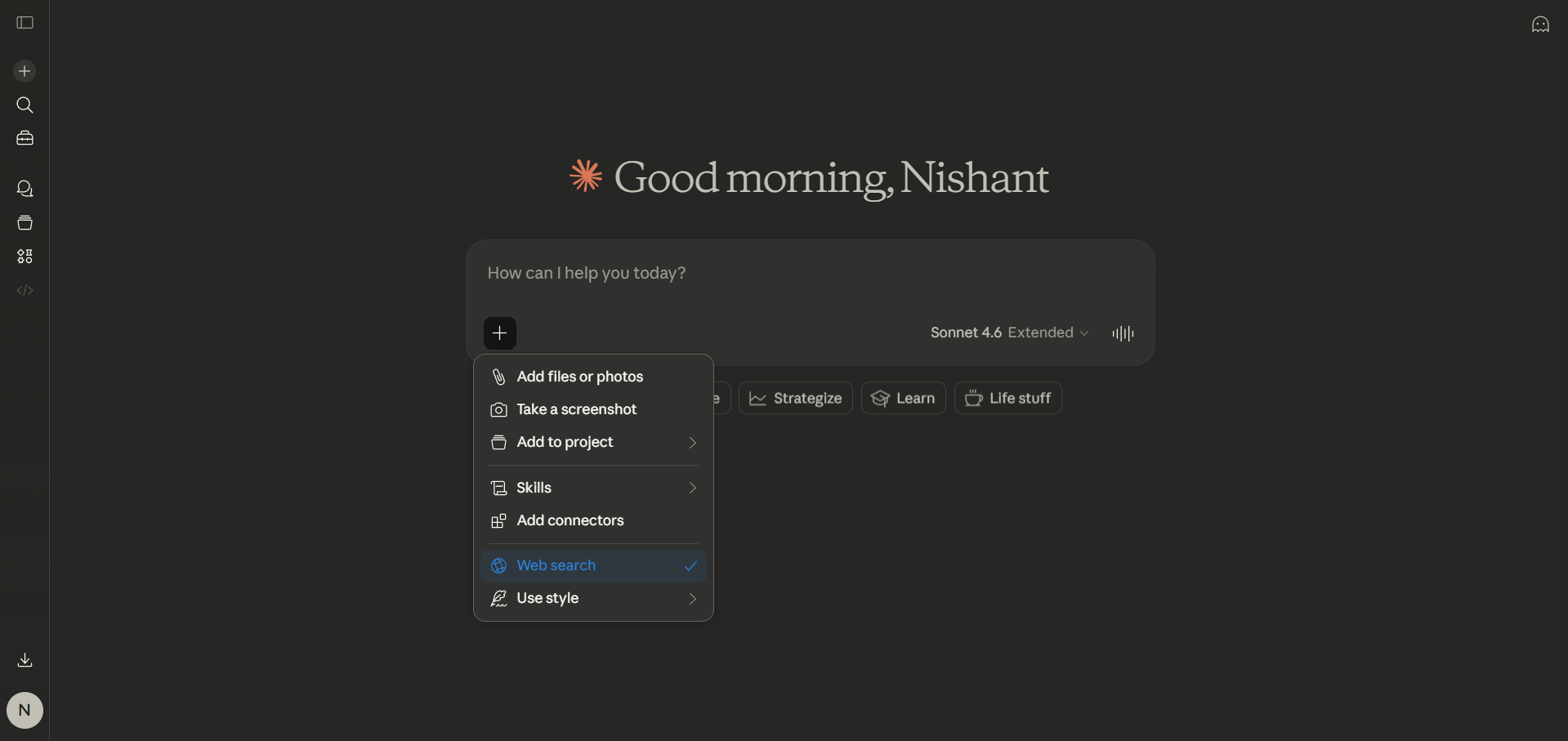
4. Web Search (Real-Time Information)
Claude can browse the web in real time to answer questions about current events, recent product launches, or anything outside of its training cutoff. It's built into the interface; you can toggle it on or ask Claude to search. You don't need to paste an entire article manually, as Claude can fetch, read, and synthesize information on the fly for you.
5. Deep Research Mode
For complex, multi-source research tasks, Claude can run extended research sessions synthesizing content from dozens of sources into a structured report. This goes well past a standard web search, but it is available only to paid plan users.
6. File Creation: Docs, Sheets, PDFs, and More
Claude can create and edit actual files (Word documents, Excel spreadsheets, PowerPoint presentations, and PDFs) and let you download them directly.
How to enable it: Settings → Capabilities → turn on Cloud code execution and file creation.
AdCreative.ai: An AI-powered platform that automates the creation of high-performing ad creatives for social media and display campaigns.
7. Claude in Chrome (Browser Agent — Beta)
Claude in Chrome is a browser agent available to all paid subscribers. It can read console errors, interact with web pages, work across multiple tabs simultaneously, and operate sites like Gmail, Google Docs, Slack, and GitHub without step-by-step instructions. This is an early version, but powerful, especially for debugging or multi-step browser workflows.
8. Claude for Excel and PowerPoint Add-ins
The Excel and PowerPoint add-ins now share full conversation context across both apps. That means that if you've been working in Excel, Claude automatically brings that context into PowerPoint. Skills support is also built in. These are available to Pro and Max users.
9. Cowork (Agentic Task Automation — No Code Required)
Cowork is Claude is one of the newest features, a GUI-based automation tool that is aimed at non-technical users. It is like Claude Code, but without a terminal. You can assign recurring tasks, build automations, and manage multi-step workflows entirely through a visual interface.
Pro and Max users can access a persistent Cowork thread via Claude Desktop or the mobile app.
10. Connectors: Integrate Your Tools
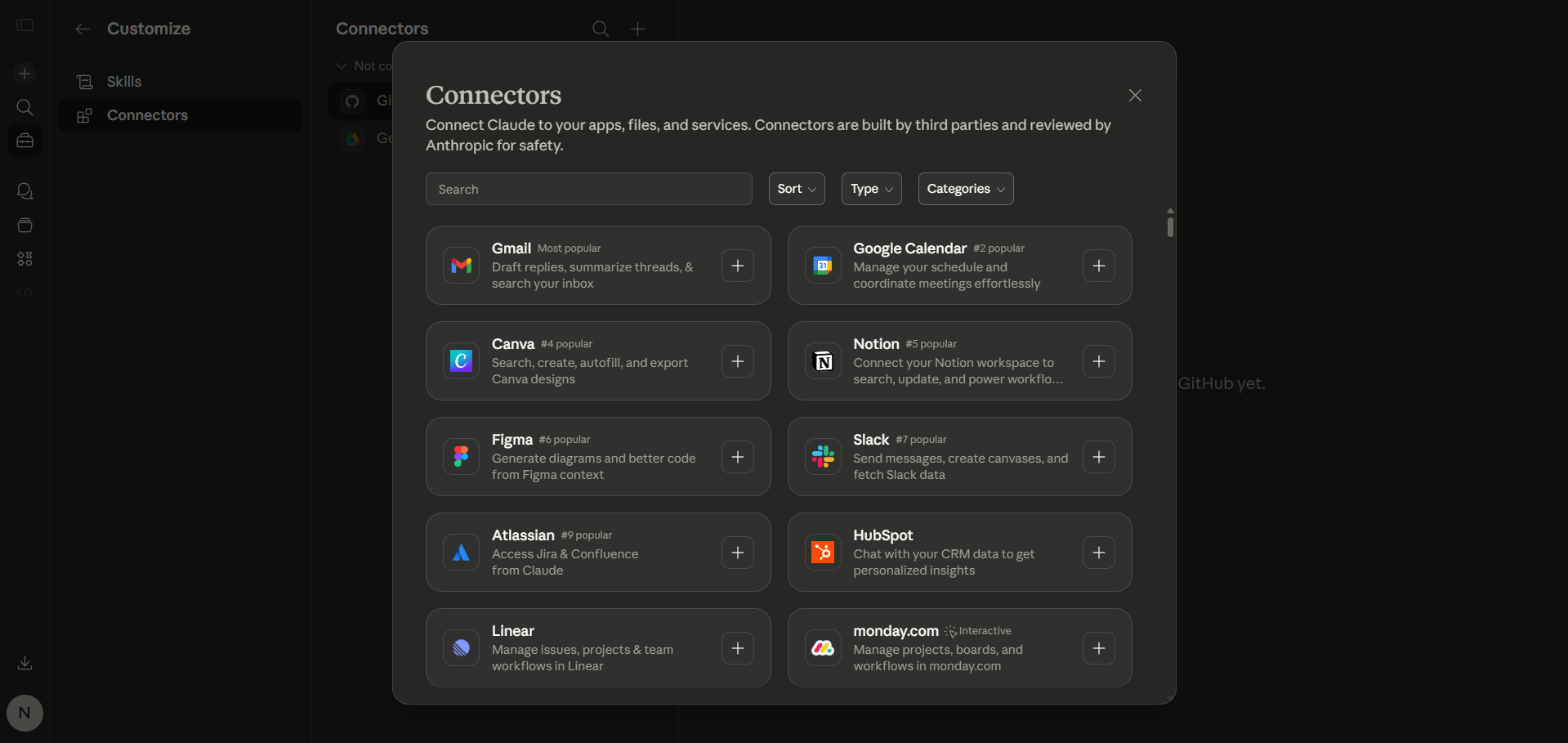
Claude can also connect to external services like Gmail, Google Calendar, Google Drive, and more via its Connectors system. Once connected, you can ask Claude things like "What meetings do I have tomorrow?" or "Find that doc about Q3 strategy," and it actually pulls the answer.
11. Skills: Teach Claude Your Workflows
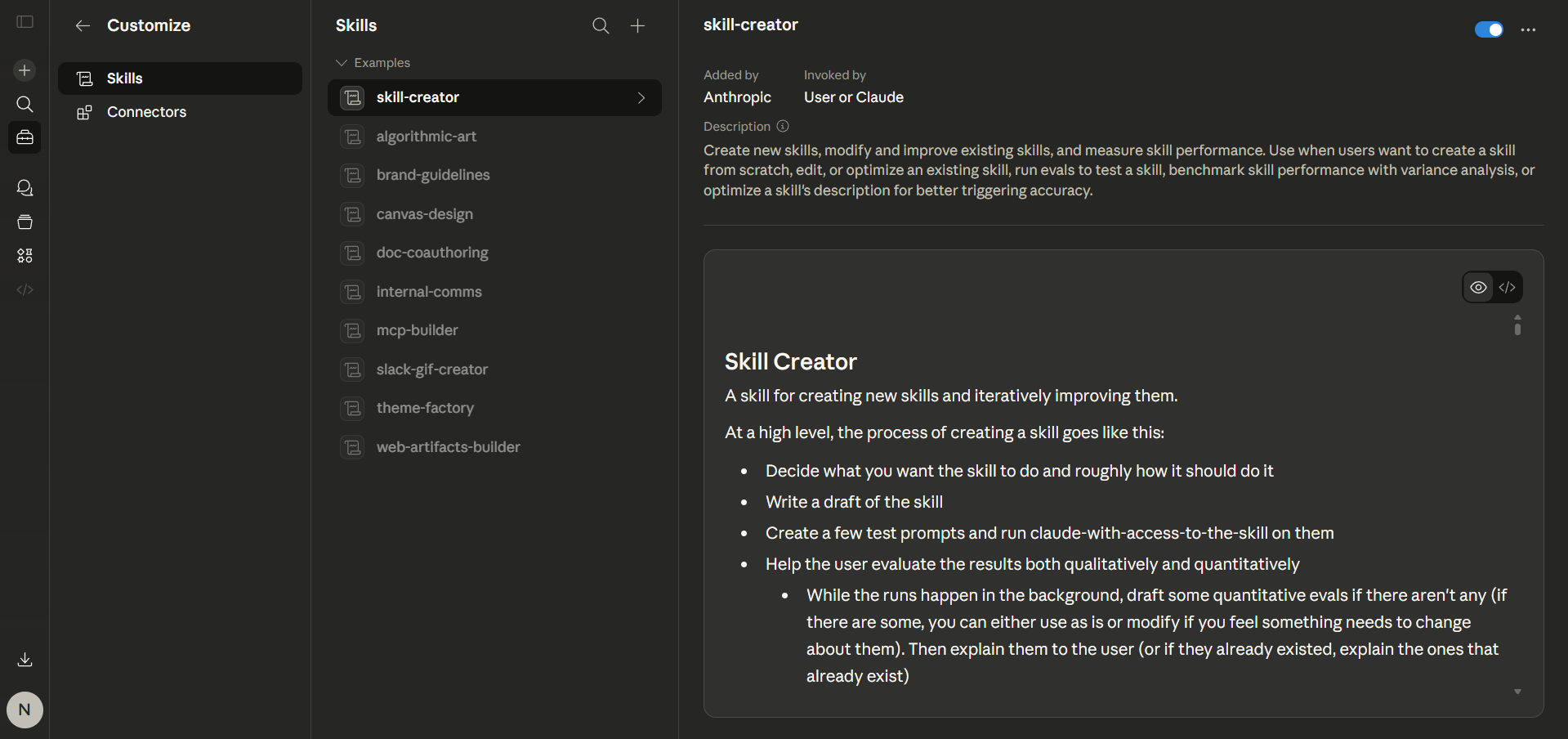
Skills are one of Claude's most underrated features that even existing users overlook. It lets anyone define repeatable, structured workflows that Claude can follow consistently across sessions. Skills are like saved playbooks that instruct Claude how to handle specific tasks.
For example, a Skill could tell Claude to always format reports in a certain way, follow a specific research process, or output content in your brand's tone and structure.
How to enable it: Go to Settings → Customize to use an existing skill or create a skill for Claude to use.
12. Privacy Controls: You're in Charge of Your Data
Claude gives you meaningful control over your data, something many AI tools bury in fine print. Here's what you can actually manage:
- Training opt-out: By default, on paid plans, your conversations are not used to train Anthropic's models. Free users can opt out of this in Settings → Privacy.
- Memory controls: You can view exactly what Claude has remembered about you, edit individual memory entries, or wipe them entirely from Settings → Memory.
- Conversation history: You can delete individual conversations or your entire chat history at any time.
- Incognito mode: Claude offers an incognito-style conversation mode that generates no memory and stores nothing outside the session.
- Regional compliance: Claude's data handling is designed to comply with GDPR and other regional privacy laws. Enterprise users get additional controls, including data residency options.
Pro tip: If you're using Claude for sensitive work (legal, financial, medical), review your privacy settings first and consider using Projects with memory turned off for those specific workspaces.
Quick Settings Checklist for New Users
Make sure these are turned ON in your Settings from day one:
- ✅ Generate memory from chat history
- ✅ Search and reference past chats
- ✅ Artifacts
- ✅ Inline visualizations
- ✅ Cloud code execution and file creation
- ✅ AI-powered artifacts
Free vs. Pro: What Actually Changes?
The free tier gives you access to Claude Sonnet, web search, Projects, Artifacts, memory, and file creation, suitable for casual use. When you upgrade to Pro ($20/month), it unlocks Claude Opus (the most capable model), Claude Code, Cowork, Deep Research, and roughly 5x the usage limits.
Final Thoughts
Claude is one of the best AI assistants available for both casual users and professionals who want to get serious work done. Anthropic wants users to use Claude AI as their thinking partner. In fact, Claude is a full-stack productivity platform, and the features above aren't just nice-to-haves; they can fundamentally change what's possible in a single tool. Start with memory and Projects to build continuity, then layer in web search, artifacts, and Cowork as your workflow grows.
💡 For Partnership/Promotion on AI Tools Club, please check out our partnership page.

