


Google has just released Nano Banana 2, or technically known as Gemini 3.1 Flash Image, an advanced and powerful new AI-powered image generation model. Nano Banana 2 does not trade off speed for quality, offering the quality and reasoning of Nano Banana Pro at lightning-fast speed.
What Exactly Is Nano Banana 2?
To understand Nano Banana 2, you need a bit of context. In August 2025, Google's original Nano Banana image model became what Google describes as a viral sensation, reshaping expectations around AI image generation and editing. That was followed in November 2025 by Nano Banana Pro, which pushed further into studio-quality creative control and advanced intelligence.
Now, Google Nano Banana 2 is the synthesis of both, bringing the advanced capabilities of Nano Banana Pro to users at the speed of Gemini Flash.
In practical terms, this means faster editing cycles, faster iteration, and fewer compromises, all without forcing users to choose between a quick result and a good one.
AINews.sh: Stay ahead with the latest AI product releases, in-depth reviews, and news. Compare AI tools, open-source models, and paid platforms.
What Nano Banana 2 Can Actually Do
The model introduces several capabilities that set it apart from its predecessors, covering both intelligence and creative control.
On the intelligence side:
- Advanced world knowledge: Nano Banana 2 draws from Gemini's knowledge base and is grounded in real-time information and images from web search. This allows the model to more accurately render specific, real-world subjects, not just abstract concepts. It can also generate infographics, convert notes into diagrams, and produce data visualizations.
- Precision text rendering and translation: The model can generate accurate, legible text within images, useful for marketing mockups, greeting cards, and other assets where typography matters. Notably, it can also translate and localize text within an existing image, making it practical for teams working across multiple languages and markets.
On the creative control side:
- Subject consistency: The model can maintain the visual identity of up to five characters and the fidelity of up to 14 objects within a single workflow. This is a meaningful capability for anyone building storyboards or visual narratives, where consistency of appearance across multiple images is important.
- Precise instruction following: Nano Banana 2 follows more strictly to complex, subtle prompts, reducing the gap between what a user asks for and what the AI model actually produces.
- Production-ready specifications: The model supports a range of aspect ratios and resolutions, from 512px up to 4K, making it suitable for everything from social media posts to large-format displays.
- Visual fidelity upgrade: Compared to the original Nano Banana, the new model delivers improved lighting, richer textures, and sharper detail, at Flash speed.
AdCreative.ai: An AI-powered platform that automates the creation of high-performing ad creatives for social media and display campaigns.
Where You Can Use It Right Now
Google Nano Banana 2 is rolling out today across multiple Google products:
- Gemini app: Nano Banana 2 has replaced Nano Banana Pro across the Fast, Thinking, and Pro models. Google AI Pro and Ultra subscribers will retain access to Nano Banana Pro for specialized tasks through the regenerate option in the three-dot menu.
- Google Search: Available in AI Mode and Google Lens across the Google app and both mobile and desktop browsers, with expanded availability covering 141 new countries and territories and 8 additional languages.
- AI Studio and the Gemini API: Available in preview, with pricing published on Google's AI developer documentation pages. Also available in Google Antigravity.
- Google Cloud: Available in preview through the Gemini API in Vertex AI.
- Flow: Nano Banana 2 is the new default image generation model on Google's Flow platform, available to all Flow users at no cost.
- Google Ads: Nano Banana is available in Ads, powering image suggestions during campaign creation.
Google Nano Banana 2 in Action: How to Use It Step-by-Step
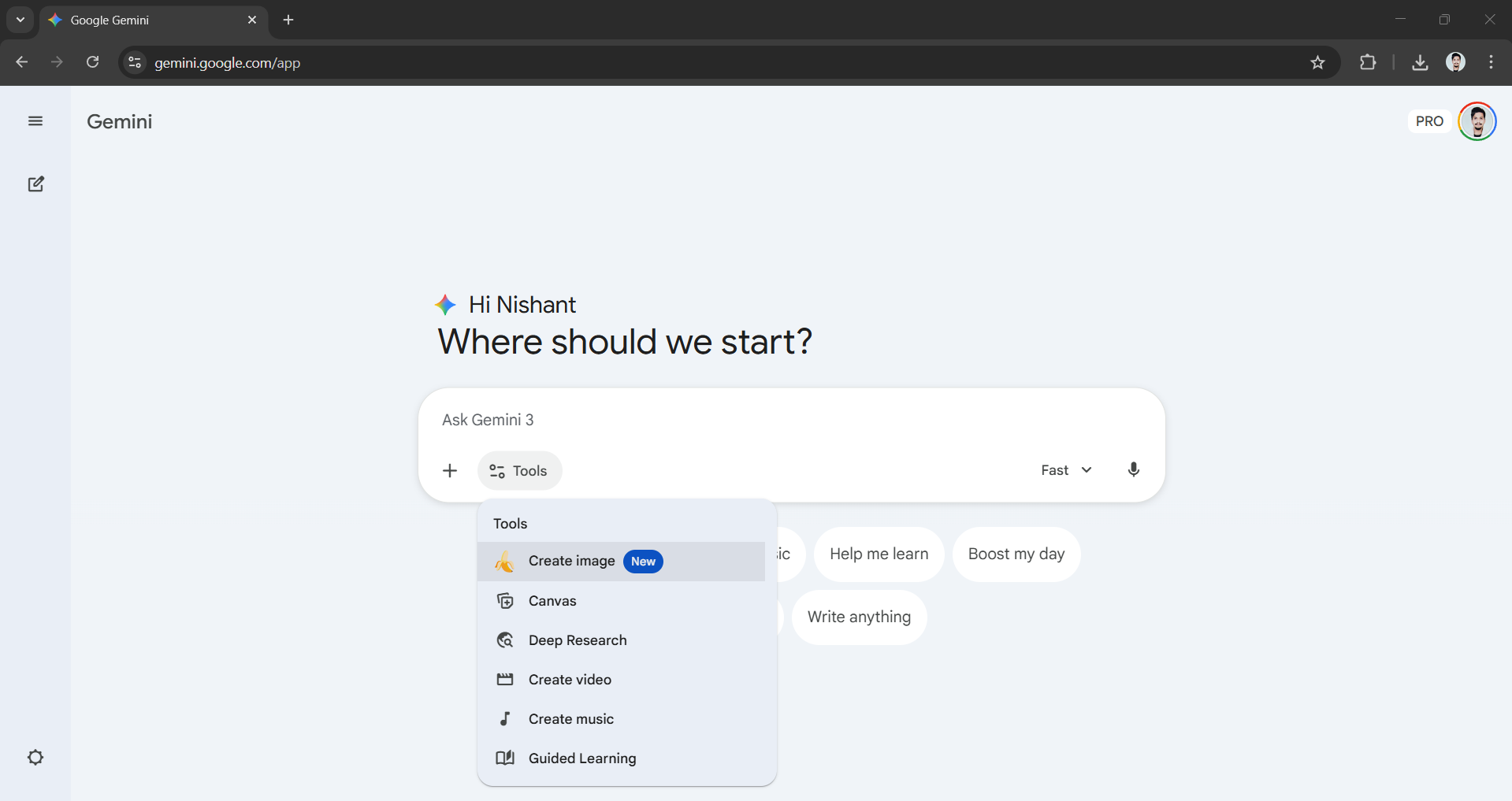
Step 1: Open the Gemini app and click on either 🍌 Create image or click on Tools and then select 🍌 Create image.
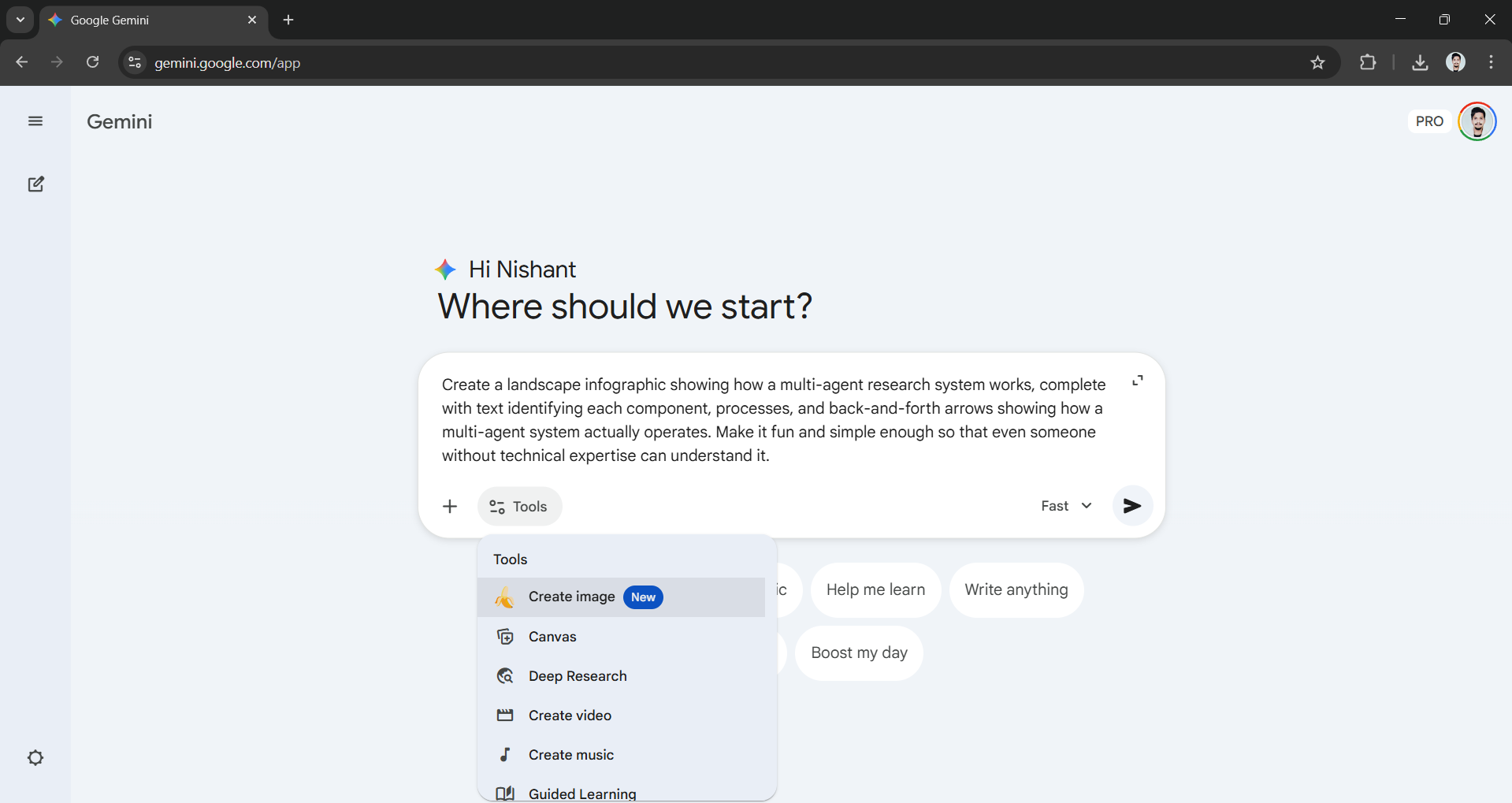
Step 2: Think of a fun or intriguing prompt you want to see come to life. For the purpose of this article, I will use the following prompt to test the advanced world knowledge, infographic capabilities, and text rendering.
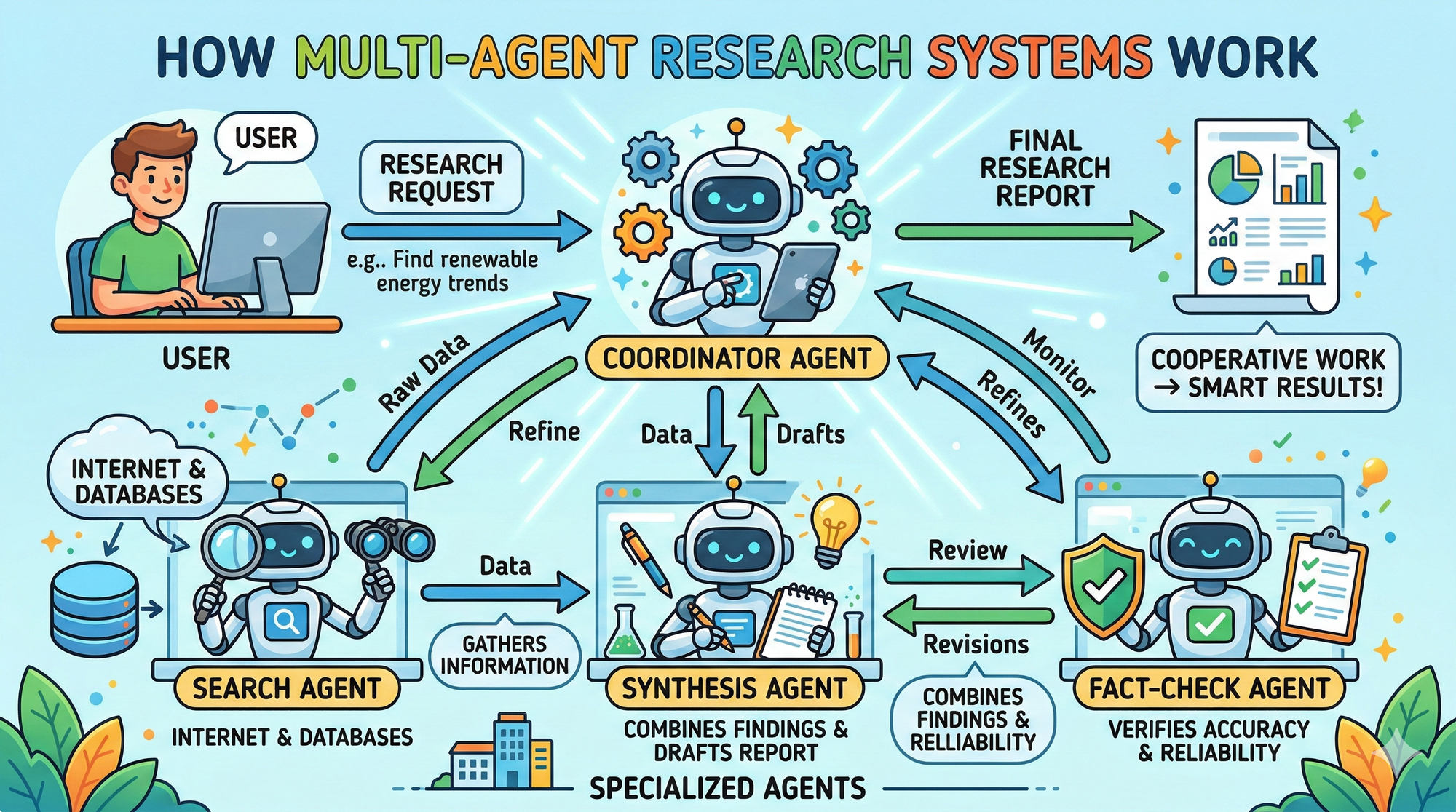
Prompt: Create a landscape infographic showing how a multi-agent research system works, complete with text identifying each component, processes, and back-and-forth arrows showing how a multi-agent system actually operates. Make it fun and simple enough so that even someone without technical expertise can understand it.
Step 3: The output Nano Banana 2 generated was more impressive and surpassed my expectations.
Editor's opinion:
I am certainly very impressed with Google Nano Banana 2. In my testing, the AI-generated image wasn't what I was expecting, and that is a very good thing. Every text and arrow was clear and easy to understand, unlike the previous model, which struggled especially with text rendering. However, as powerful image generation becomes more accessible, the ability to identify AI-generated content becomes increasingly important. Google is addressing this through two complementary approaches.
- The first is SynthID, Google DeepMind's technology for watermarking and detecting AI-generated media.
- The second is C2PA Content Credentials, an interoperable industry standard that provides contextual information about how an image was created.
Google's Nano Banana 2 is impressive without a doubt, and for non-technical users, it simply means better, faster AI images in the tools they already use. For designers, marketers, and developers, the implications run deeper, making it a powerhouse for generating quick mockups and even production-ready designs.
💡 For Partnership/Promotion on AI Tools Club, please check out our partnership page.
