


Even if you are an artificial intelligence (AI) skeptic, you might agree that the technology has several amazing use cases, and it has become important for people to learn about it and how to use it effectively. You can go from a blank page to a full-blown document, an unorganized spreadsheet to an organized one, turning raw data into interactive dashboards, and more.
One of the biggest new breakthrough technologies that originated due to AI and is currently dominating the market is vibe coding. Vibe coding is when you have an idea (a website, dashboard, app, or game) but don't know how to code, so you ask an AI to code on your behalf and bring that idea to life.
There are already plenty of AI vibe coding tools in the market offering similar services. However, there is one from Google that has truly become a standout. It's Google Stitch. Google Stitch is a vibe designing tool that can turn your ideas into beautiful interface designs and is powered by some of the latest Gemini models.
In this article, we'll show you how to turn a rough sketch into a beautiful UI design using Google Stitch and then turn that design into a working website.
Here's how you can turn a hand-drawn sketch into UI and turn that UI into a working website:
Step 1: Create a sketch of the website or app you want to create. Sometimes words aren't enough to explain to AI what you really want. This is where you draw your idea on paper and ask Google Stitch to turn it into a website design.
Prompt I used: Turn this sketch into an enterprise-grade, professional, minimal futuristic website.
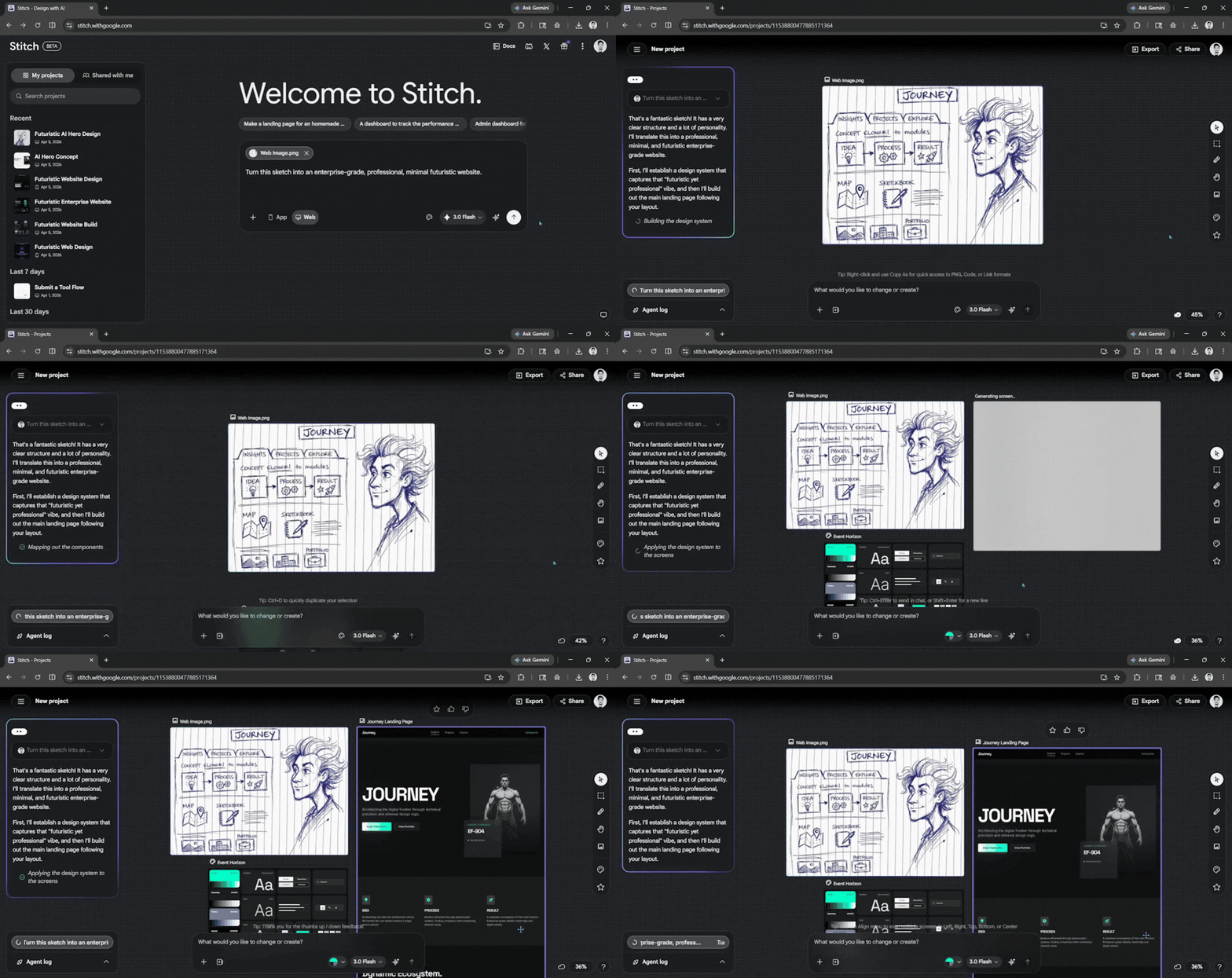
Step 2: Once the website has been generated, click the design, then export it as a .zip file and extract it after downloading.
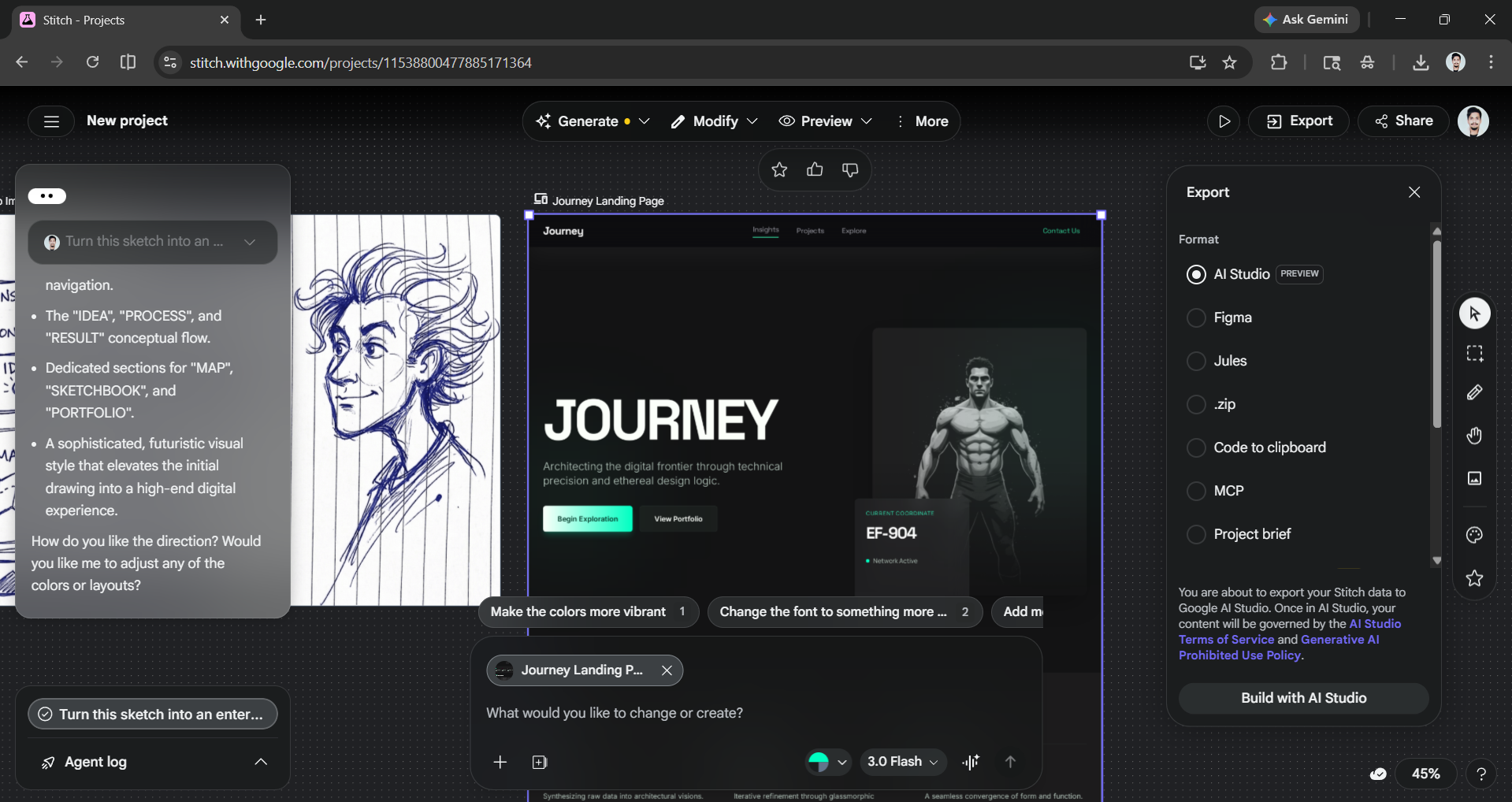
While Google Stitch is amazing at designing the frontend user interface (UI), you can not deploy the website directly from it. That is where you must use another vibe coding tool like Base44.
Step 3: Open Base44* and create an account if you haven't used it already. Once you are in, attach the HTML code, UI image, or both (with or without the Markdown file) of the Stitch-generated design you extracted moments ago and prompt Base44 to bring the website to life.
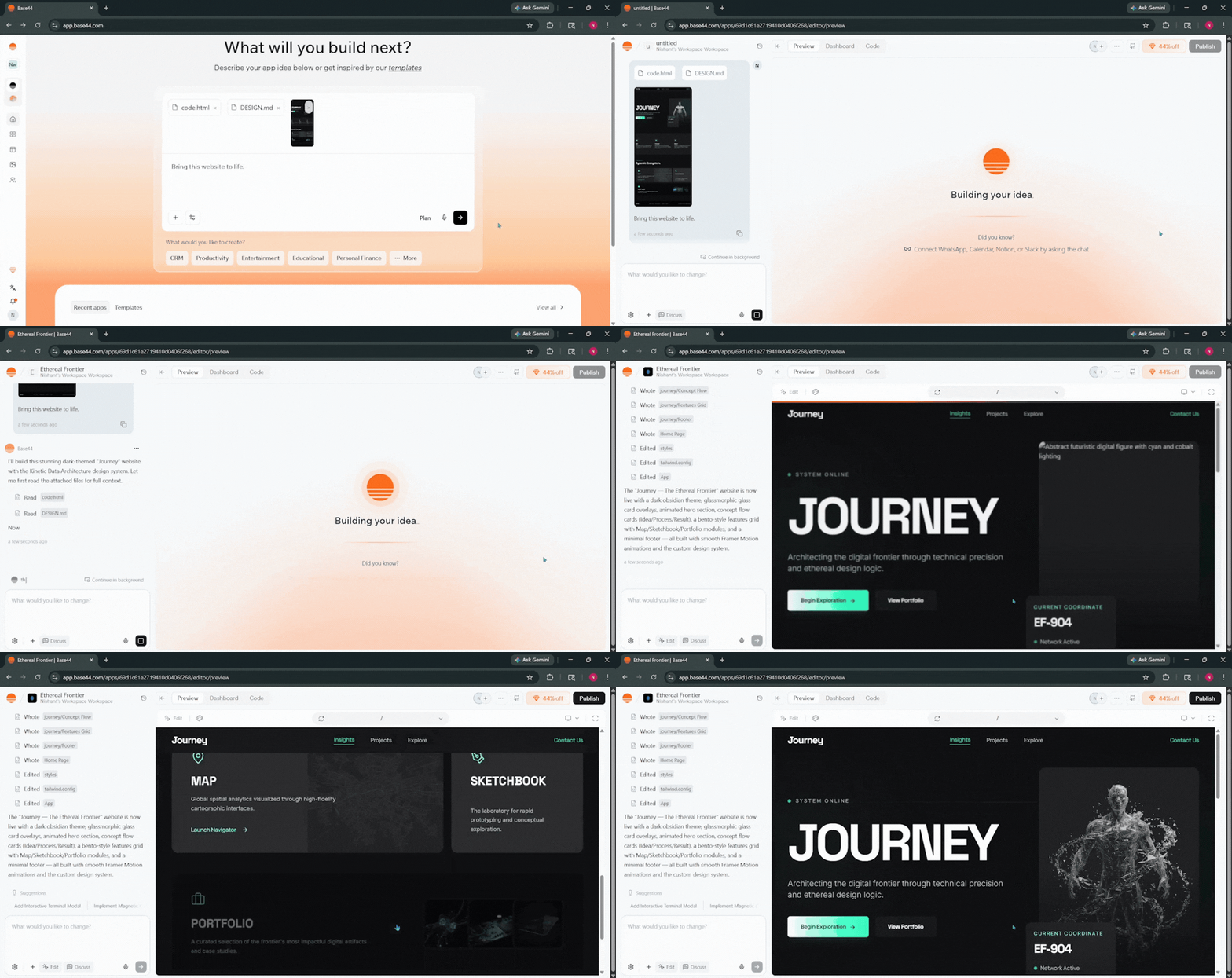
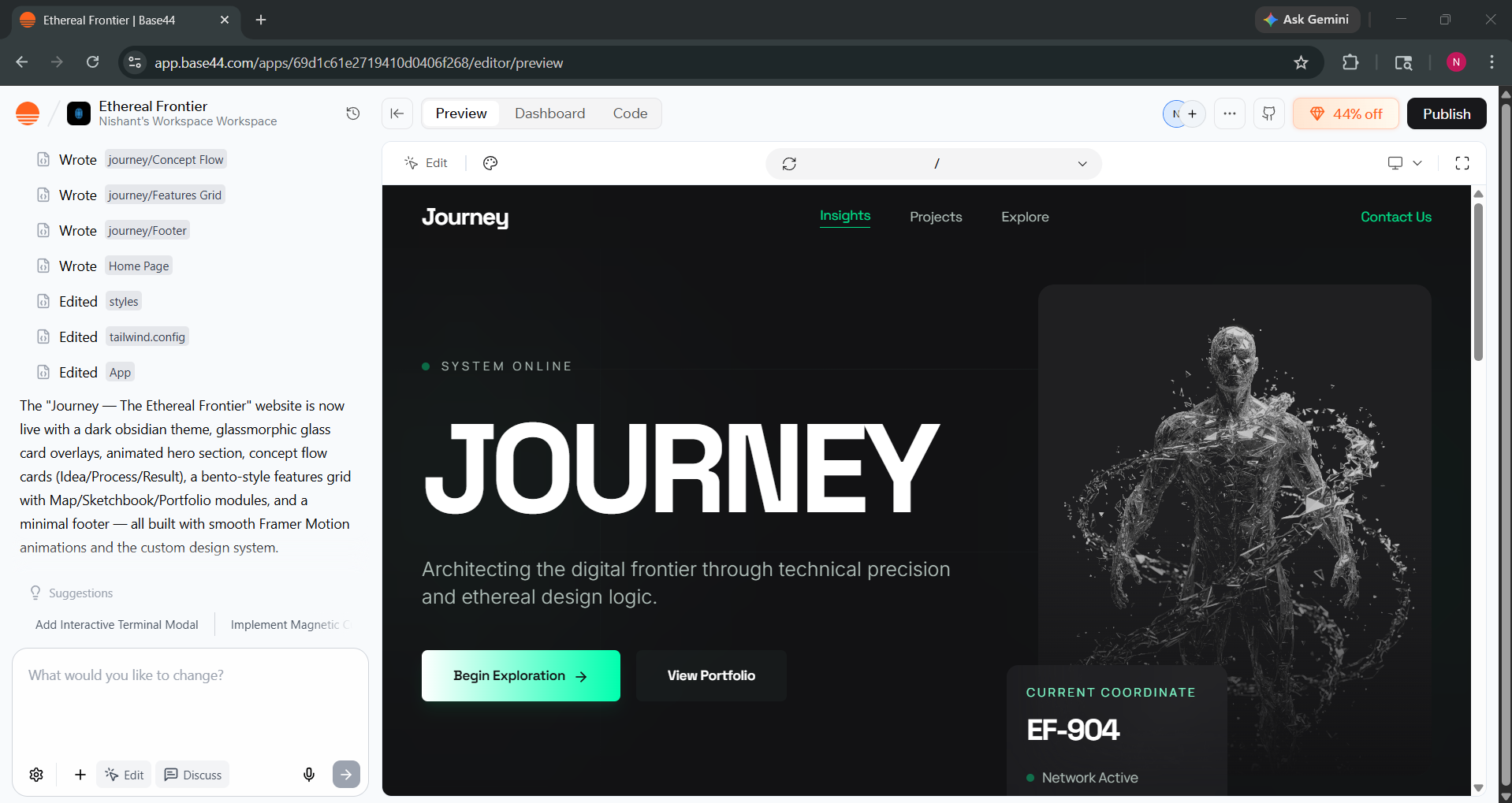
Base44 surprises me every time. Although it didn't generate the exact UI, the output was better than what I expected. You can further edit the website or publish it directly via Base44.
In Conclusion:
Artificial intelligence (AI), when used the right way, can change how you work. It will only improve your productivity and help you create something new fast and easy. Google Stitch can be your ultimate vibe design partner, allowing you to create interactive UI. At the same time, Base44 can improve those designs and let you further edit the website and even publish it directly. Give this workflow a try and see what you can create with Google Stitch and Base44.
💡 For Partnership/Promotion on AI Tools Club, please check out our partnership page.
*Affiliate: We do make a small profit from the sales of this AI product through affiliate marketing.
