


In 2026, autonomous AI agents and agentic AI tools will proliferate and play a larger role in everyday work, working side by side with humans as teammates. We already have plenty of commercially available autonomous AI agents and agentic AI systems; however, if you have little or no technical expertise, building a fully functional AI agent could be difficult. Fortunately, there are several vibe coding and drag-and-drop agent builder tools available that help you build and test an AI agent. One such tool has been released by Google Cloud in Vertex AI called Agent Designer.
In this article, you'll learn what this drag-and-drop AI agent designer in the Google Cloud console is, key components and tools, and finally, how to use this low-code agent designer to build and test an AI agent.
What is Vertex AI Agent Designer?
Vertex AI Agent Designer is a low-code visual, drag-and-drop designer that lets you build and test agents in the Google Cloud console. The agent designer helps you sketch and experiment with an agent's workflow before exporting it to code when you're ready to engineer and deploy it. The agent designer can be used by product/project managers, analysts, and operations teams to actively build and iterate AI agents before they go into production.
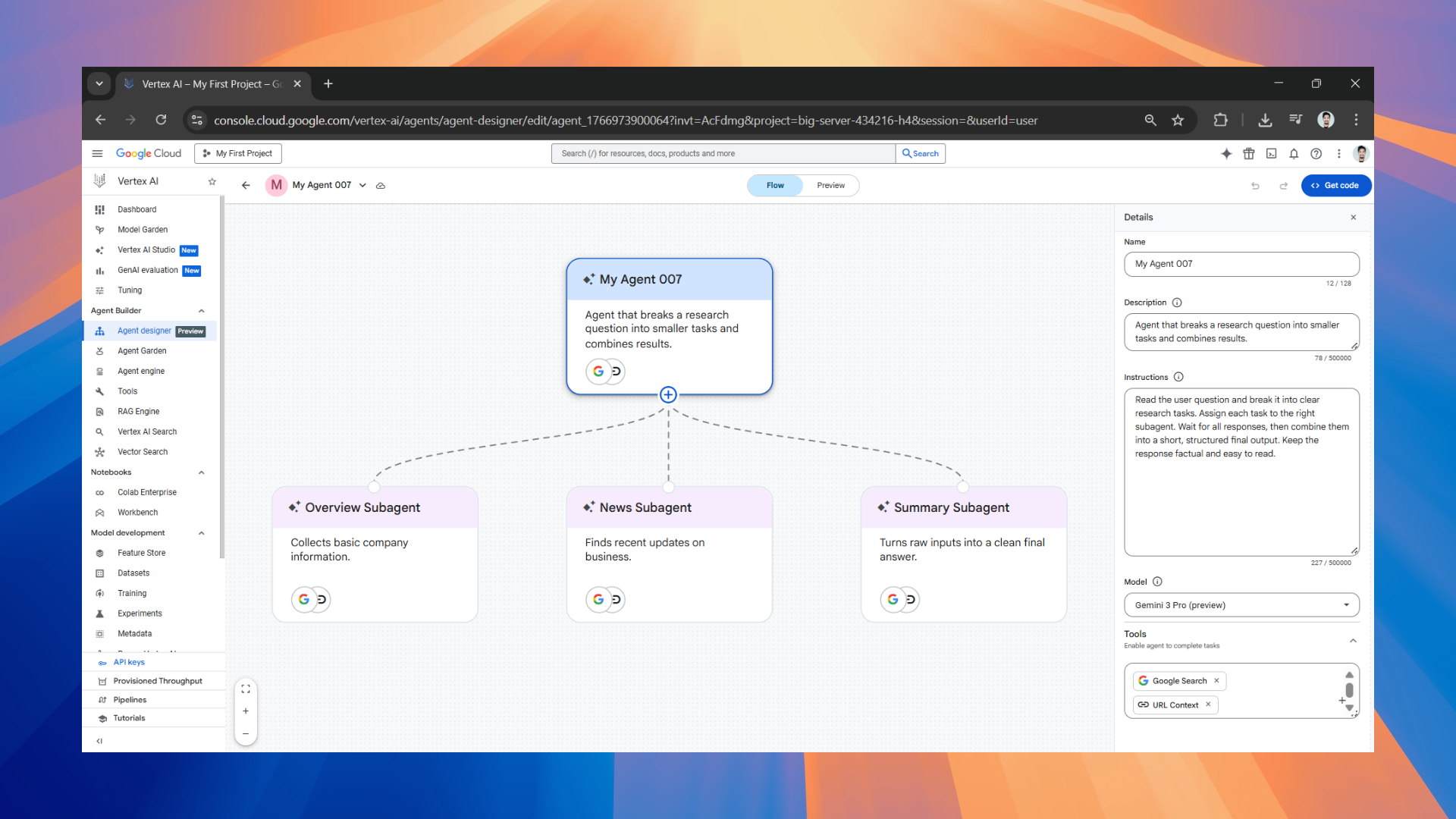
You can quickly prototype an AI agent and even subagents with control logic by dragging components on a canvas, instead of wiring everything in code first. The Vertex AI Agent Designer comes with a built-in preview/chat experience so you can test behavior as you modify the agent. Once you think the agent is ready, you can export it and continue in code with the Agent Development Kit (ADK).
AdCreative.ai: An AI-powered platform that automates the creation of high-performing ad creatives for social media and display campaigns.
What you can do in the canvas
In practice, Agent Designer is organized around a simple build loop:
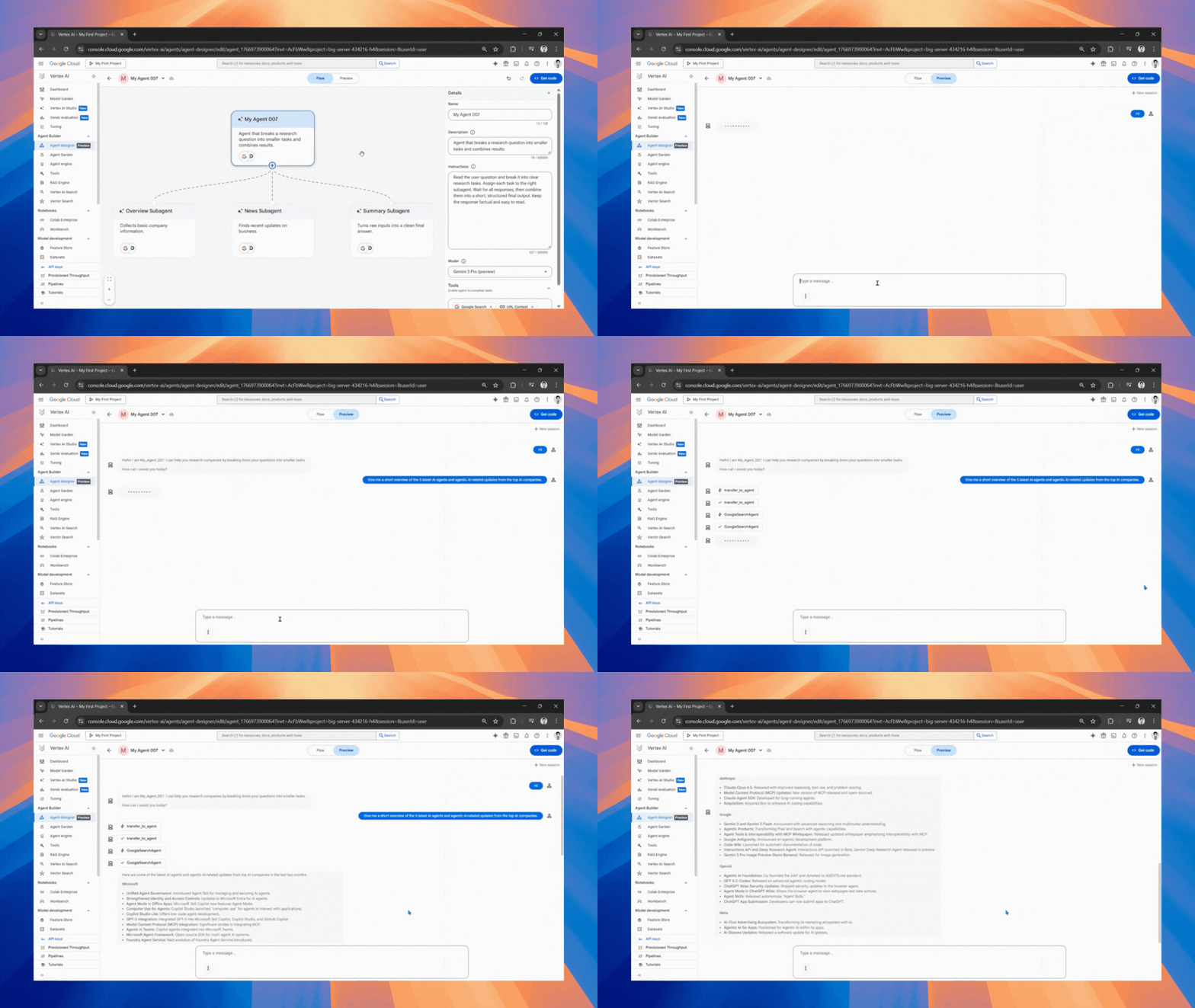
- Flow tab: Visually create your main agent, add subagents, and the control logic. You click into an agent node and configure it in a details panel: name, description, instructions, model, and tools.
- Preview tab: Chat with the agent as you build, so you can validate behavior while the structure is still easy to change.
- Get code: Export what you built into the agent code you can copy into your editor and continue with the Agent Development Kit (ADK).
Tools: Google Search, RAG-style grounding, and MCP support
A blank agent is just a text generator. Tools are what turn an AI agent into something that can look things up, read context, and take actions.
Agent Designer's tool menu is intentionally pragmatic:
- Google Search: Google Search is enabled by default to let the agent perform web searches.
- URL context: It is also enabled by default, allowing the model to analyze URLs in prompts.
- Vertex AI Search Data Store: This feature allows the agent to access content indexed in a Vertex AI Search data store (a common RAG pattern for grounding answers in your enterprise or curated content).
- MCP Server connection: You can bring in tools via the Model Context Protocol (MCP). In the current docs, Agent Designer only supports MCP servers that don't require authentication, and once connected, tools from that server become available to the agent.
Google has made it extremely easy to get started with Vertex AI Agent Designer; you can build and test instantly without a deployment pipeline. You can test the AI agent on the go while modifying it.
MeetGeek: An AI-powered meeting assistant that automatically records, transcribes, summarizes, and analyzes virtual meetings in real time.
How to use Vertex AI Agent Designer to build and test AI agents:
Step 1: Make sure you are signed into your Google Cloud account. Once you are in the Google Cloud console, go to the Agent Designer page within the Agent Builder section.
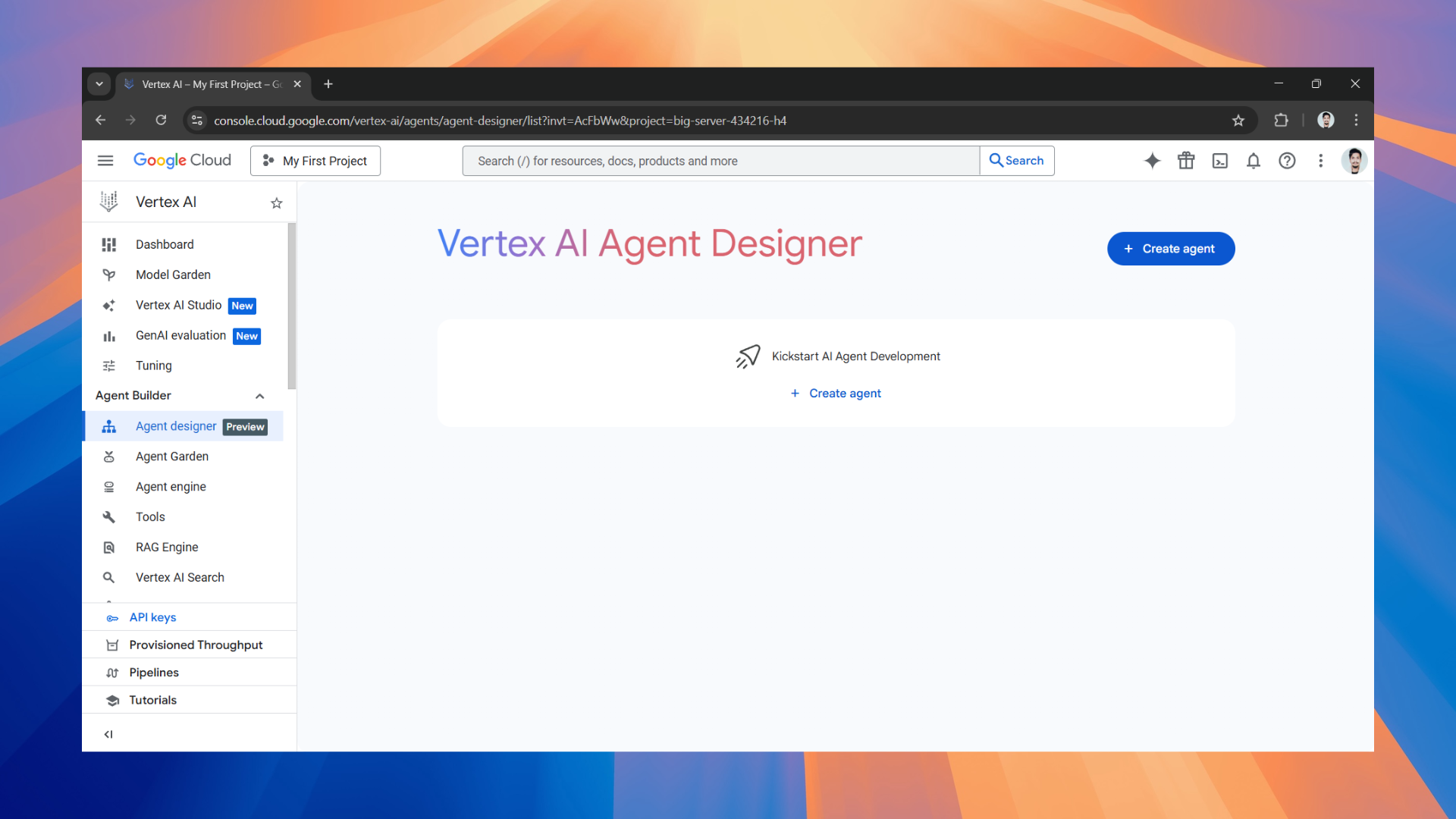
Step 2: Click on Create agent to get started and add sub-agents to your AI agent.
- Designing the AI agent is very simple. You'll have a main AI agent; give it a name, description, instructions, an appropriate model, and a tool.
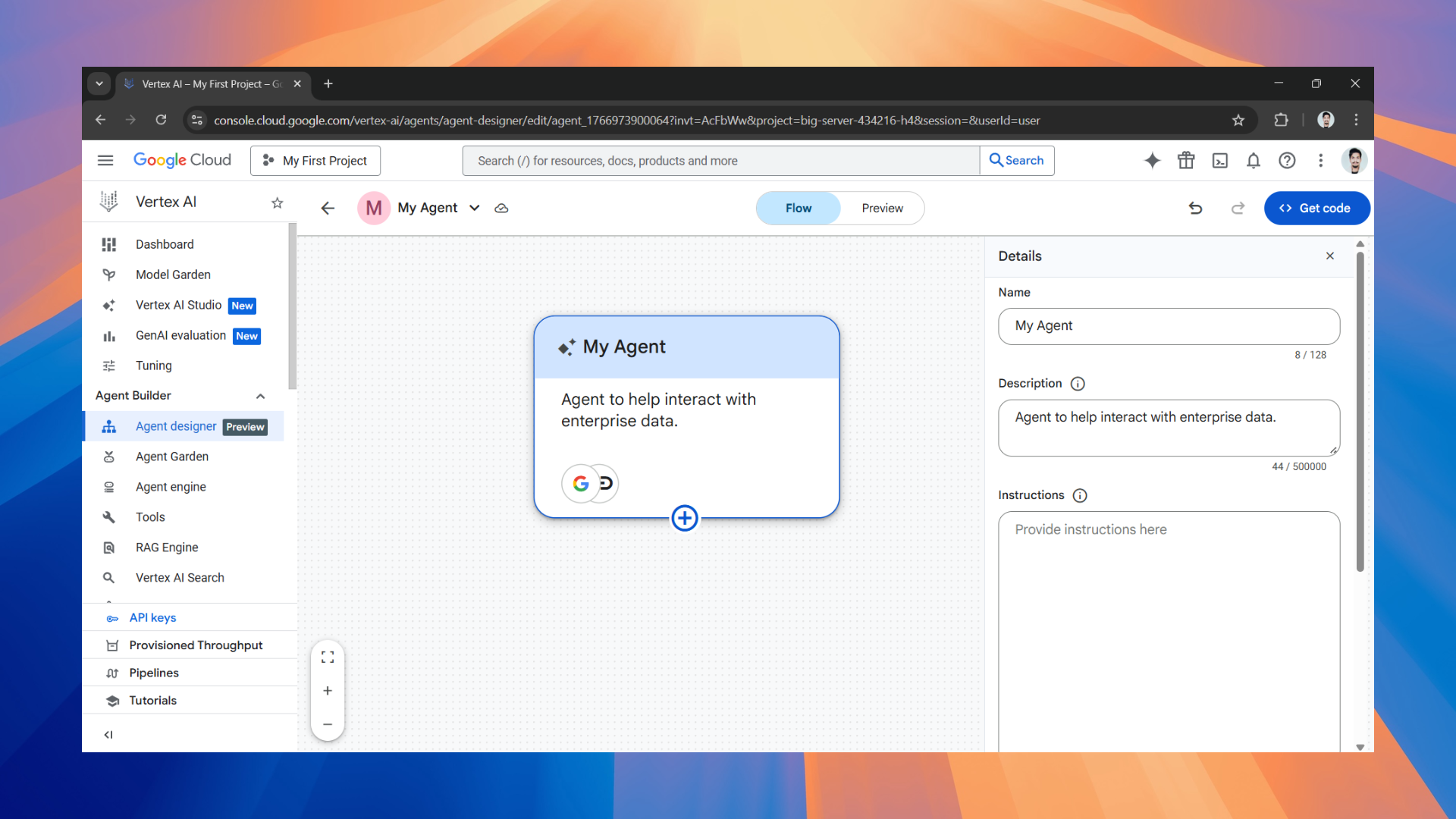
- To add subagent(s), click on the plus (+) icon and repeat what you did with the main agent.
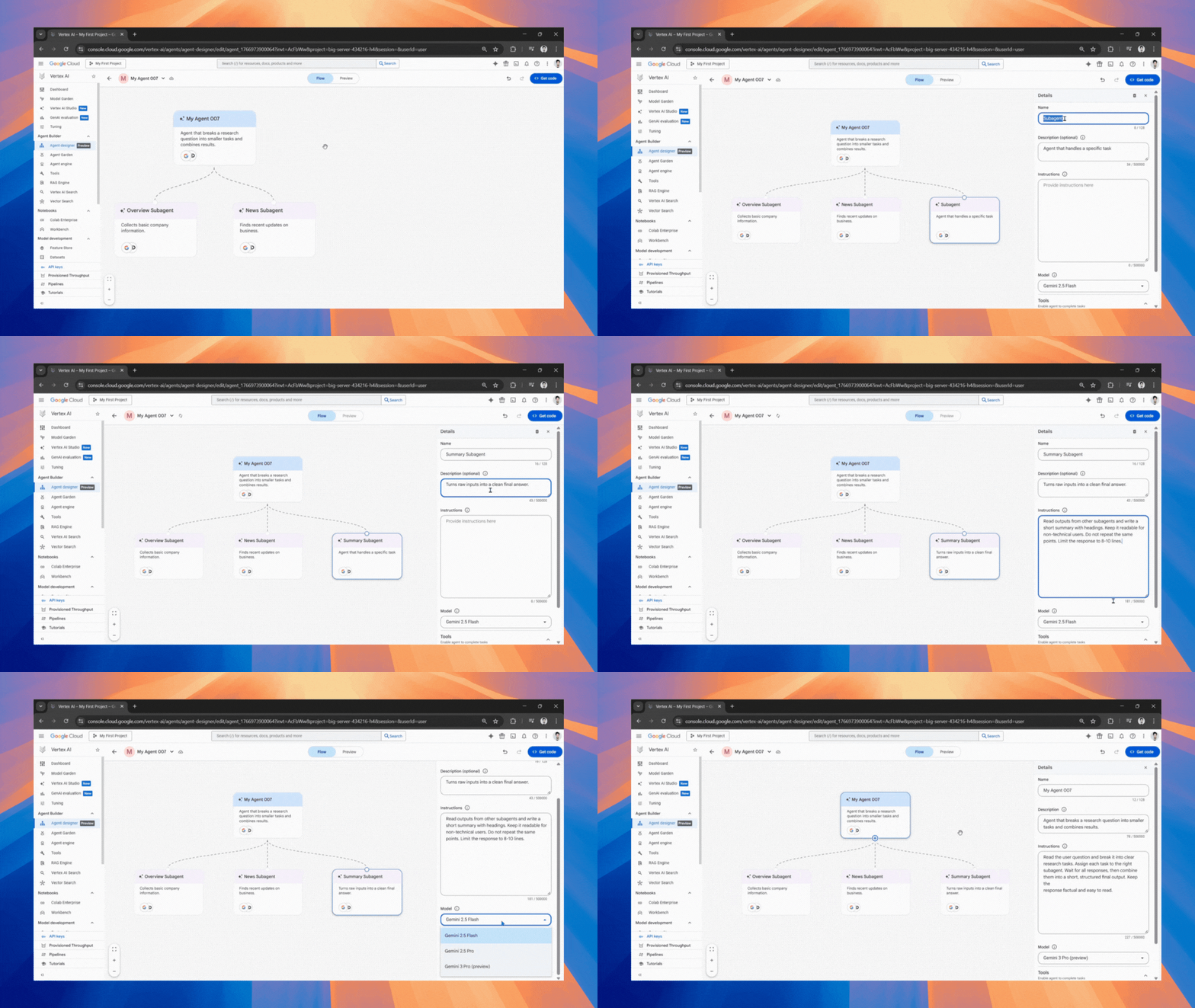
Step 3: Once you think your AI agent is ready, click on preview to test it. If the AI agent performs well on your test, click Get Code to continue in the Agent Development Kit (ADK) and create an agent project.
In Conclusion:
Google Cloud's Vertex AI Agent Designer makes it easy to design and test custom AI agents, even for someone without coding expertise. It literally is a low-code visual designer that lets you design and test agents in the Google Cloud console. The platform doesn't cut off coding completely, but it makes agent building and testing available to anyone who is interested in designing their own custom solutions.
Vertex AI Agent Designer is the easiest AI agent-building tool I have used, and it offers practical tools like Google Search, Vertex AI Search datastores, and MCP, quick testing, and export to ADK when you're ready to engineer seriously. It is a solid, easy-to-use tool I recommend you try.
💡 For Partnership/Promotion on AI Tools Club, please check out our partnership page.

