


Most people use Claude the same way they use a search engine: they type a question, get an answer, and move on. However, if you are an experienced AI user, you'll know that how you frame a prompt is just as important as what you ask. A small set of community-discovered prompt prefixes and suffixes has been spreading among power users, which can reliably change Claude's output style, depth, and format in meaningful ways.
These aren't official commands or hidden toggles, but they're prompt engineering tricks that exploit how large language models respond to instructional framing. Here's a breakdown of five that are worth adding to your workflow.
What Is Prompt Engineering and Why Does It Matter?
Prompt engineering is the practice of structuring your inputs to an AI model in a way that maximizes the quality, relevance, and format of its output. Claude, like all large language models (LLMs), is sensitive to context and instruction style—a vague prompt returns with a generic response. A precisely framed prompt, with deliberate signal words, consistently can generate stronger, more targeted results. The five techniques below work on that principle.
Here are the 5 Claude AI Prompt Tricks and How to Use Them:
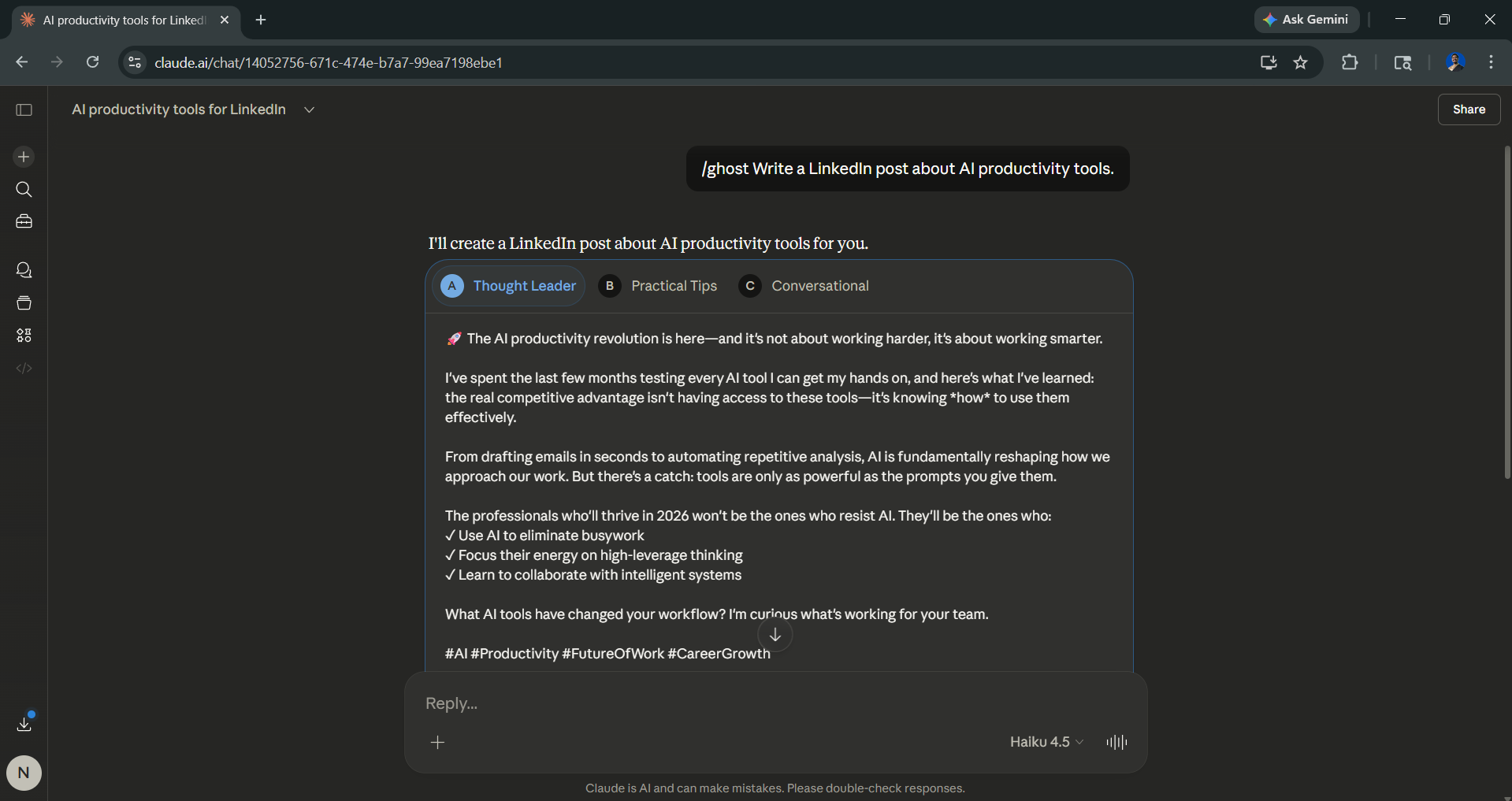
1. /ghost (Add Before Your Prompt):
Instructs Claude to write in a more natural, conversational, human-like tone, reducing the structured, formal cadence that AI detectors often flag.
- Best for: Blog posts, emails, LinkedIn content, creative writing.
- Example: /ghost Write a LinkedIn post about AI productivity tools.
2. Artifacts (Add After Your Prompt)
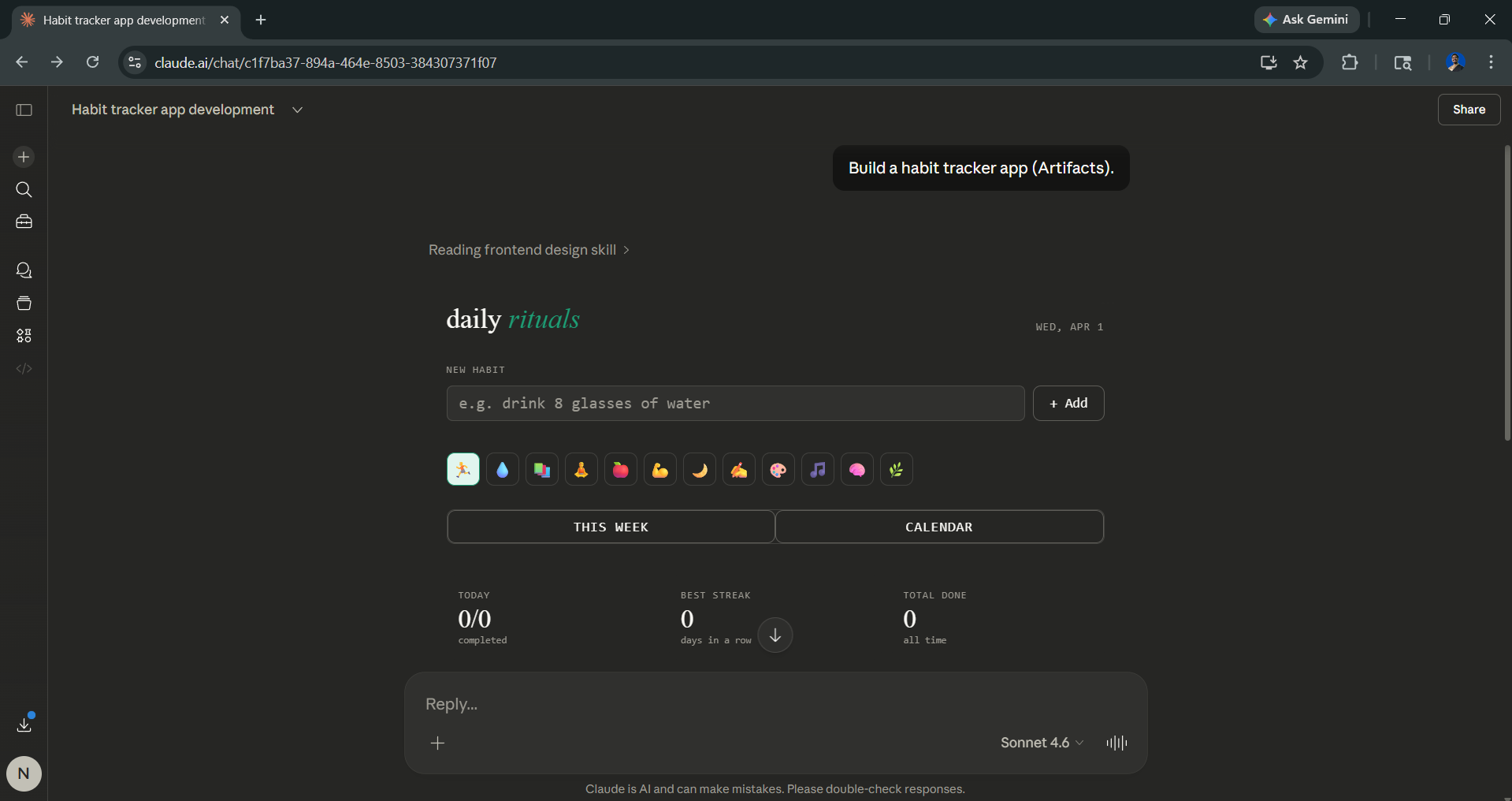
Mostly, when you ask Claude to build something, it will automatically trigger Artifact. However, in case it doesn't, you can signal Claude to generate a functional, self-contained output (a working app, interactive dashboard, or mini-game) rendered live inside the chat window using Claude's Artifacts feature.
- Best for: Rapid prototyping, demos, interactive tools.
- Example: Build a habit tracker app (Artifacts).
AdCreative.ai: An AI-powered platform that automates the creation of high-performing ad creatives for social media and display campaigns.
3. OODA (Add Before Your Prompt)
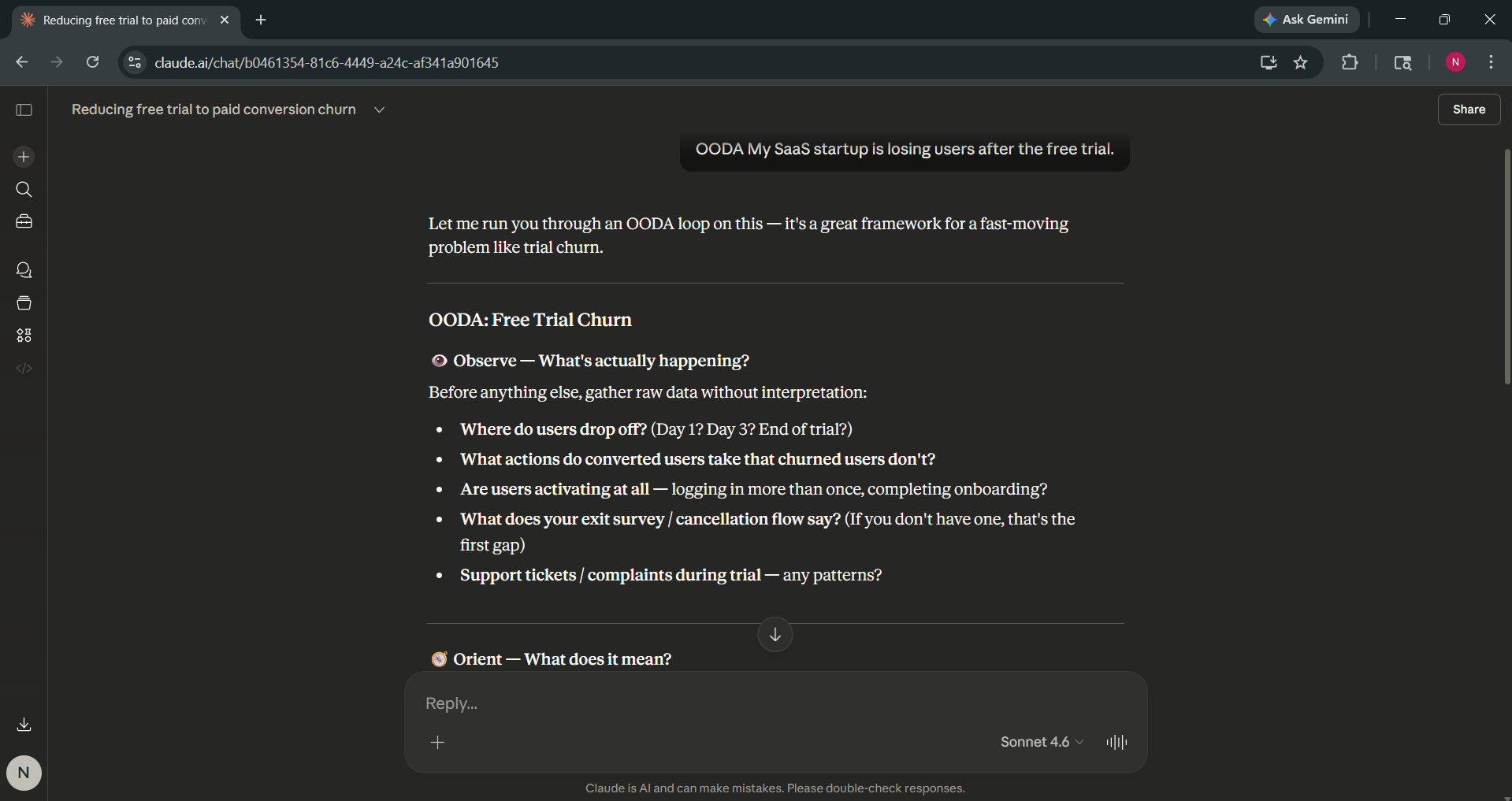
This trick applies the military OODA loop framework (Observe, Orient, Decide, Act) to your problem, prompting Claude to analyze your situation systematically before recommending a course of action.
- Best for: Strategic decisions, business planning, complex problem-solving
- Example: OODA My SaaS startup is losing users after the free trial.
4. L99 (Add After Your Prompt)
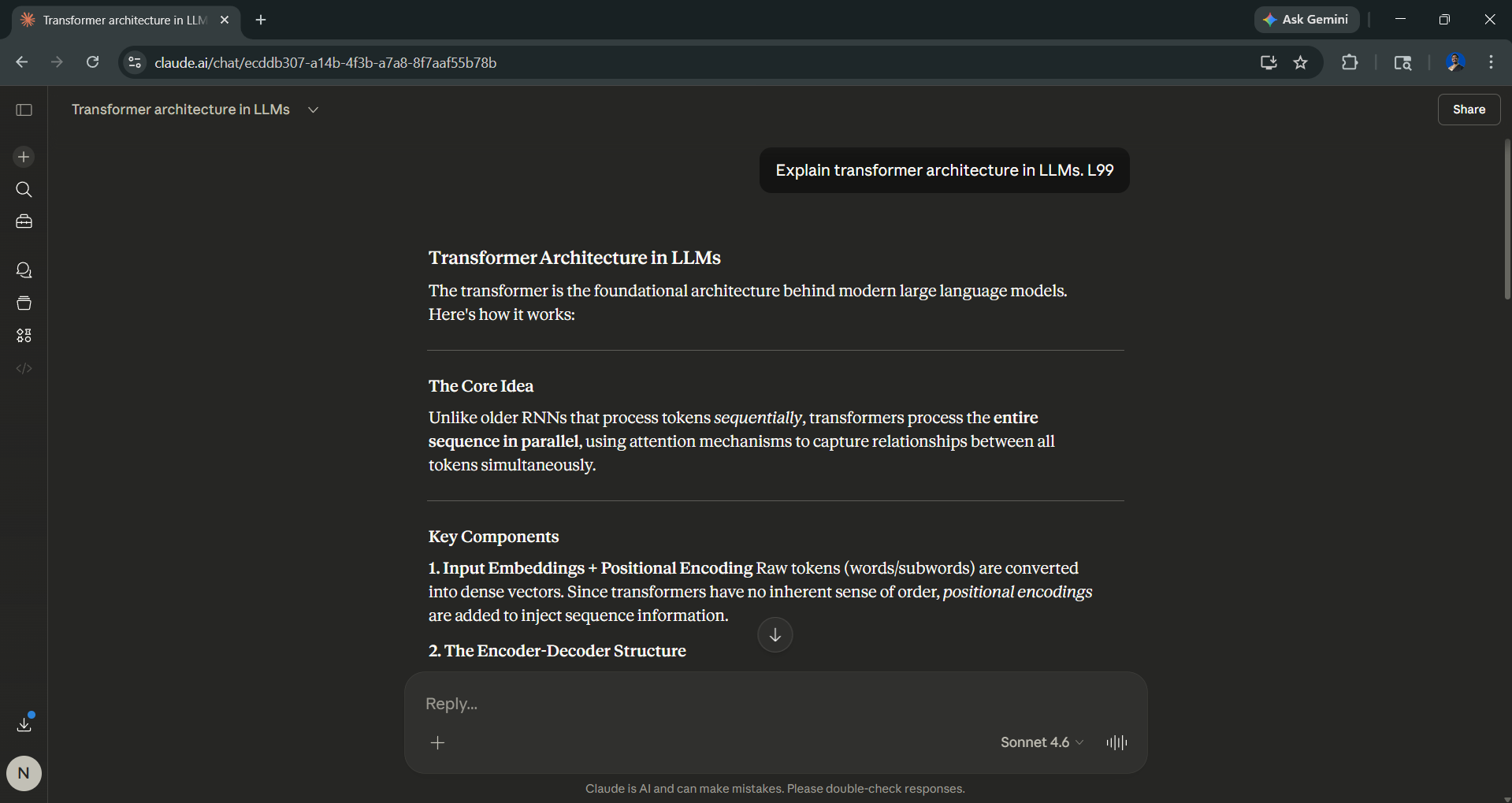
The L99 can instruct Claude to respond at the highest expert level, detailed, technical, and comprehensive, as if written by a domain specialist rather than a generalist.
- Best for: Technical documentation, research summaries, deep-dive analyses
- Example: Explain transformer architecture in LLMs. L99
5. /godmode (Add Before Your Prompt)
The /godmode can push Claude toward its most thorough, exhaustive response style and cover the edge cases, tradeoffs, and nuance that a standard prompt might skip.
- Best for: Frameworks, strategy documents, comprehensive how-to guides
- Example: /godmode Create a go-to-market strategy for an AI productivity tool.
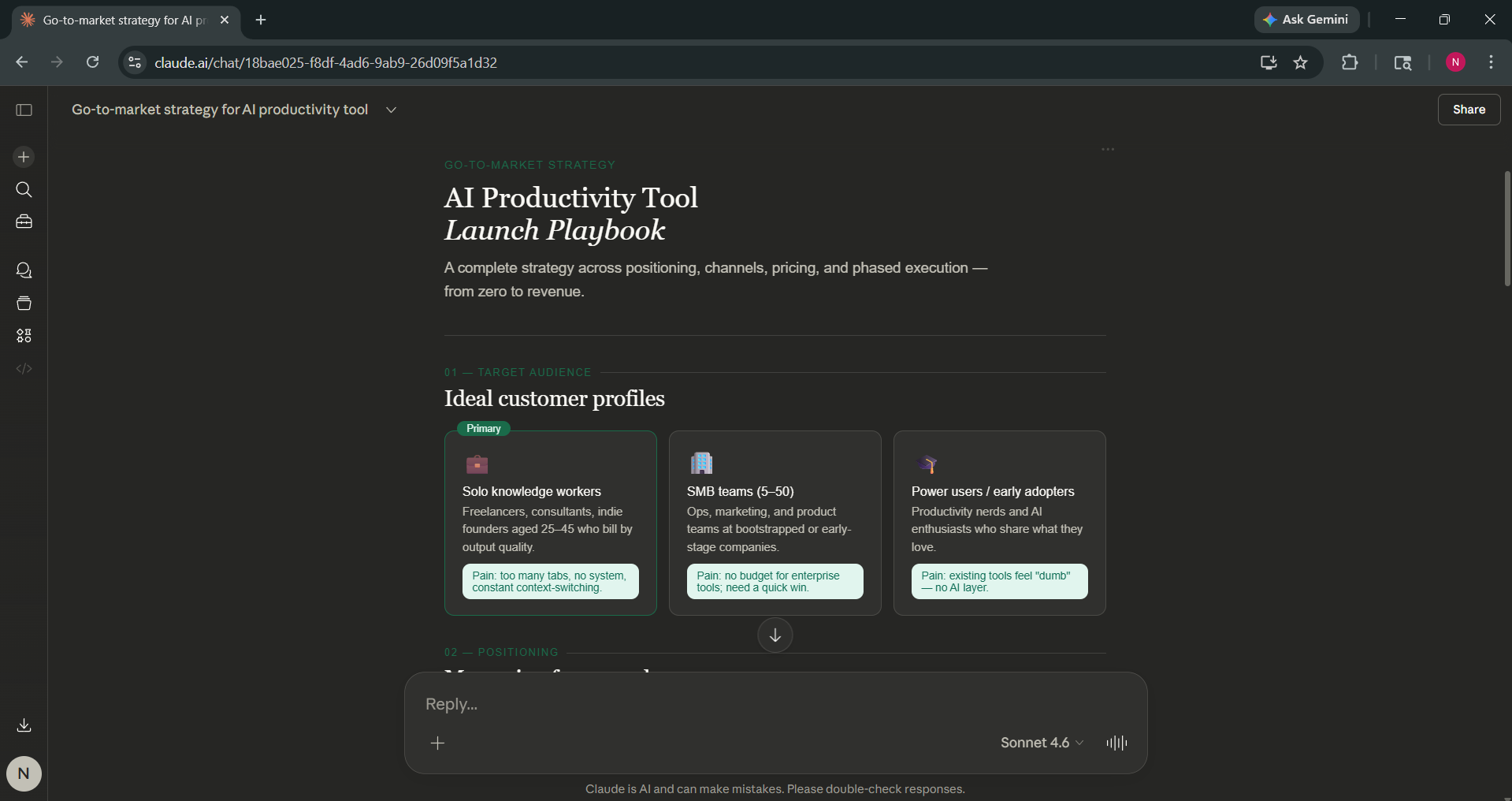
Getting the Most Out of These Techniques
These tricks will work best when you combine them with clear, specific prompts. If you add /godmode to a vague question, it won't compensate for a poorly defined request. Think of these as multipliers; they amplify the quality of an already well-structured prompt, not a replacement for it.
Editor's Note:
These five prompt commands/tricks are community-discovered techniques, not official Claude commands or documented features from Anthropic. Claude has no native command parser; it doesn't read /ghost the way a bot reads a slash command. What these prefixes actually do is set an instructional context that influences the model's tone, depth, and format. Results and outputs may vary based on the complexity of your request and the version of the Claude model you're using. Always review outputs well and verify factual claims independently, especially for professional or published use.
This article is intended for informational purposes. Prompt behavior may change as Claude's models are updated.
💡 For Partnership/Promotion on AI Tools Club, please check out our partnership page.

