

You may have heard about always-on displays, where a portion of a smartphone screen is active when locked, showing the time, date, notifications, and battery status with minimal power consumption. The always-on feature was revolutionary when it first launched, and now there is another always-on feature that is about to revolutionize autonomous AI infrastructure.
Cursor, known as an AI-powered code editor, launched Cursor Automations, a system of always-on AI agents that continuously monitor, review, and improve your codebase without waiting to be asked.
What Cursor Automations Actually Do
Cursor Automations are AI agents that run on schedules or are triggered by events like a sent Slack message, a newly created Linear issue, a merged GitHub PR, or a PagerDuty incident. In addition to these built-in integrations, teams can configure custom events via webhooks.
When it starts, the automated agent works in a cloud sandbox, follows your instructions using the MCPs and models you've configured, and verifies its own output. One particularly important detail is that AI agents also have access to a memory tool that lets them learn from past runs and improve with repetition, resulting in adaptive, compounding improvement over time.
AINews.sh: Stay ahead with the latest AI product releases, in-depth reviews, and news. Compare AI tools, open-source models, and paid platforms.
It's also worth noting that Automations have a predecessor called Bugbot, which is Cursor's existing code review tool and, in many ways, the original automation. It runs when a PR is opened or updated, gets triggered thousands of times a day, and has caught millions of bugs since launch. Automations now extend this same model across the entire development lifecycle.
Two Categories of Value: Review and Chores
After running Automations internally on their own codebase, Cursor's team identified two broad categories of automations: Review and Monitoring, automations that catch problems systematically:
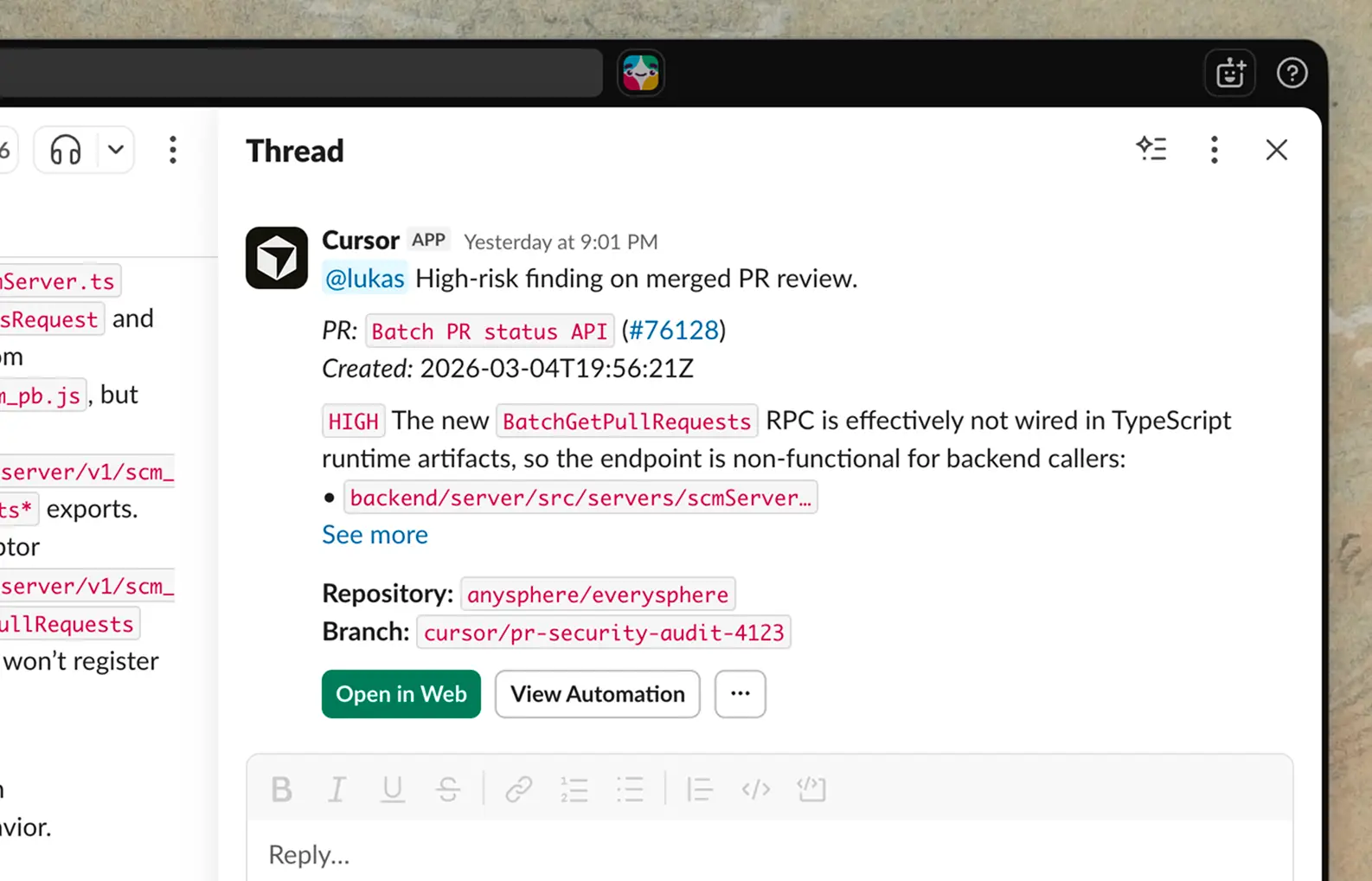
- Security Review: Triggered on every push to main, this automation can audit the diff for security vulnerabilities, skipping issues already discussed in the PR, and posting high-risk findings to Slack.
- Agentic Codeowners: On every PR open or push, this automation classifies risk based on blast radius, complexity, and infrastructure impact. Low-risk PRs get auto-approved. Higher-risk PRs can have up to 2 reviewers assigned based on contribution history, with the decisions being summarized in Slack and logged to a Notion database via MCP for auditability.
- Incident Response: When triggered by a PagerDuty incident, an agent uses the Datadog MCP to investigate logs and scans the codebase for recent changes. It then sends a message in a Slack channel to on-call engineers, with the corresponding monitor message and a PR containing the proposed fix.
AdCreative.ai: An AI-powered platform that automates the creation of high-performing ad creatives for social media and display campaigns.
Chores:
Chores are repetitive, high-friction work that drains engineering bandwidth:
- Weekly Repository Digest: A scheduled automation posts a weekly Slack digest summarizing meaningful changes to the repository in the last seven days, highlighting major merged PRs, bug fixes, technical debt, and security or dependency updates.
- Test Coverage Agent: Every morning, an automated agent reviews recently merged code, identifies areas that need test coverage, follows existing conventions when adding tests, only alters production behavior when necessary, and runs relevant test targets before opening a PR.
- Bug Report Triage: When a bug report lands in a Slack channel, the automation checks for duplicates, creates an issue using Linear MCP, investigates the root cause in the codebase, attempts a fix, and replies in the original thread with a summary.
In Conclusion:
Cursor Automations isn't autocomplete, but an autonomous software engineering infrastructure. We already know that AI can write code. The harder problem has been everything around the code, like reviews, tests, triage, incident response, and documentation. That is where engineers lose hours every week, and that is precisely where always-on agents can now operate.
The goal, as Cursor frames it, is to build "the factory that creates your software," configuring agents to continuously monitor and improve your codebase with the right tools, context, and guardrails in place. For developers, this means reclaiming focus, and for engineering leaders, it means taking advantage at scale.
💡 For Partnership/Promotion on AI Tools Club, please check out our partnership page.
