


ChatGPT Agent mode is one of the best ChatGPT features released by OpenAI. The feature took the world by storm when it launched, presenting ChatGPT as the only tool you'll need to automate your workflow. ChatGPT Agent mode combines the previous ChatGPT Operator with the deep research agent, allowing ChatGPT to not only interact with websites but also intelligently comprehend information on websites and articles.
While it is a very capable feature that can save you plenty of time, most people don't know how to use ChatGPT Agent mode to automate workflow. Hence, in one of our previous articles, we showed how you can automate your entire workflow.
In this article, we will do something more creative and a little different; we'll make ChatGPT Agent mode use Claude AI and vibe-code a macOS simulation. While we previously showed a few tasks you can automate, in this article, we will show you ChatGPT Agent mode not only in action but also completing a task on your behalf.
AdCreative.ai: An AI-powered platform that automates the creation of high-performing ad creatives for social media and display campaigns.
What will we do?
Recently, I saw someone on X (Twitter) use ChatGPT Agent mode to use Google Gemini and its Canvas feature vibe code a macOS simulation. That gave me an idea, and I wanted to do the same; however, for some reason, I couldn't take over ChatGPT Agent mode and log in to Gemini. So, I tried it with Claude AI by Anthropic.
How to use ChatGPT Agent mode to control Claude AI and Vibe Code:
Step 1: Open ChatGPT. You'll need a paid subscription to use ChatGPT Agent mode.
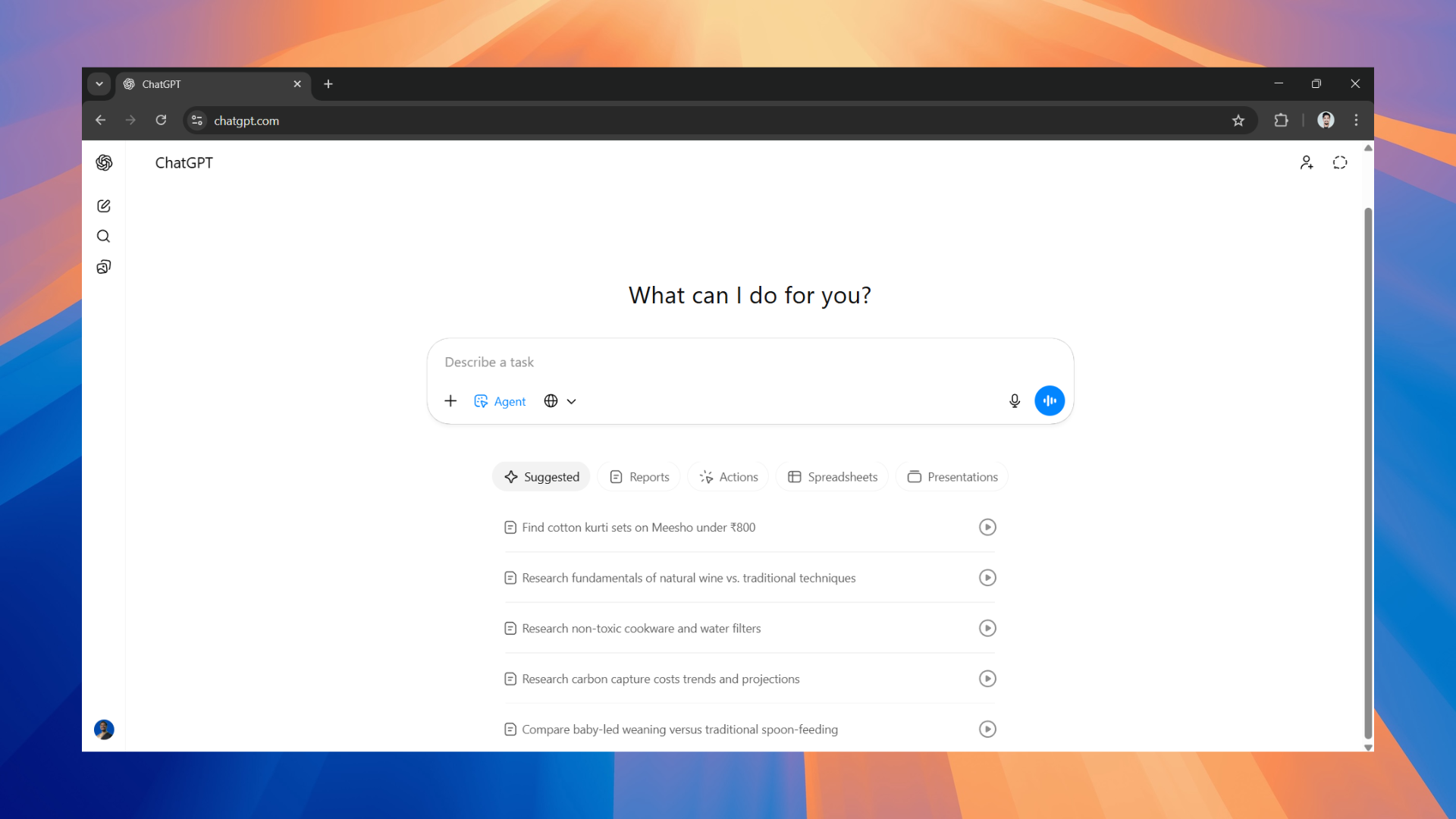
Step 2: Once you have selected Agent mode, enter the following prompt and make any necessary changes.
- You'll still need to log in manually regardless of whether you are using Google Gemini or Claude AI.
Prompt: Open claude.ai, select Sonnet 4.5, then prompt it: 'emulate MacOS only using HTML'. Then, as soon as you click send, save the time in ET you clicked the button, the time it took reasoning, and the time it took the whole inference process, clicking the button until the model was done. Those are the stats I need.
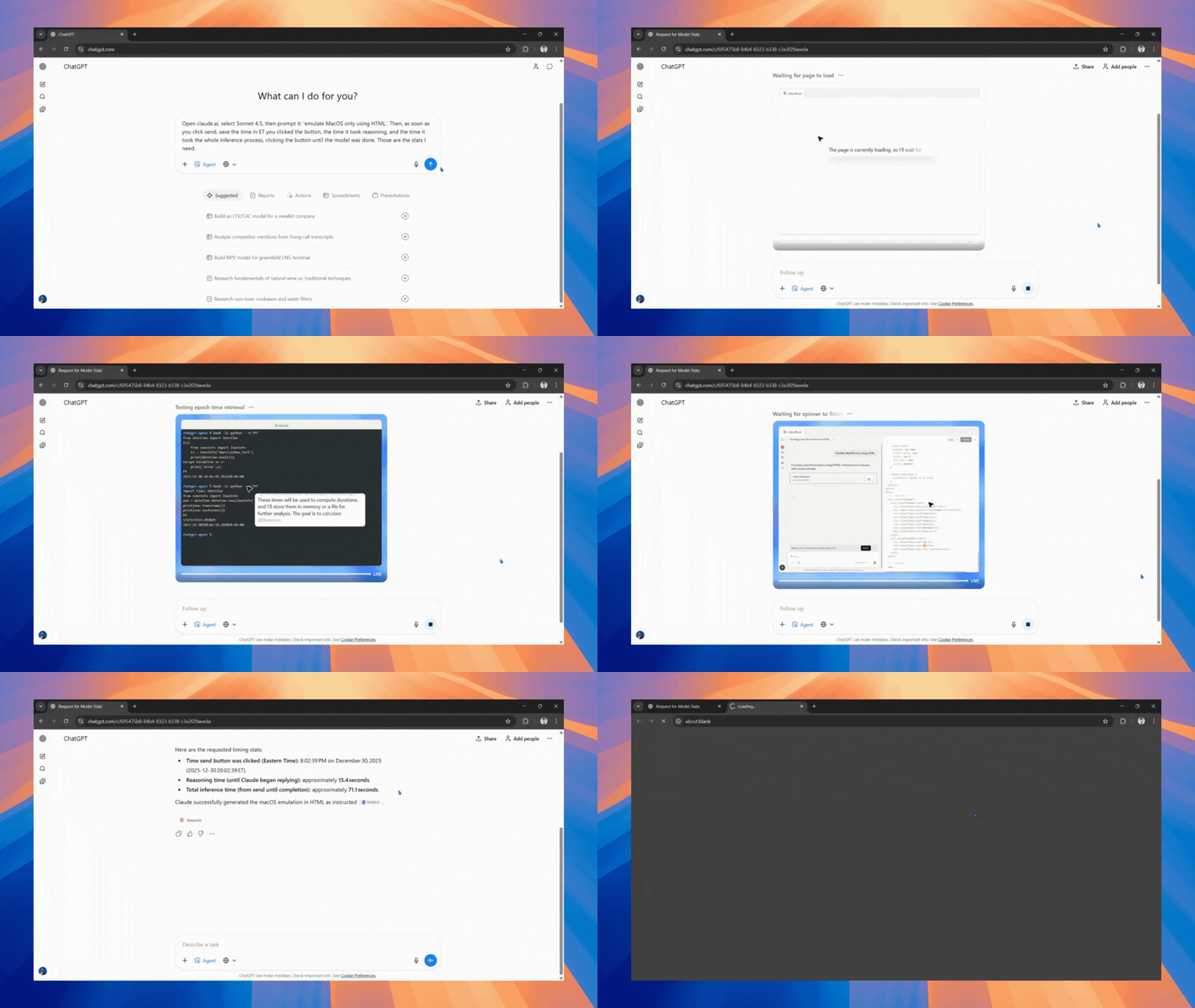
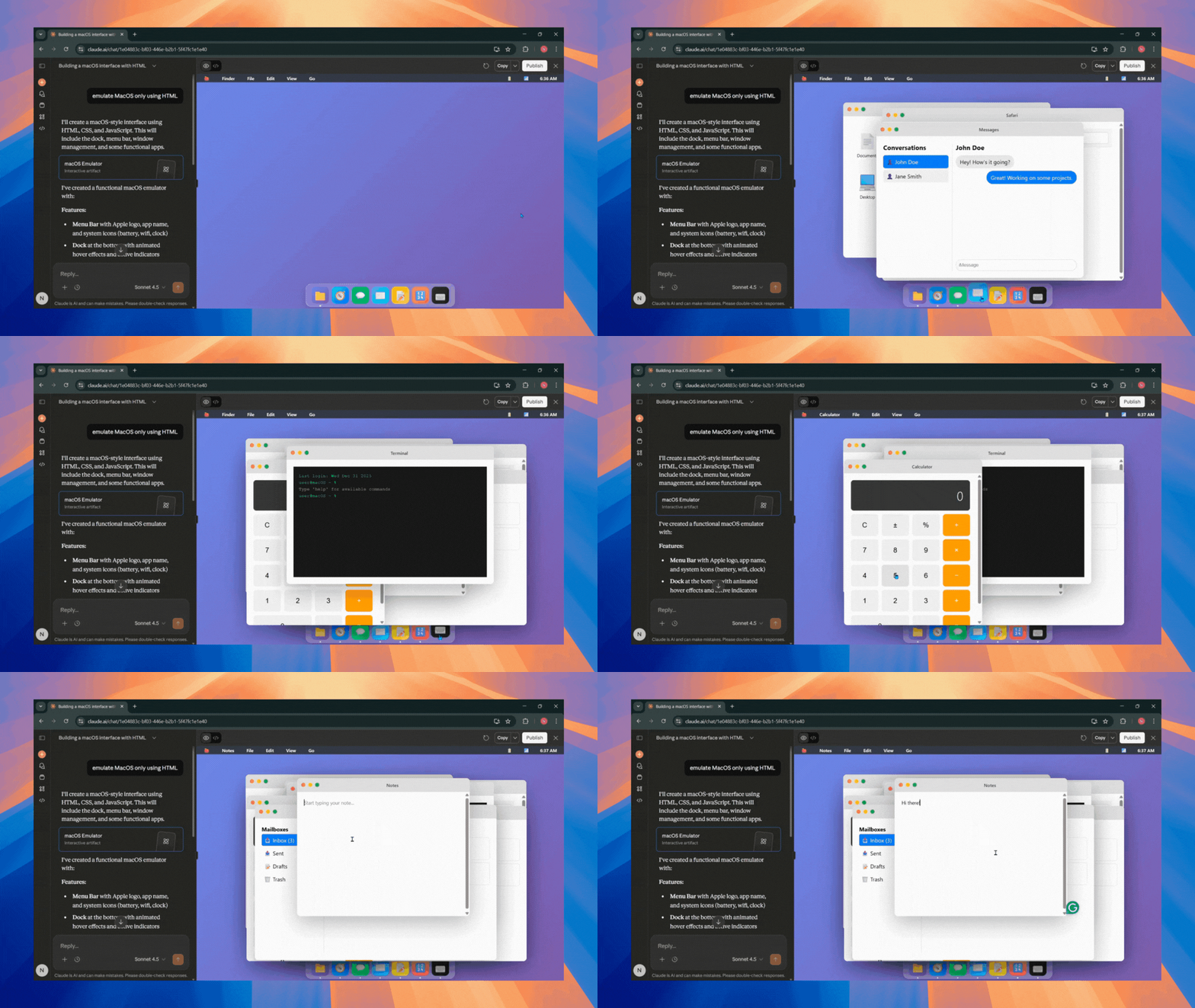
Step 3: Once the output is ready, you can either review it within ChatGPT or you can visit claude.ai to review and interact with the macOS simulation.
In Conclusion:
ChatGPT Agent mode is a very capable, and while not perfect yet, you can still use it to automate some of your workflows. Although Gemini would have been a better choice to vibe code, as Claude didn't entirely replicate the entire macOS user interface (UI), and it also didn't use any iconic Mac wallpapers. However, it was good enough and made the taskbar apps clickable and interactive. It might not be the ideal way to use ChatGPT Agent mode, but it is a solid example of the feature's agentic capability.
💡 For Partnership/Promotion on AI Tools Club, please check out our partnership page.
