


Google has announced that Gemini can now also create interactive simulations and models. You can turn your questions and complex topics into custom and interactive visualizations directly in your chat.
Interactive visuals were first introduced by OpenAI in ChatGPT as a feature to help people learn math and science through an interactive visual module that users can directly manipulate. Soon after that, Anthropic announced interactive charts, diagrams, and visualizations for Claude without the limits of ChatGPT's interactive visuals.
Now, Google has also introduced its version of interactive visuals for Gemini, allowing it to generate 3D interactive simulations and models. In the release blog, Google acknowledged how, for the longest time, responses were largely just text with static images. However, to help users better understand any topic, Gemini is introducing a new feature that lets you create functional simulations.
We have already compared ChatGPT's interactive visuals against Claude's interactive visuals, and Claude was the winner. In this article, we will compare our previous winner, Claude, against the new Gemini interactive visuals.
Comparing Claude vs Gemini Interactive Visuals:
This comparison won't be easy because both Gemini and Claude are essentially open-ended. What will matter is which one creates the better visuals more smoothly. So, we will do 3 tests:
- Visualizing how a plant grows from a seed to a tree.
- How a magnet's force field works around different metals and another magnet.
- Visualizing how the planets rotate around the sun.
I am also using Gemini Pro and Claude Sonnet 4.6.
Visualizing how a plant grows from a seed to a tree:
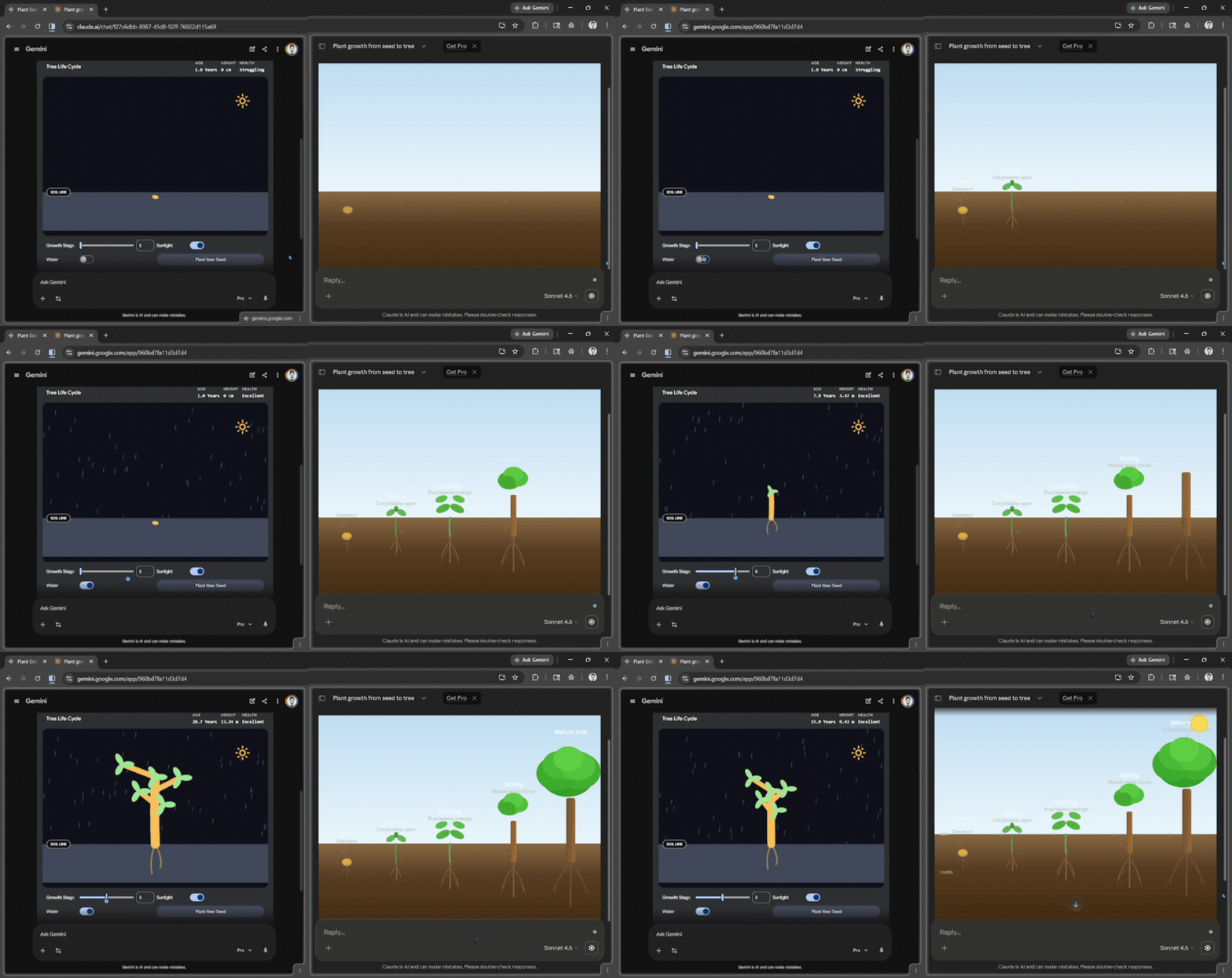
Prompt: Visualize/show me how a plant grows from a seed to a tree.
Verdict:
While Claude's output looked much better than that of Gemini, Gemini's output was actually interactive, allowing me to not only control the seed's growth but also the rain (water) and sunlight.
Magnet force field:
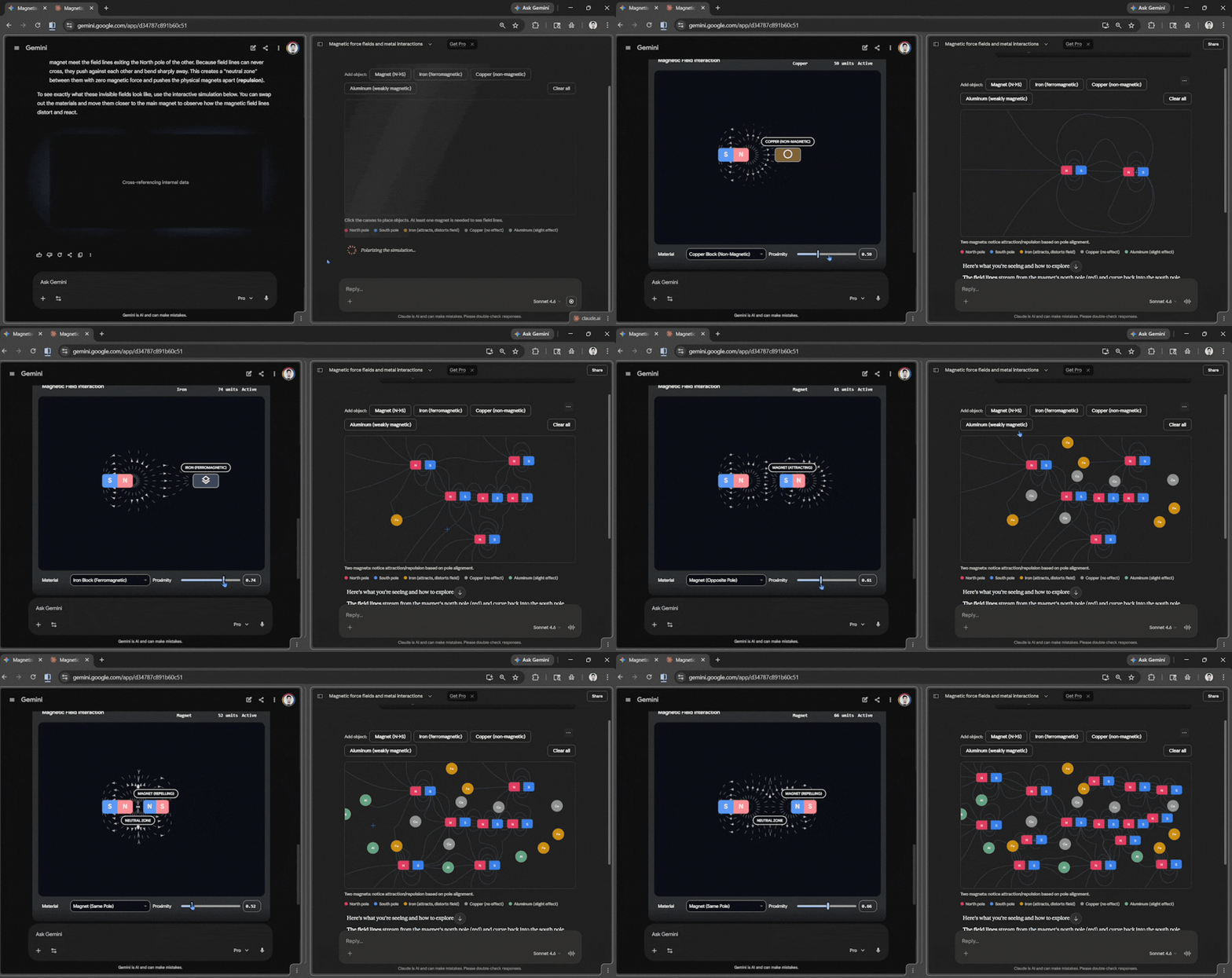
Prompt: Show me/visualize how a magnet's force field works around different metals and another magnet.
Verdict:
This was actually really tough to judge, as both did really well. Gemini's output had beautiful animations and was very straightforward. However, I would give a slight edge to Claude because it provided a canvas where I could add multiple items at once and visualize how the magnetic field would interact with multiple metals and magnets.
How the planets rotate around the sun:
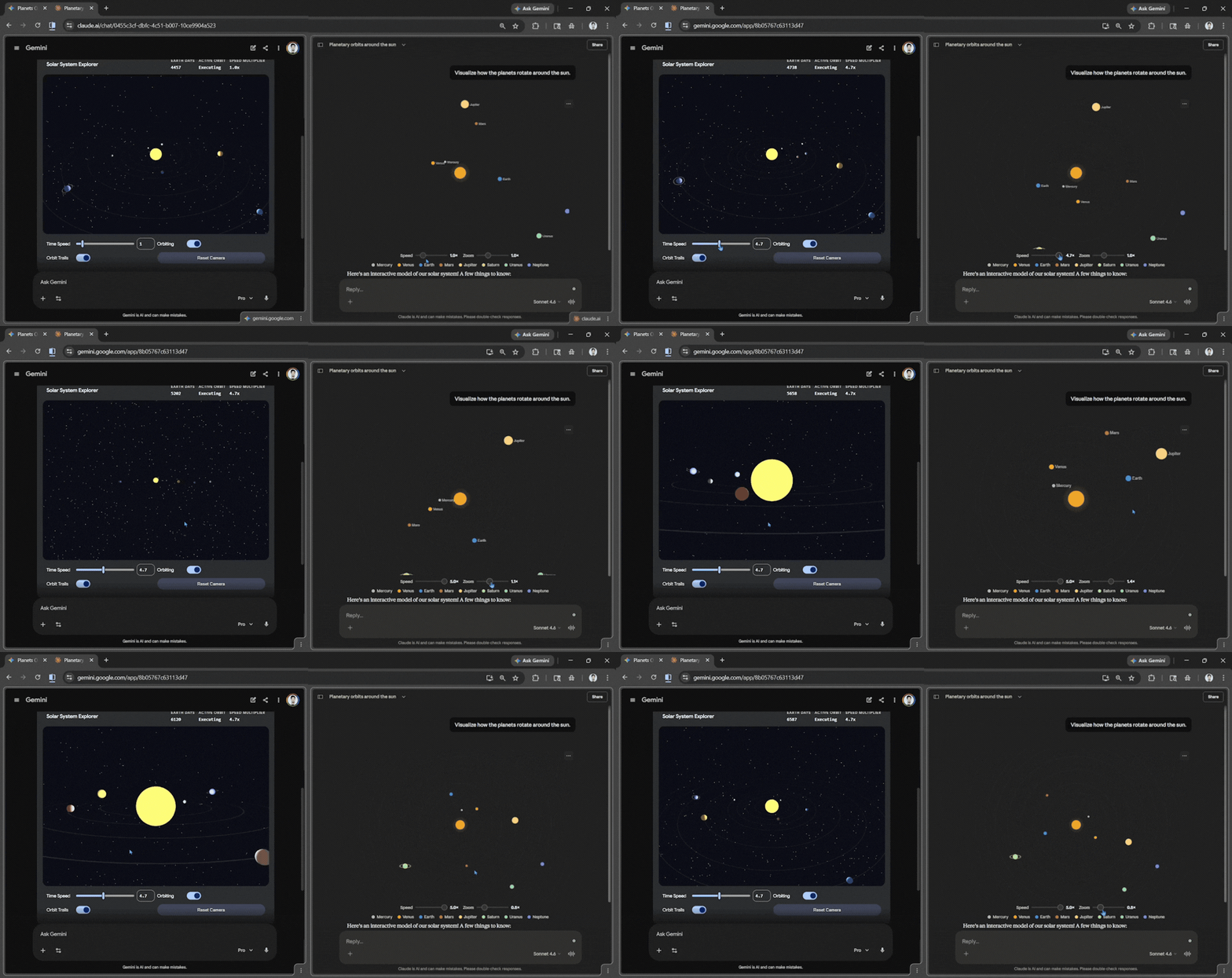
Prompt: Show me/visualize how the planets rotate around the sun.
Verdict:
This was fairly straightforward. Both did generate what they were asked to, but Gemini outperformed Claude. The only downside with Gemini's output was that there was no label on the planets, making it hard to spot one from afar; apart from that, it was really good; you could zoom in and out in space. Claude's output was straightforward, while planets were moving, and you could still zoom in, but it was one-directional, and you couldn't zoom in on any one particular planet.
In Conclusion:
It is safe to say Google Gemini outperformed Claude by being consistent and generating beautiful output with smooth animations. Claude did a really good job with the outputs, but they lacked the beautiful animation and control that Gemini provided. Claude outperformed ChatGPT in their comparison and was, for the longest time, the best AI assistant for creating interactive visuals, but that has now changed. Right now, Google Gemini is the best AI assistant for creating interactive visuals.
💡 For Partnership/Promotion on AI Tools Club, please check out our partnership page.
