


In 2025, multiple AI companies launched their own AI browsers with agentic capabilities that can work on the user's behalf. While there was plenty of initial hype, most of those AI browsers have lost their limelight over time. Hence, over time, people and even companies stop talking about them, and although there is the initial hype, it is created by the tech enthusiasts, which is promising but doesn't encompass the general public. According to StatCounter, Google Chrome has over 70% the global browser market share, and Google's AI model Gemini has slowly but steadily become one of the best multi-modal AI assistants.
Previously, Google Gemini was only available on the web and mobile app, and later was also added to Google Search via AI mode. However, Google recently announced that Google Gemini will be added to Google Chrome's side panel with new AI features, including agentic browsing called auto browse.
AdCreative.ai: An AI-powered platform that automates the creation of high-performing ad creatives for social media and display campaigns.
Here are the top 5 Gemini in Google Chrome updates you needed to know:
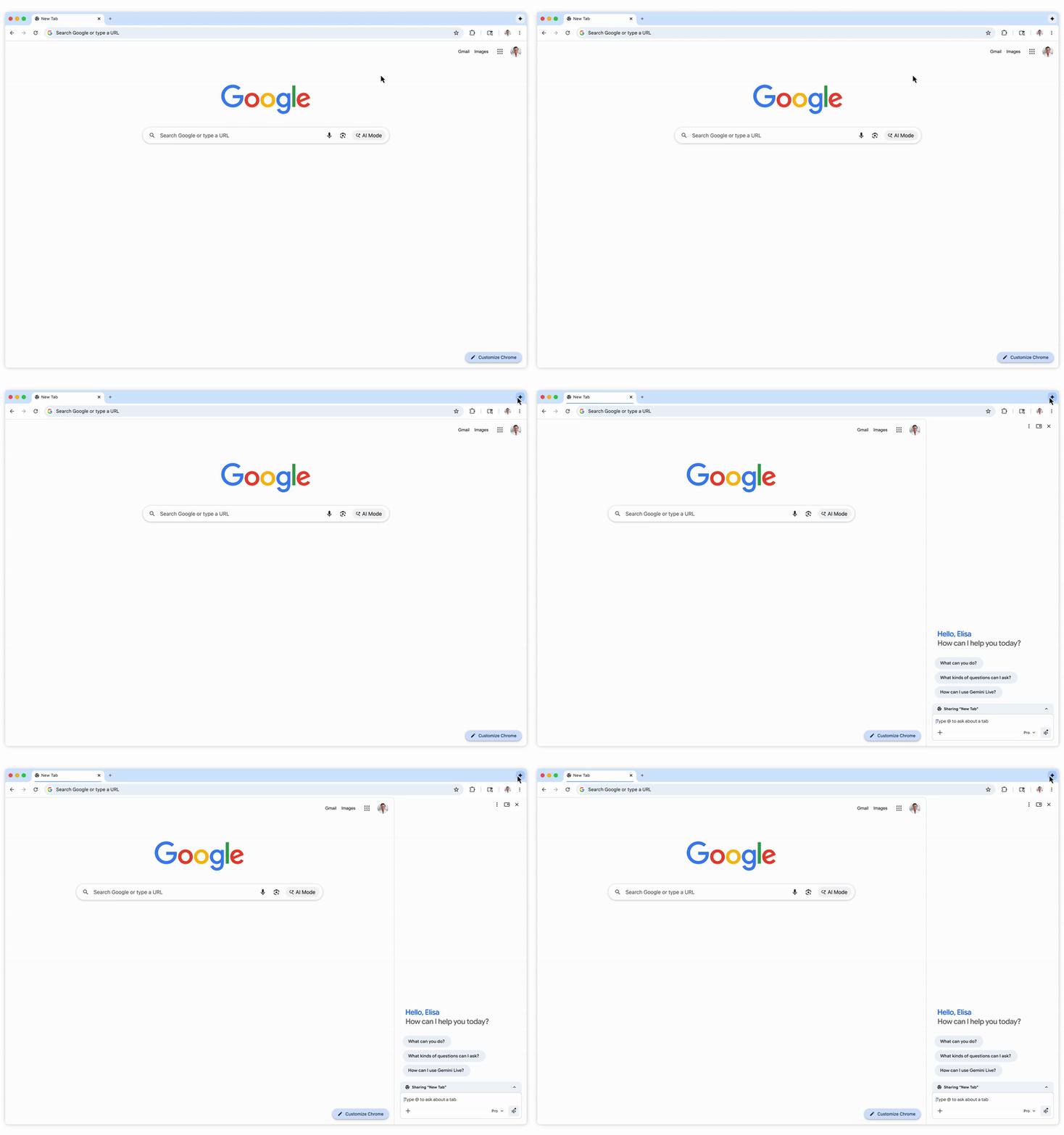
1. Google Gemini in the side panel:
The headline update was that Google Gemini is now available in Chrome's side panel, so it stays available even when you switch tabs. Google is positioning it as a browsing assistant at your side that can help users compare options across tabs, summarize product reviews across sites, and keep your main work visible while Gemini handles a secondary task.
- Key highlight: Google Gemini is always-on access across tabs and is designed to help users multitask.
2. Nano Banana in Chrome:
Google Nano Banana has been an instant hit since its launch in 2025. Now, Google is integrating Nano Banana directly into Chrome so you can transform images on the fly using a prompt without downloading, re-uploading, or opening another tab.
3. Connected Apps:
Gemini in Chrome is also getting Connected Apps, such as integrations with Gmail, Calendar, YouTube, Maps, Google Shopping, and Google Flights. This deeper integration will allow you to get things done quickly, with Gemini handling the heavy lifting of going through old emails, finding flight recommendations, drafting emails, and more.
- Key highlight: A deeper app integration with Gemini in Chrome that allows users to automate tasks and get things done faster.
Notion AI: Enhance your Notion workspace by integrating advanced AI features directly into your notes, docs, and project workflows
4. Personal Intelligence:
In the coming months, Google says Personal Intelligence will come to Chrome, which means if you opt in, Chrome can remember context from past conversations and respond in a way that's more specific to you. Google also emphasizes that users are in control and can choose to opt in or out, and connect or disconnect their apps at any time.
- Key highlight: Personal Intelligence allows Chrome to give users a more personalized experience with uniquely tailored answers that make Chrome feel more proactive and context-aware.
5. Chrome auto browse:
The headline feature of this new update was Chrome auto browse, which is Google's very own agentic browser control feature. Google Chrome's auto-browse can perform agentic action to automate multi-step work for you, things like researching options across dates, filling forms, collecting documents, and managing subscriptions.
- Key highlight: Auto browse is an agentic feature available in the Gemini Chrome side panel that takes control of the browser to automate and complete tasks on the user's behalf.
What to know about access and settings:
According to Google's Chrome Help documentation, Gemini in Chrome is rolling out over time and may not be available in every country yet. It also suggests practical requirements people often miss:
- Being signed into Chrome.
- Using English (United States).
- Being in the U.S. with a U.S.-based Google Account.
- Running the latest Chrome version.
Editor's note:
I think Gemini in the Google Chrome side panel is going to be a game-changer for a lot of people, given Google's massive 70%+ browser market share. While other agentic and AI browsers are very capable, Google keeps things simple, allowing users to browse regularly and, if needed, easily chat with Gemini in the side panel.
Gemini isn't replacing Chrome, nor is Chrome replacing Gemini; instead, they are working in synchrony to help users automate tasks with AI while allowing them to work on and continue using Chrome as they normally would.
💡 For Partnership/Promotion on AI Tools Club, please check out our partnership page.

