


Learning has no age. You can learn something new every day, regardless of your age; however, we often find ourselves trying to consume information, only to struggle to understand it well. Reading a 40-page research paper or a dense academic book doesn't automatically mean you'll retain actionable knowledge. Hence, it is important not just to consume information but also to understand it well so you can put it into action.
Google's NotebookLM is a well-known AI-powered research and learning assistant that can help you consume and understand information with a suite of features designed to transform passive reading into active, personalized learning. It doesn't matter what your background is, if you are a student, a professional, or just a lifelong learning NotebookLM features can offer a fundamentally different approach to understanding complex material.
In this article, we will tell you about 5 ways you can use NotebookLM that can change how you learn and understand anything.
AINews.sh: Stay ahead with the latest AI product releases, in-depth reviews, and news. Compare AI tools, open-source models, and paid platforms.
Here are 5 ways you can use NotebookLM to learn anything:
1. Recall Information with Flashcards and Quizzes
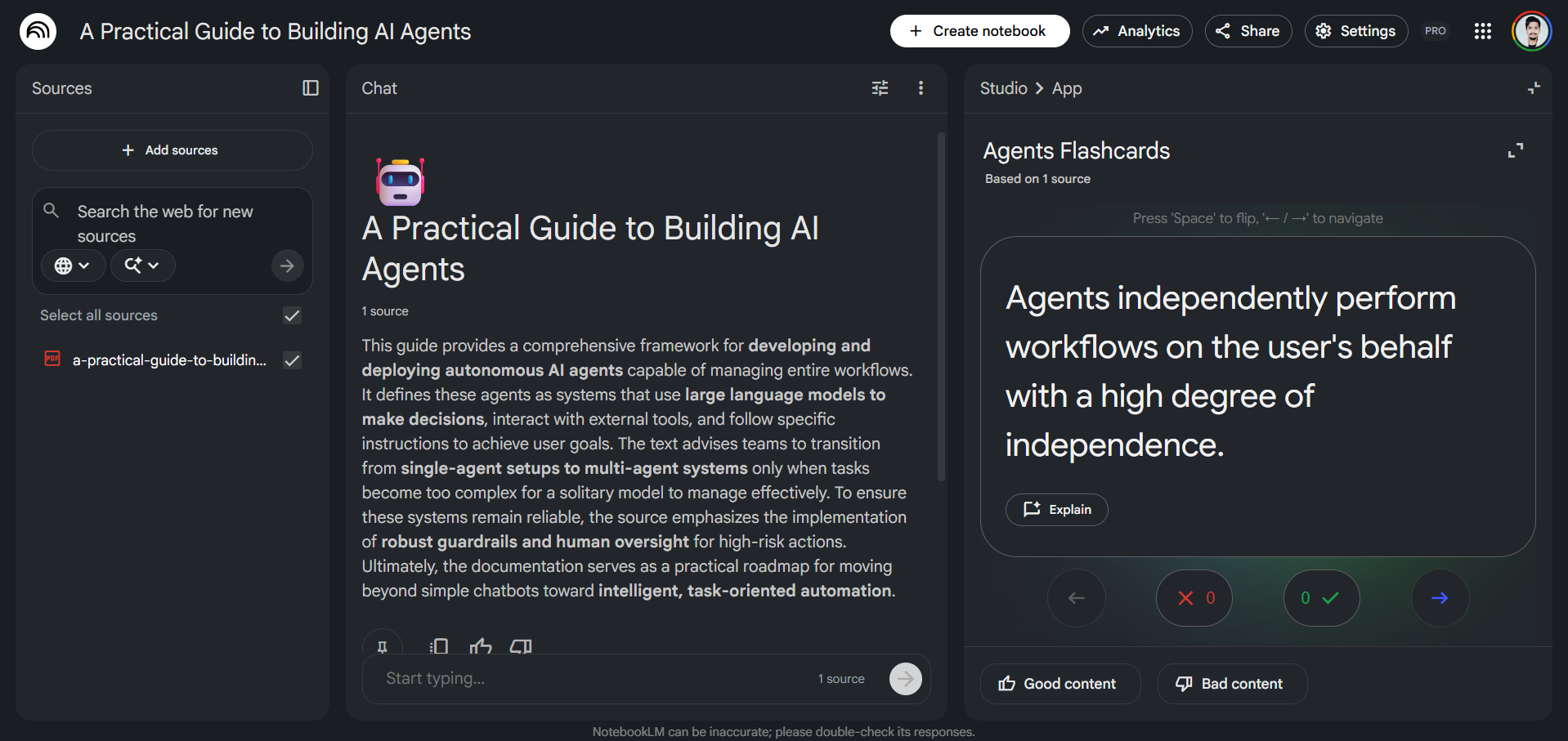
Active recall is one of the most evidence-backed strategies in cognitive science for retaining information, and NotebookLM now automatically puts it to work. You can upload any document you want, whether it is lecture notes, a research paper, a business report, or a website/YouTube video, and the platform instantly generates study aids grounded entirely in your source material.
- The flashcards feature can help you study and memorize information directly from your uploaded sources.
- The quizzes feature helps test your understanding of the topic.
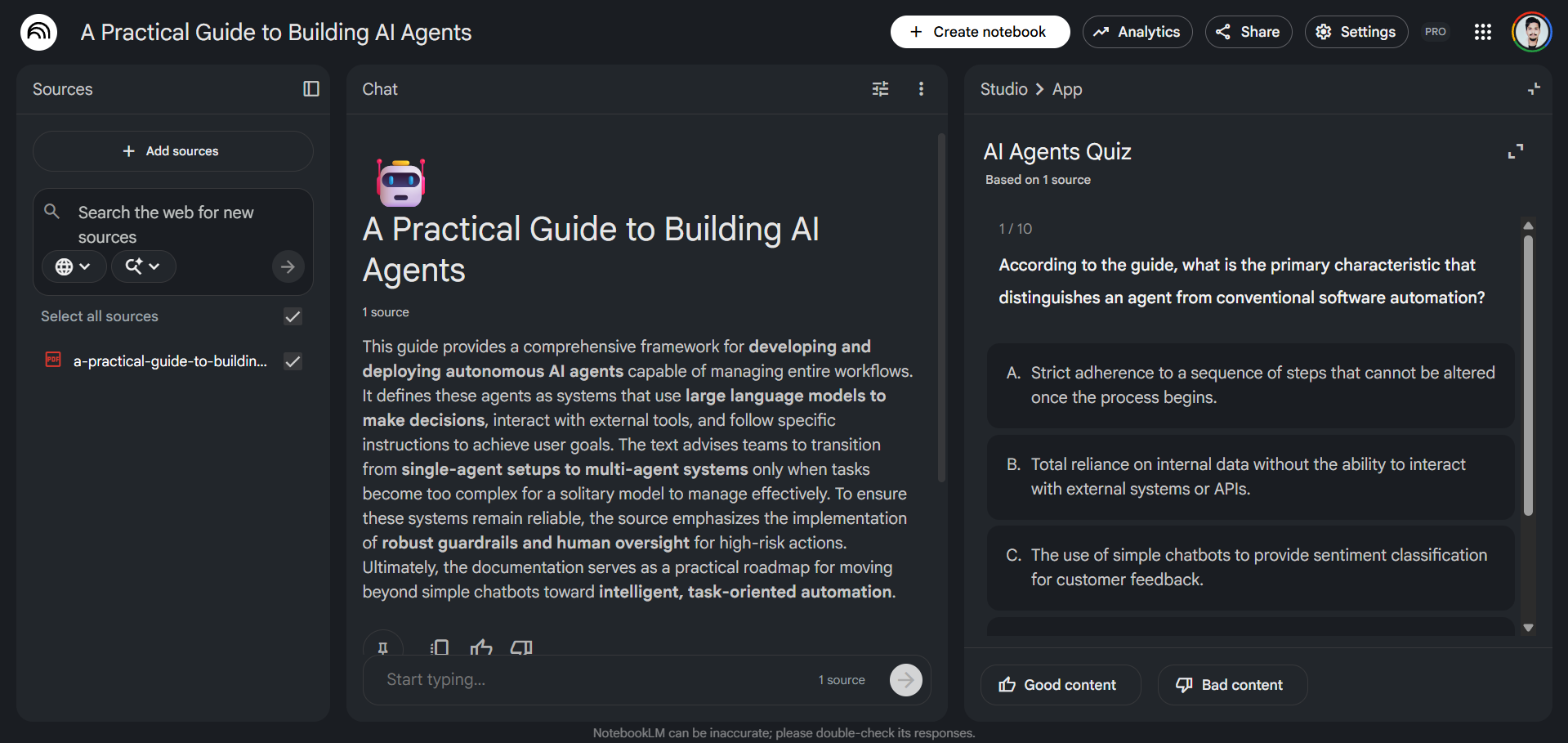
If something isn't clear, you can ask NotenookLM to explain it so you can understand the topic well.
2. Create High-Quality Documents with Reports and Mindmaps
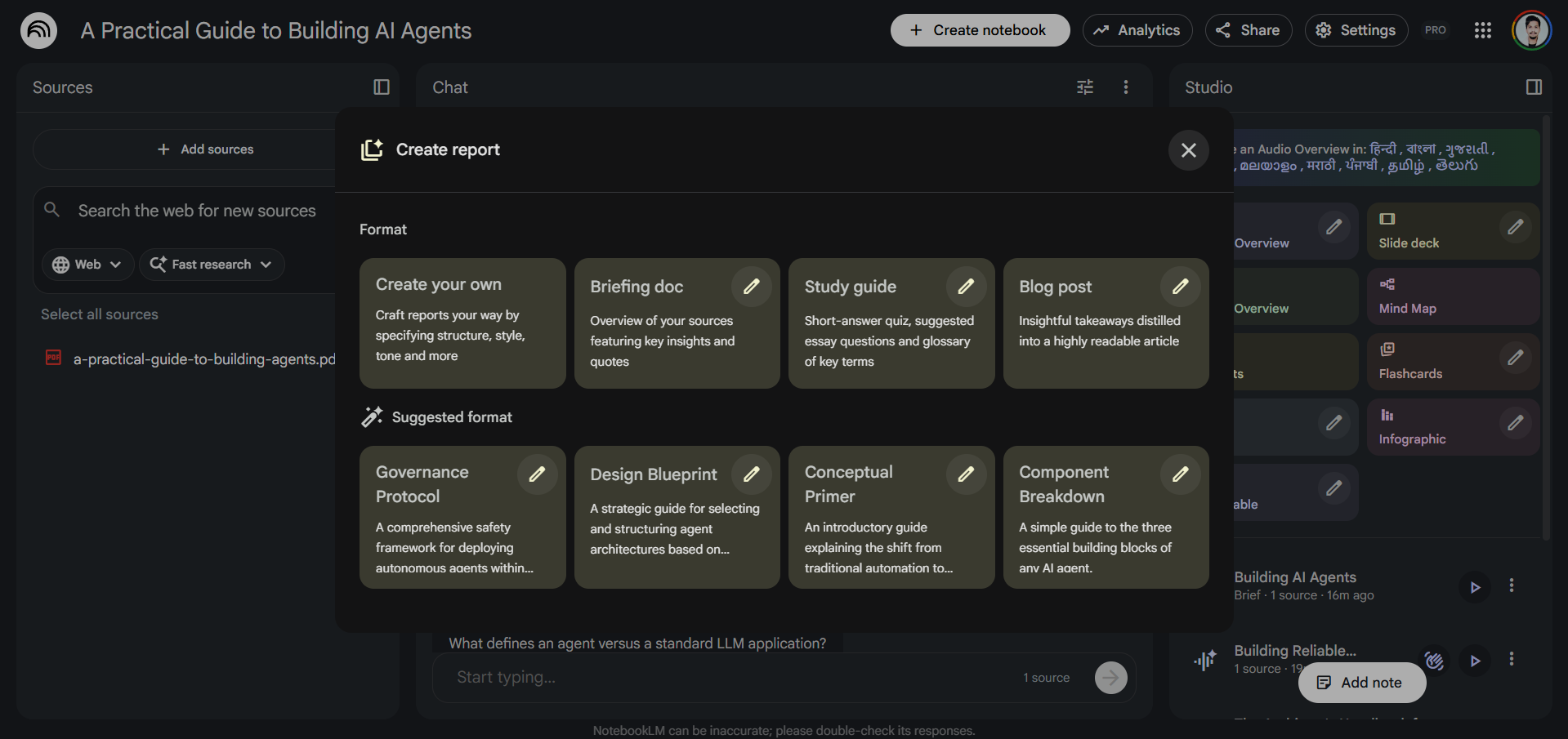
NotebookLM has long been capable of auto-generating Briefing Docs and Study Guides from uploaded sources. The upgraded Reports feature takes that further with more formats, more control, and deeper contextual intelligence.
Reports:
There are multiple report formats to choose from that organize information from multiple sources into a cohesive narrative with clear headings and citations.
Mindmaps:
Alongside reports, Mindmaps add a powerful visual layer to comprehension. Rather than reading a linear summary, you can map out the conceptual relationships within your source(s), making it ideal for synthesizing multi-document research projects or understanding how ideas connect across a body of work.
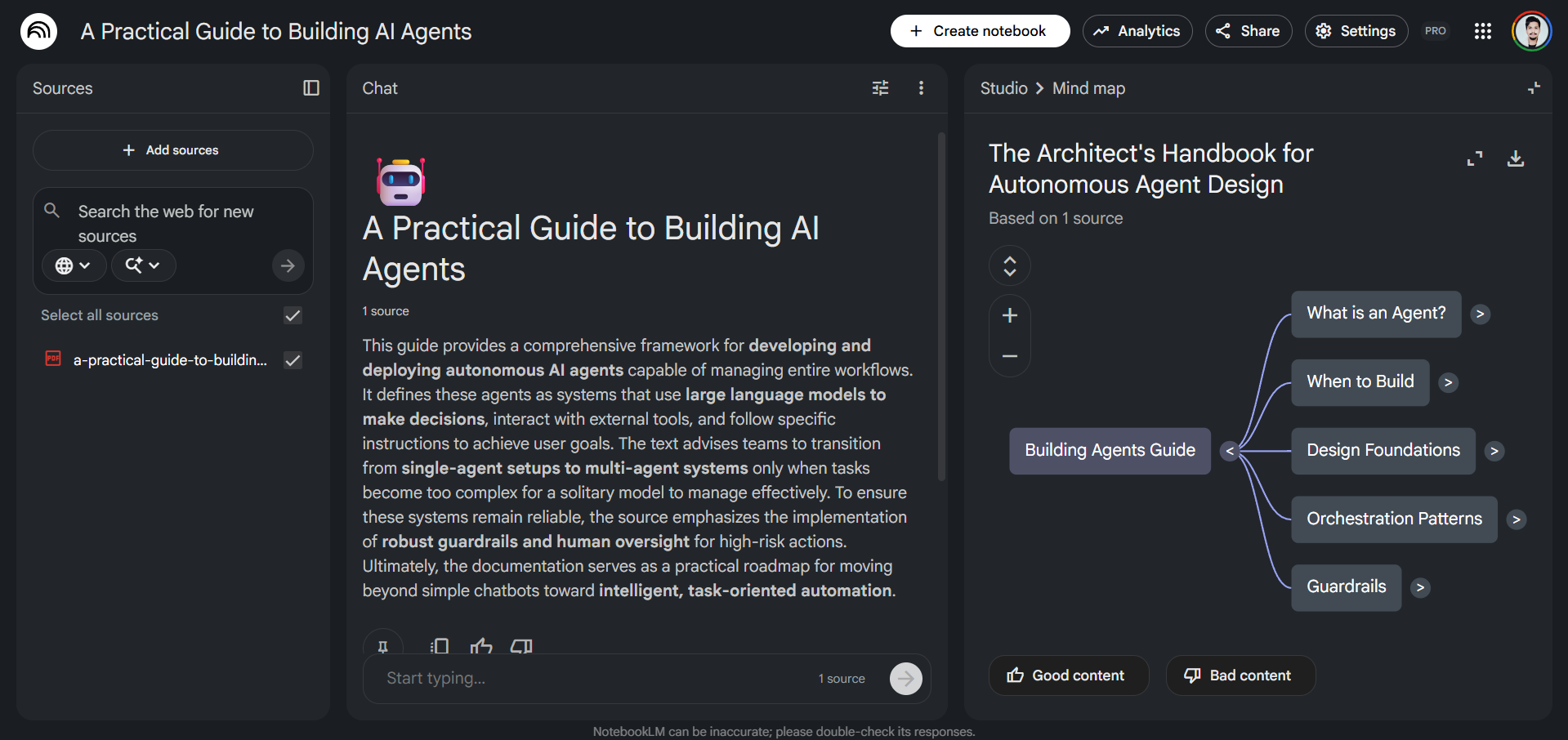
Together, reports and mindmaps serve both linear thinkers and visual learners.
AdCreative.ai: An AI-powered platform that automates the creation of high-performing ad creatives for social media and display campaigns.
3. Understand better with the Learning Guide
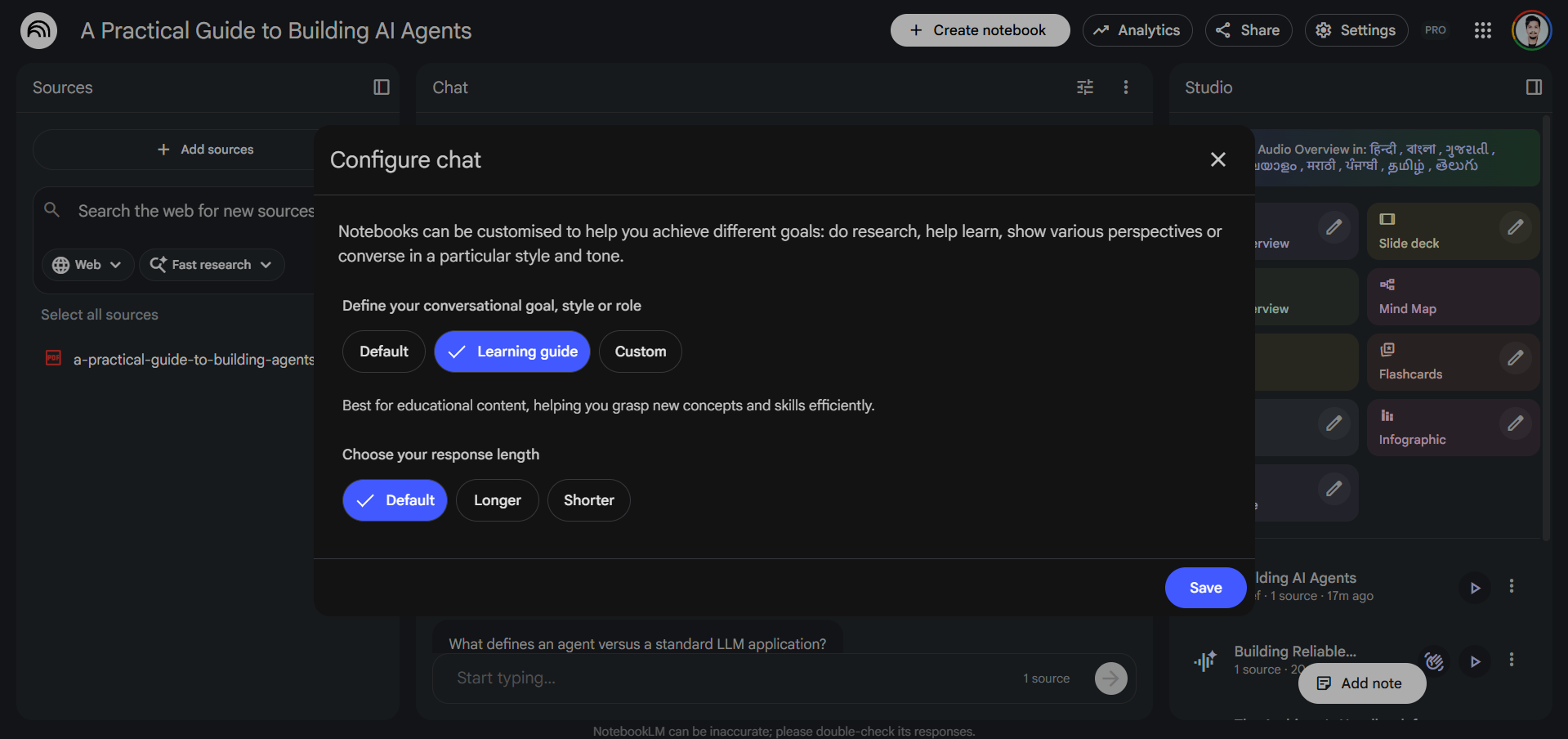
NotebookLM's Learning Guide mode changes how you interact with AI and how AI interacts with you during a chat session. Rather than giving you direct answers, it asks open-ended questions, breaks problems down step by step, and adapts its explanations to the learner's specific needs and knowledge gaps.
4. Understand Your Sources Instantly with Video Overviews
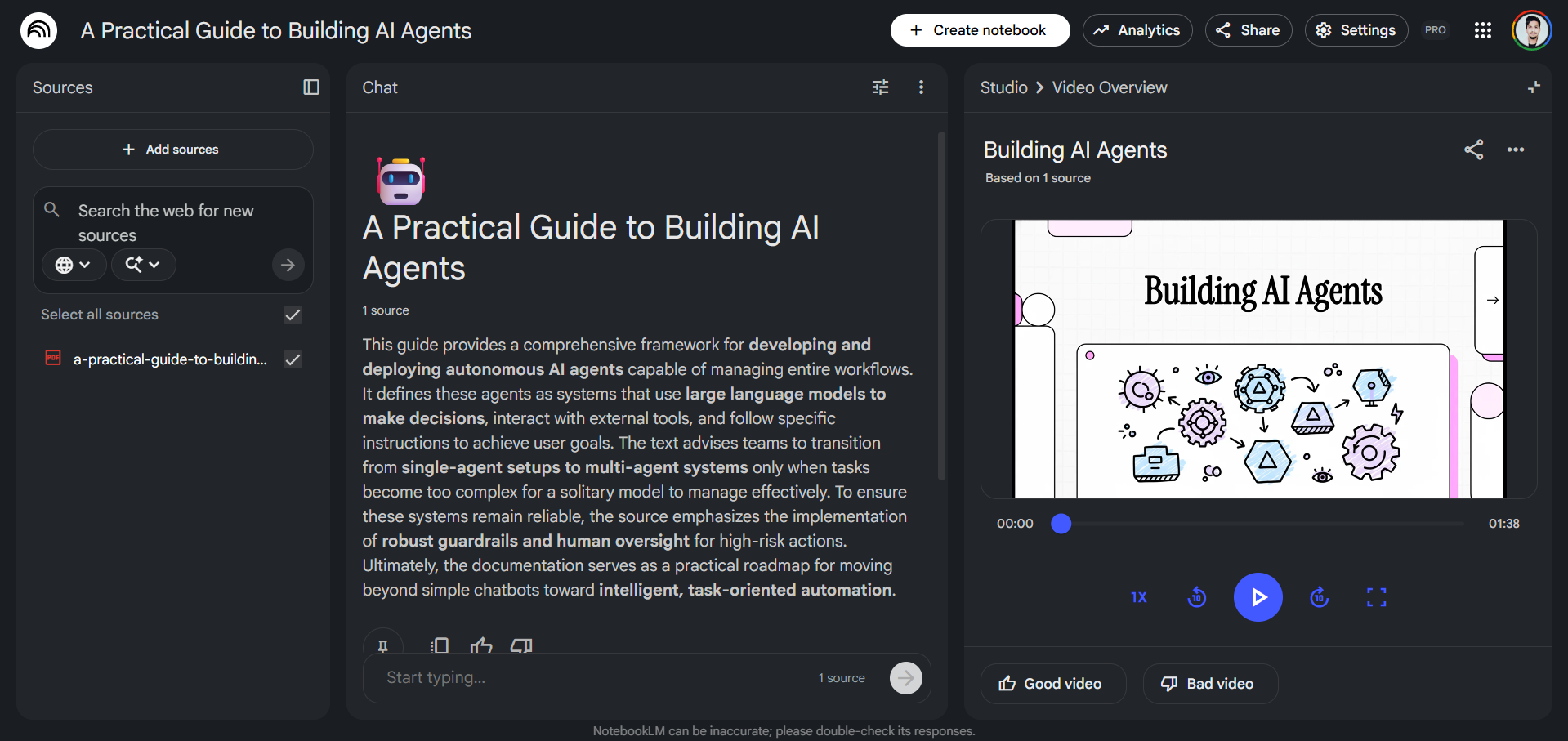
NotebookLM's Video Overviews can turn your documents into AI-generated, narrated summaries that convert uploaded research sources into engaging, visual presentations featuring images, charts, and key points. Recently, NotebookLM has added Cinematic Video Overviews that can create custom, unique, and immersive videos for you.
5. Hear Your Sources in a New Way with Audio Overviews
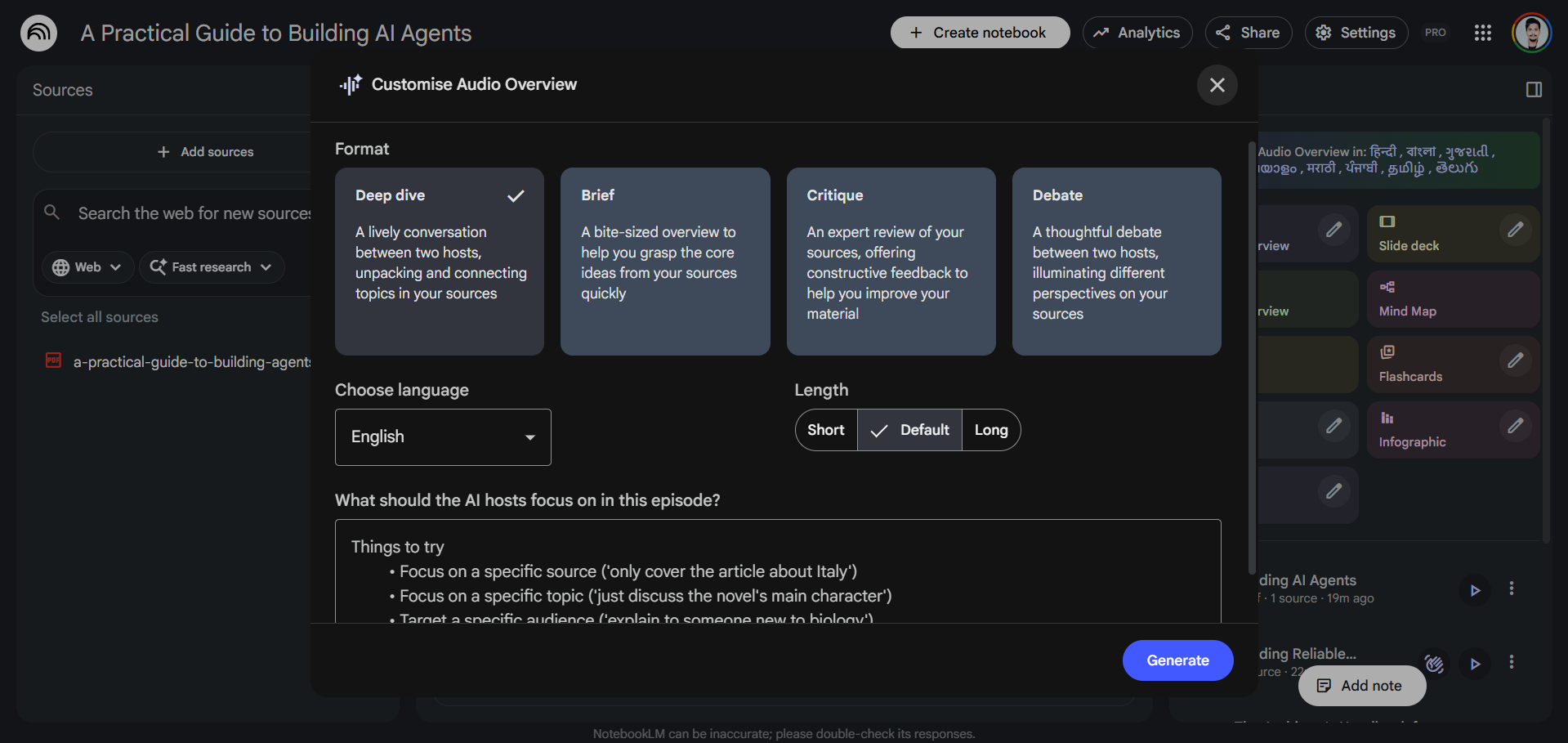
The popular Audio Overviews feature, which can generate AI-hosted conversations/podcasts about your source material. Previously, we also had a deep dive option in Audio Overviews, but now there are three more distinct new formats along with the classic deep dive.
- Brief: A single AI host delivers a concise extraction of your source's core ideas, useful for quick reviews on the go.
- Critique: Two AI hosts evaluate your material constructively, offering feedback on essays, design documents, or drafts, a strong tool for iterative work.
- Debate: Two AI hosts present opposing perspectives on the topics within your sources, which can be valuable for preparing for discussions, building balanced arguments, or stress-testing your own understanding.
The Debate format, in particular, adds real intellectual value as you can hear the topic being argued from multiple angles, which forces deeper engagement than reading a one-sided summary ever could.
Editor's note:
I have been using Google's NotebookLM for a really long time, and it is genuinely one of the best AI tools in the market if you want to learn anything or perform quick research. The best part about it is that it doesn't stop you from thinking or asking the same question on repeat. You don't just learn with NotebookLM, but you can also use it to understand what you are trying to learn.
Google NotebookLM is one of the best AI tools for students, researchers, professionals, and lifelong learners to learn and understand any complex information, however you want.
💡 For Partnership/Promotion on AI Tools Club, please check out our partnership page.
